Are you tired of slow-loading websites that send your visitors running for the hills? You’re not alone! In today’s fast-paced digital world, speed is everything. A few extra seconds can mean the difference between a loyal user and a lost customer. That’s where caching plugins come into play. They’re like the secret sauce that can turbocharge your WordPress site, delivering your content in the blink of an eye. But with so many options out there, how do you choose the right one? Don’t worry, we’ve got your back! In this article, we’ll dive into the 9 best WordPress caching plugins that not only optimize your site speed but are also user-friendly for site owners of all skill levels. Whether you’re a seasoned developer or just starting out, we’ll help you find the perfect plugin to enhance your website’s performance and keep your visitors engaged. So, let’s get started—your speedy site awaits!
Understanding the Importance of Caching for WordPress Performance
Caching is a critical aspect of optimizing WordPress performance. When a user visits a website, the server processes requests and delivers the content dynamically, which can consume significant resources and time. This is where caching comes into play. By storing a static version of your site, caching minimizes server load and reduces load times, leading to a more satisfying user experience.
There are several types of caching mechanisms that can benefit your WordPress site:
Page Caching: Stores entire HTML pages, delivering them quickly without generating them anew each time.
Object Caching: Saves database query results to speed up repeated requests for the same data.
Opcode Caching: Keeps compiled PHP code in memory, which reduces execution time for PHP scripts.
Browser Caching: Instructs browsers to store resources locally, which speeds up page loading for returning visitors.
One of the most significant advantages of caching is the impact it has on your site’s loading speed. Faster loading times not only improve user satisfaction but also enhance your SEO rankings. Search engines, particularly Google, take site speed into account when determining page rankings, so implementing a robust caching strategy can give you an edge over competitors.
Moreover, effective caching can lead to a reduction in server strain, especially during traffic spikes. With a caching solution in place, your server can handle more concurrent visitors without crashing, ensuring that your site remains accessible at all times. This is particularly crucial during promotional events or product launches when traffic can surge unexpectedly.
Let’s look at how caching can impact performance with a simple comparison table:
Scenario
Without Caching
With Caching
Page Load Time
3 seconds
1 second
Server Load
High
Low
SEO Ranking
Lower
Higher
While implementing caching can seem complex, modern caching plugins for WordPress simplify the process significantly. They often come equipped with user-friendly interfaces and pre-configured settings, making it easy for anyone to enhance their site’s performance without needing deep technical knowledge.
leveraging caching is a powerful strategy for improving your WordPress site’s performance. By understanding the various types of caching and their benefits, you can choose the right plugin to streamline your site, enhance user experience, and ultimately drive more traffic and conversions.
Key Features to Look for in a Caching Plugin
When selecting a caching plugin for your WordPress site, there are several key features that can significantly enhance your site’s performance and user experience. First and foremost, ease of use is crucial. Look for plugins with a user-friendly interface that doesn’t require extensive technical knowledge to set up. A plugin with straightforward settings can save you time and frustration.
Next, consider the type of caching methods offered. A robust caching plugin should utilize multiple techniques, such as:
Page Caching: Stores static versions of your pages to serve them quickly.
Browser Caching: Instructs browsers to store certain files locally to reduce load times on repeat visits.
Another critical aspect is compatibility with other plugins and themes. Ensure that the caching plugin integrates seamlessly with your current setup, especially if you’re using complex themes or plugins that rely heavily on dynamic content, such as eCommerce solutions.
Performance metrics are also vital. A good caching plugin should provide detailed analytics on page load times, cache hits, and other performance indicators. This transparency allows you to monitor improvements and make adjustments as needed. Some advanced plugins even offer A/B testing features to compare performance impacts directly.
Don’t overlook the importance of mobile optimization. As more users access websites via mobile devices, your caching plugin should deliver a responsive experience. Look for features that cater specifically to mobile caching and adapt to the varying capabilities of mobile browsers.
Support and updates are essential for any plugin you choose. Opt for a caching plugin that receives regular updates to keep up with the latest WordPress versions and security patches. Moreover, quality customer support can make a significant difference, especially if you encounter issues during setup or usage.
Feature
Importance
Ease of Use
Reduces setup time and minimizes errors
Multiple Caching Methods
Enhances speed through various techniques
Compatibility
Ensures smooth operation with your existing tools
Performance Metrics
Enables monitoring and analysis of improvements
Mobile Optimization
Enhances user experience on mobile devices
Support & Updates
Ensures reliability and security over time
consider the pricing model of the caching plugin. While there are excellent free options available, premium plugins may offer advanced features and better support. Assess your budget and decide if investing in a premium caching plugin aligns with your performance goals.
The Top Contender for Speed and Simplicity
When it comes to boosting your website’s performance, finding a caching plugin that combines speed with user-friendliness can be a game-changer. One standout contender emerges with a reputation for delivering impressive speed enhancements without overwhelming users with complexity.
This plugin stands out due to its intuitive interface, which simplifies the setup process. Even if you’re new to WordPress, you can easily navigate through its features. It’s designed to get you up and running in just a few clicks, allowing you to focus on creating content rather than grappling with technical settings.
One of the remarkable features is its automatic caching, which ensures that your site is optimized without any manual intervention. You can set it and forget it, knowing your visitors will enjoy faster load times as soon as they land on your pages. This is especially crucial for retaining visitors, as research shows that a mere two-second delay in loading time can increase bounce rates significantly.
Moreover, the plugin integrates seamlessly with popular performance optimization tools, enhancing its capabilities. For users who want more control, it offers advanced options like:
Page caching to store a static version of your content
Browser caching to improve repeat visits
Minification of HTML, CSS, and JavaScript files for faster loading
CDN support to deliver content globally with ease
Performance metrics bolster its reputation further. Many users report substantial improvements in their site’s loading speed, often achieving a loading time reduction of up to 50%. Here’s a quick comparison table of key performance indicators:
Feature
Before Optimization
After Optimization
Page Load Time
4.5 seconds
2.2 seconds
Page Size
3.1 MB
1.5 MB
Requests
80
40
Additionally, this caching plugin is frequently updated to keep pace with the evolving landscape of WordPress. It’s not only about speed; it’s also about security and compatibility, ensuring that your site doesn’t just run faster but also safer. Frequent updates provide peace of mind, knowing you’re using a tool that’s equipped with the latest features and fixes.
if you seek a caching solution that marries speed and simplicity, this plugin consistently rises to the top of user recommendations. It’s a perfect choice for anyone looking to enhance their site without the steep learning curve, making it an essential tool in any WordPress arsenal.
Why You Should Consider WP Rocket for Effortless Optimization
If you’re looking for a way to supercharge your WordPress site without diving deep into technical settings, WP Rocket might just be what you need. This premium caching plugin is designed with usability in mind, making it perfect for both beginners and seasoned developers who want a hassle-free optimization experience.
One of the standout features of WP Rocket is its one-click setup. Unlike many other plugins that require extensive configuration, WP Rocket automatically applies several optimization techniques right out of the box. This means you can get your site running faster without needing to be a tech whiz. Simply activate the plugin, and you’re on your way to a more efficient website.
WP Rocket includes a variety of powerful features that help improve page load speeds, such as:
Page Caching: WP Rocket stores a static HTML version of your pages, dramatically reducing load times.
Cache Preloading: The plugin automatically generates the cache for your pages, ensuring visitors see the fastest version of your site right away.
File Optimization: It enables minification and concatenation of CSS and JavaScript files, cutting down on unnecessary code.
Lazy Loading: Images and videos load only when they come into the viewport, improving initial load speed.
Another compelling feature is its compatibility with popular content delivery networks (CDNs). WP Rocket integrates seamlessly with CDNs like Cloudflare, MaxCDN, and others, enhancing your website’s speed globally. This means your users can access your website from any corner of the world without experiencing delays.
For those who prioritize user experience, WP Rocket’s interface is clean and intuitive. The dashboard clearly presents all optimization options, making it easy to toggle settings on or off. Even if you’re not well-versed in website optimization, navigating through the plugin is a breeze.
In addition to its performance benefits, WP Rocket offers excellent support and documentation. Whether you have a question or need assistance troubleshooting, you can count on their dedicated customer service team to guide you through the process. Plus, the extensive knowledge base is filled with useful articles and tutorials that can help you maximize the plugin’s potential.
Ultimately, if you want to enhance your website’s performance without the complexity of manual configurations, WP Rocket stands out as a top choice. With its comprehensive features, ease of use, and reliable support, it makes optimizing your WordPress site effortless, allowing you to focus more on what really matters – creating great content for your audience.
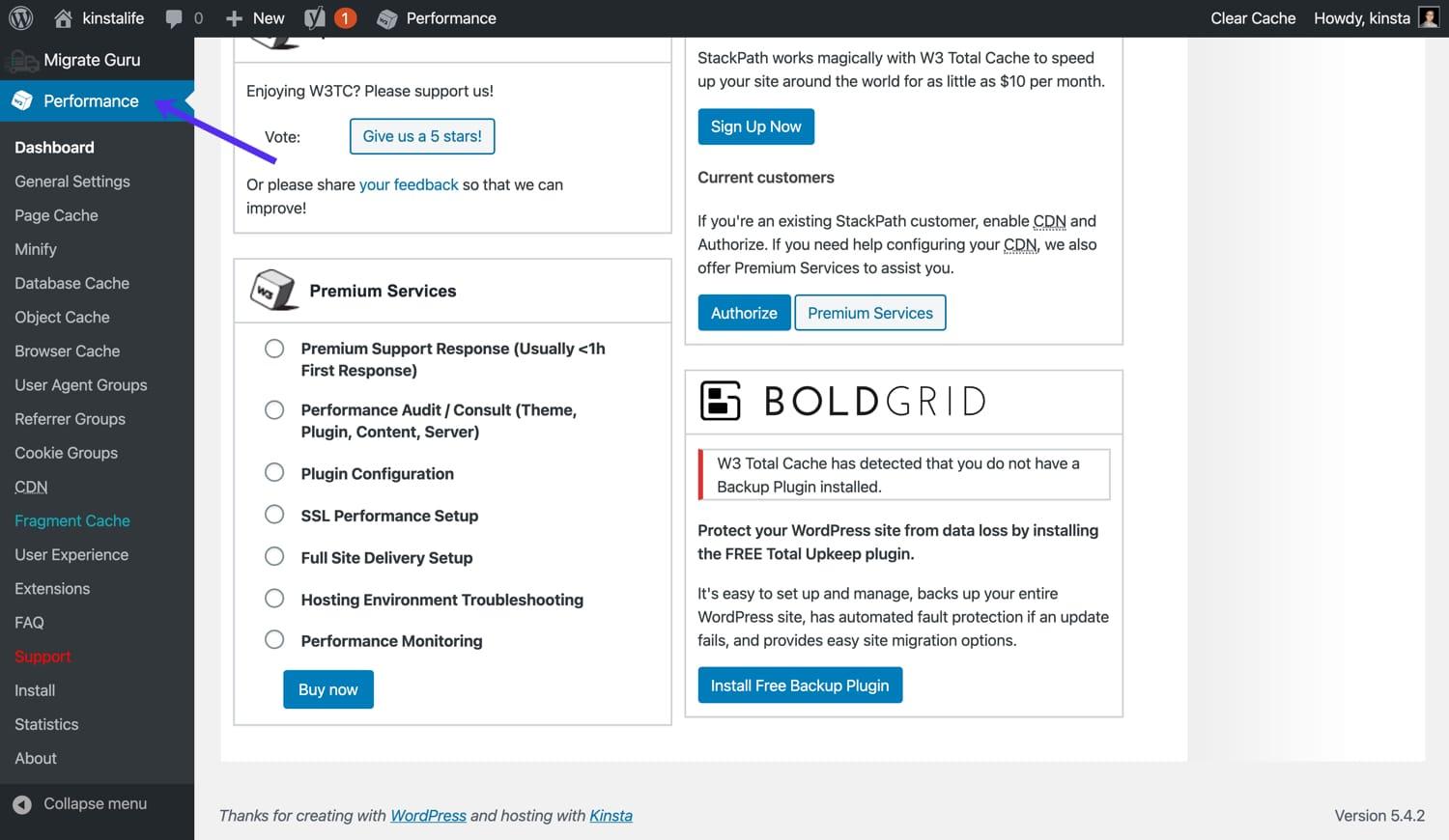
Exploring the Benefits of W3 Total Cache
W3 Total Cache stands out among its competitors by offering a comprehensive suite of features designed to enhance your website’s performance. With a focus on speed optimization, it efficiently reduces load times and improves the overall user experience. By caching static files and enabling advanced features, this plugin ensures your website runs smoothly, even during peak traffic times.
One of the key benefits of using W3 Total Cache is its flexibility. Whether you’re managing a personal blog or a large e-commerce site, this plugin adapts to your needs. Here are some of its noteworthy features:
Page Caching: Speeds up your site by storing static copies of your pages.
Browser Caching: Reduces the load on your server by storing files in visitors’ browsers.
Database Caching: Minimizes the time taken to fetch data from your database.
Moreover, W3 Total Cache is compatible with content delivery networks (CDNs), which significantly enhances your site’s loading times for global users. By serving cached content from servers closest to your visitors, you reduce latency and provide a seamless browsing experience. This integration is straightforward, allowing you to focus on what truly matters—your content.
Another advantage is the user-friendly interface. Navigating through the settings is intuitive, making it easy for even beginners to optimize their site. The plugin provides various predefined settings, allowing users to implement caching strategies without in-depth technical knowledge. This simplicity does not compromise functionality; advanced users can still fine-tune settings to achieve specific goals.
Feature
Benefit
Minification
Reduces file sizes of HTML, CSS, and JavaScript for faster loading.
CDN Integration
Delivers content faster to users around the globe.
Mobile Optimization
Ensures your site is fast and responsive on mobile devices.
In terms of performance metrics, many users report remarkable improvements after installing W3 Total Cache. By conducting speed tests before and after installation, you can see tangible results that highlight the effectiveness of this plugin. It’s not just about speed; a faster website also contributes to better SEO rankings and higher user retention rates.
Lastly, with regular updates and a supportive community, W3 Total Cache remains a top choice among WordPress users. The developers continuously improve the plugin, ensuring it stays compatible with the latest WordPress versions and security standards. Investing your time in this caching solution can produce long-term benefits for your website’s performance and reliability.
How LiteSpeed Cache Can Transform Your Site
If you’re looking to elevate your website’s performance, LiteSpeed Cache is a game changer. This powerful caching plugin not only enhances speed but also significantly improves the overall user experience. By leveraging advanced features, it optimizes your site’s efficiency, ensuring that your visitors remain engaged and satisfied.
One of the standout features of LiteSpeed Cache is its ability to serve static content quickly. When a user visits your site, LiteSpeed stores a static version of your pages, which means that subsequent visits load almost instantly. This is particularly beneficial for high-traffic sites, where loading times can make or break user retention.
Browser Caching: Reduces server load by storing files in the user’s browser for faster access on future visits.
CDN Integration: Seamlessly connects with Content Delivery Networks to distribute your content globally, improving load times for users everywhere.
Database Optimization: Regularly cleans and optimizes your database, ensuring your site runs smoothly.
Moreover, LiteSpeed Cache supports HTTP/2 and QUIC protocols, which offer significant performance enhancements compared to traditional HTTP/1.1. This means faster loading times, even under heavy traffic, making it an ideal choice for eCommerce sites or blogs with a large audience.
Another great aspect of LiteSpeed Cache is its user-friendly interface. Whether you’re a seasoned developer or a WordPress newbie, configuring the settings is straightforward. Plus, the plugin offers detailed documentation and support, ensuring you can make the most out of its features without feeling overwhelmed.
Feature
Benefits
Image Optimization
Faster loading times, improved SEO
Browser Caching
Reduced server load, quicker access
CDN Support
Global content delivery, enhanced speed
Database Optimization
Smoother site performance, less downtime
if you want to transform your WordPress site into a high-speed powerhouse, LiteSpeed Cache is definitely worth considering. Its comprehensive set of features, combined with ease of use, makes it a top choice among caching plugins. Don’t let slow loading times hinder your website’s potential—opt for LiteSpeed Cache and watch your site soar!
When it comes to optimizing your WordPress site, the Breeze Plugin stands out as an all-in-one solution that caters to both speed and ease of use. This plugin is designed to offer a seamless experience for users, enhancing performance without requiring extensive technical knowledge. With a user-friendly interface, you can easily navigate through its features and make adjustments that suit your site’s needs.
What makes Breeze particularly appealing is its comprehensive set of features, including:
File compression – Reduce the size of your CSS, JavaScript, and HTML files to improve loading times.
Cache preloading – Ensure that your site is always ready for visitors by priming the cache automatically.
Database optimization – Clean up your database to enhance speed and performance over time.
CDN support - Easily integrate with Content Delivery Networks to distribute your content globally.
Breeze’s straightforward setup makes it accessible to everyone, regardless of their technical abilities. Once installed, you can quickly enable caching with just a few clicks. The plugin provides a variety of predefined settings, allowing you to optimize your site effectively without delving into complex configurations.
Feature
Description
Easy Interface
User-friendly dashboard for effortless management.
Mobile Optimization
Ensures your site is fast on mobile devices.
Cache Management
Control and purge cache manually or automatically.
Compatibility
Works well with popular themes and plugins.
Additionally, Breeze integrates seamlessly with popular hosting providers, ensuring that you can take full advantage of server-level caching. This means you can achieve faster load times without overburdening your server resources. The plugin also provides clear documentation and support, making it easier for you to troubleshoot any issues that may arise.
For those concerned about SEO, improving your site’s speed with Breeze can lead to better search rankings. Search engines prioritize fast-loading websites, and by using this plugin, you give your site an edge in visibility and user experience. Moreover, the combination of caching and optimization techniques protects your site from potential downtime during traffic spikes.
Breeze is not just another caching plugin; it’s a comprehensive optimization tool that delivers excellent performance without the complexity. Whether you are a seasoned developer or a novice blogger, Breeze empowers you to enhance your site’s speed effortlessly. Dive into the world of optimized performance with Breeze and watch your website flourish!
Speed and Simplicity Combined: A Look at Autoptimize
When it comes to optimizing the performance of your WordPress site, Autoptimize stands out for its remarkable blend of speed and simplicity. This powerful plugin takes the hassle out of optimizing your website, making it a popular choice among both beginners and experienced developers alike.
One of the key features of Autoptimize is its ability to aggregate, minify, and cache scripts and styles. This means you can significantly reduce the load time of your website without diving deep into complex coding. Just a few clicks in the settings can lead to noticeable performance improvements, giving your users a smoother browsing experience.
Easy Installation: Setting up Autoptimize is as simple as any plugin. A quick search in the WordPress repository and you’re ready to go!
Intuitive Settings: The dashboard is straightforward, allowing you to toggle options on or off with ease, so you never feel overwhelmed.
Compatible with Other Plugins: Works seamlessly with popular caching solutions like WP Rocket or W3 Total Cache, boosting your optimization efforts.
Moreover, Autoptimize offers advanced options for those looking to fine-tune their settings. For instance, you can exclude specific scripts from being optimized, ensuring that essential functionalities remain intact. This flexibility allows you to customize your optimization process without sacrificing performance or user experience.
One of the standout features is the option to optimize Google Fonts, which can often slow down page load times. Autoptimize allows you to combine and serve these fonts from your own server, reducing external requests and enhancing overall speed.
For those looking to dive deeper into performance analytics, Autoptimize integrates with Google PageSpeed Insights to show you exactly how your site is performing. This way, you can tweak settings based on real-time feedback and watch your scores improve.
In terms of results, many users report significant boosts in speed and performance after implementing Autoptimize. Below is a quick comparison of typical loading times before and after using the plugin:
Metric
Before Autoptimize
After Autoptimize
Page Load Time
4.5 seconds
2.1 seconds
HTTP Requests
65
30
PageSpeed Score
68
92
As you can see, the difference is striking! The combination of speed and simplicity that Autoptimize offers makes it a go-to solution for anyone serious about enhancing their site’s performance. With its powerful features wrapped in an easy-to-navigate interface, you’ll spend less time worrying about optimization and more time creating great content.
Why Cache Enabler is Perfect for Beginners
If you’re just starting with WordPress and looking to boost your website’s speed without diving into complex configurations, Cache Enabler is an excellent choice. Its straightforward setup makes it incredibly user-friendly, allowing beginners to optimize their sites effortlessly. With its minimalistic approach, you can focus on what truly matters—creating great content—while leaving the heavy lifting of caching to the plugin.
One of the standout features of Cache Enabler is its simple installation process. Unlike many caching plugins that require intricate configurations, Cache Enabler can be activated and set up within minutes. This means you can spend less time fiddling with settings and more time engaging with your audience or developing your website’s content.
The plugin’s intuitive interface makes it easy for anyone to navigate. Even if you have zero technical knowledge, the clearly labeled options guide you through the caching setup. You can easily enable or disable caching, adjust cache expiration times, and even view your cache status—all without feeling overwhelmed.
Moreover, Cache Enabler is highly compatible with other plugins and themes. This is particularly important for beginners who may not be aware of potential conflicts between different WordPress components. Cache Enabler plays well with most setups, reducing the likelihood of technical hiccups that could discourage novice users.
One of the most appealing aspects of Cache Enabler is its focus on performance without compromising simplicity. By implementing WebP support and minification options, it helps improve load times while still offering a clean and easy-to-use interface. For beginners, this means achieving better performance without the need for deep technical knowledge.
For those who want to take their caching a step further, Cache Enabler provides detailed documentation and support. This ensures that even if you encounter questions or issues, you have access to resources that can help you resolve them quickly. Often, just a quick glance at the documentation can provide the answers you need, making it a reliable option for users at any skill level.
Cache Enabler provides a no-fuss approach to caching that is perfectly suited for beginners. Its combination of ease of use, performance-focused features, and solid support makes it a go-to option for those just starting their WordPress journey. By choosing Cache Enabler, you’re setting yourself up for success while ensuring your website runs smoothly and efficiently.
The Power of Comet Cache for Advanced Users
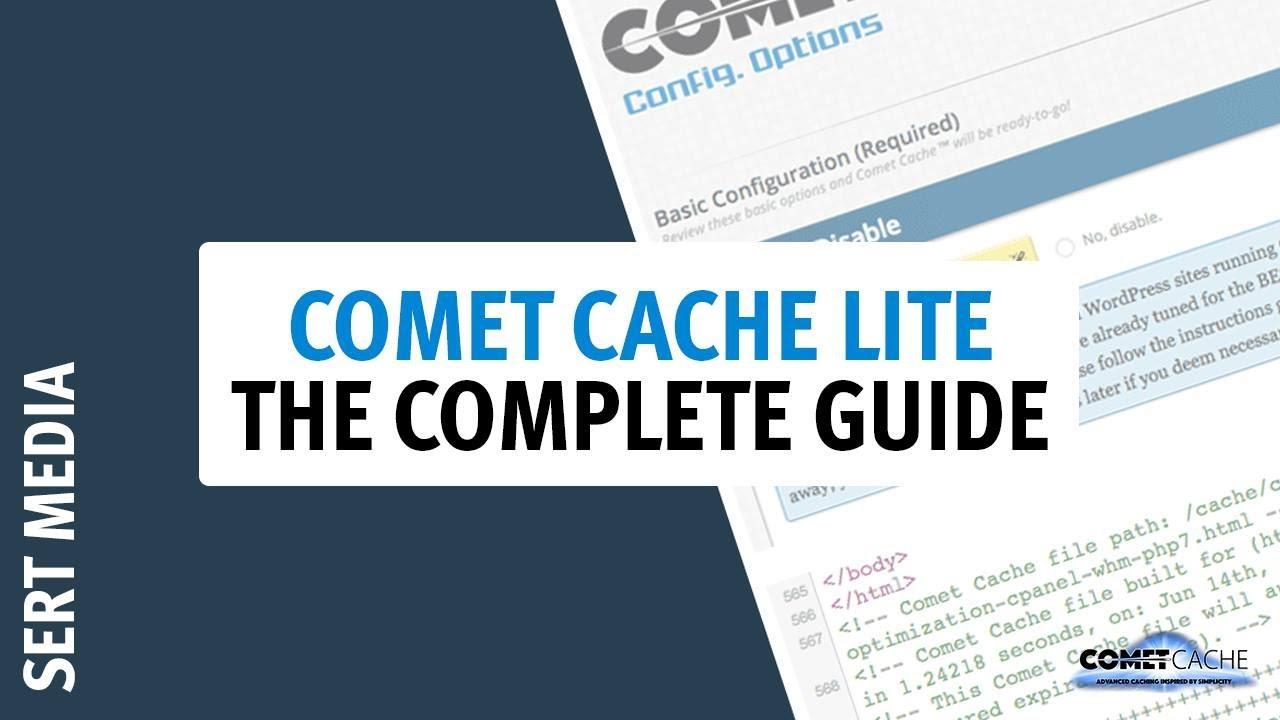
For advanced users seeking to optimize their WordPress sites, Comet Cache stands out as a robust solution with a plethora of features designed to enhance performance. One of the most appealing aspects of Comet Cache is its user-friendly interface, allowing tech-savvy users to dive deep into customization without feeling overwhelmed.
One of the key features that sets Comet Cache apart is its ability to cache not only pages but also feeds and 404 error pages. This means that every corner of your website can benefit from reduced server load and faster load times. By serving static copies of your dynamic content, Comet Cache ensures that your visitors, whether they are returning users or new, experience seamless interactions as they navigate through your site.
Another significant advantage is the built-in support for CDN (Content Delivery Network) integration. For advanced users who leverage CDNs to distribute content widely, Comet Cache makes this process straightforward. By automatically adjusting the cache paths, it simplifies the setup for optimal performance, allowing users to focus on their core content rather than the technical nitty-gritty.
The plugin also includes a unique feature called Cache Preloading. This ensures that your cache is filled with pages when they are created or published, rather than waiting for the first visitor to load them. As a result, your site can achieve lightning-fast speeds right from the get-go, providing an excellent user experience.
Moreover, Comet Cache offers granular control over caching settings, enabling advanced users to configure options that best suit their site’s needs. Users can selectively cache or exclude specific pages, posts, or even user roles. This level of control is essential for those who require tailored caching policies, ensuring that dynamic content remains fresh and relevant.
For those who prioritize SEO, Comet Cache comes equipped with a feature that automatically generates a sitemap. This built-in functionality ensures that search engines can efficiently crawl your site, helping to improve your visibility in search results.
Feature
Description
Caching of Feeds
Improves load times by caching RSS and Atom feeds.
CDN Support
Simplifies integration with Content Delivery Networks.
Cache Preloading
Preloads pages into cache upon creation or update.
SEO Features
Automatically generates sitemap for better search engine indexing.
Comet Cache is not just another caching plugin; it is a powerful tool tailored for advanced users. Its comprehensive features, combined with flexibility and ease of use, make it a prime choice for anyone looking to supercharge their WordPress site’s performance. Harnessing the full potential of Comet Cache can lead to impressive speed improvements and a significantly enhanced user experience.
A Deep Dive into Hummingbird and Its Unique Features
When it comes to optimizing website performance, Hummingbird stands out as one of the most comprehensive caching plugins available for WordPress. Its unique features cater to both novice users and seasoned developers, making it an excellent choice for anyone looking to enhance their site’s speed and efficiency.
One of Hummingbird’s most impressive attributes is its performance monitoring tool. It provides real-time insights into how your website is performing, identifying areas that can be improved. This feature allows users to track their site’s loading times and pinpoint slow elements, which is crucial for maintaining a positive user experience.
Another notable feature is the file optimization capabilities. Hummingbird enables users to minify and combine CSS and JavaScript files, reducing the number of requests made to the server. With just a few clicks, you can significantly decrease file sizes, leading to faster load times. The plugin also supports GZIP compression, further enhancing the efficiency of your site.
What truly sets Hummingbird apart is its asset scheduling feature. This allows users to control when specific scripts or styles are loaded. By deferring non-essential assets until after the main content loads, you can drastically improve perceived load times. This is especially beneficial for pages that include numerous plugins or external resources.
Hummingbird also integrates seamlessly with a variety of CDNs (Content Delivery Networks). This means that you can easily configure it to serve cached files from the closest server to your visitors, significantly reducing latency and accelerating page load times.
Feature
Description
Performance Monitoring
Real-time insights into website speed and performance issues.
File Optimization
Minify and combine CSS/JavaScript for faster loads.
Asset Scheduling
Control loading of scripts to improve perceived speed.
CDN Integration
Serve cached files from the nearest server for faster access.
Moreover, Hummingbird includes a browser caching feature, which allows static files to be stored in a user’s browser. This means that returning visitors will experience faster loading times as their browsers will pull files from local storage rather than re-downloading them from the server.
let’s not forget about the user-friendly interface. Hummingbird’s dashboard is designed for simplicity, providing easy access to all its powerful features. You don’t need to be a tech guru to take advantage of its full potential, making it accessible for everyone.
Hummingbird is not just another caching plugin; it’s a robust tool that combines essential features for optimizing website performance. If speed and ease of use are top priorities for your WordPress site, Hummingbird is certainly worth considering.
Choosing the Right Plugin for Your Specific Needs
Choosing the right caching plugin for your WordPress site can significantly impact your website’s performance and user experience. With numerous options available, it’s important to evaluate each plugin based on your specific requirements. Here’s a breakdown of key considerations to help you make an informed decision.
Performance Speed Before diving into specific plugins, assess the performance metrics that matter most to your site. Look for plugins that provide:
Page Load Time: A good caching plugin should reduce load times significantly, ideally under 3 seconds.
Server Response Time: Fast response times ensure users don’t experience delays, enhancing overall satisfaction.
Static File Caching: This allows your server to store copies of files, which are then served to users quickly.
User-Friendly Interface Ease of use is another critical factor. A plugin with a complicated interface can lead to frustration, especially for beginners. When evaluating options, consider:
Setup Process: Choose plugins that offer simple installation wizards or one-click setups.
Documentation and Support: A plugin with comprehensive guides and responsive support can save you time and headaches.
Customization Options: Look for a plugin that allows you to tweak settings without diving into code.
Compatibility Your caching plugin should work seamlessly with other plugins and themes. Here’s what to check for:
Popular Themes and Plugins: Ensure compatibility with your current setup, especially if you use complex themes or multiple plugins.
Content Management Systems: The plugin should integrate well if you utilize custom post types or other advanced CMS features.
Hosting Environment: Some caching solutions work better with specific hosting providers, so verify compatibility before committing.
Advanced Features While basic caching features are essential, consider plugins that offer advanced capabilities for optimal performance:
Feature
Description
Minification
Reduces file sizes by removing unnecessary characters from HTML, CSS, and JavaScript.
CDN Integration
Supports content delivery networks to further enhance site speed.
Cache Preloading
Automatically builds cache for your site’s pages to improve user experience.
Pricing consider your budget. While many caching plugins offer free versions, premium versions often come with enhanced features. Weigh the following:
Free vs. Paid Plans: Determine if the free version meets your needs or if you require the additional features of a paid version.
Value for Money: Look for plugins that balance cost with performance benefits to maximize your investment.
Trial Periods: Take advantage of trial offers to test the plugin before committing.
By carefully evaluating these aspects, you can choose a caching plugin that not only enhances your website’s speed but also aligns perfectly with your operational needs.
Real User Feedback: Which Caching Plugin Stands Out?
User Experiences with Caching Plugins
When it comes to optimizing website performance on WordPress, caching plugins are essential. However, with so many options available, which one truly delivers? Here’s what real users have to say about their experiences with some of the most popular caching plugins.
W3 Total Cache
Many users praise W3 Total Cache for its extensive features and flexibility. One user mentioned:
“I love the control it gives me over every aspect of caching! The performance improvements were noticeable right away.”
However, some users noted a steeper learning curve, which may intimidate beginners. But for those willing to invest time, the results can be well worth it.
WP Super Cache
WP Super Cache is often highlighted for its simplicity and ease of use. Users appreciate the straightforward setup:
“I set it up in minutes and didn’t have to think about it again! My site loads much faster now.”
This plugin is particularly favored by users running smaller sites who want to improve speed without getting bogged down in complex settings.
WP Rocket
When it comes to premium options, WP Rocket stands out as a favorite. Users rave about its features:
Lazy loading images to improve load times.
Preloading cache for almost instantaneous page loading.
Automatic updates that keep the plugin running smoothly.
A user shared their experience:
“I was skeptical about paying for a caching plugin, but WP Rocket has had a huge impact on my site’s performance. I’d recommend it to anyone serious about website speed.”
Cache Enabler
Another user favorite is Cache Enabler, especially for its lightweight architecture. Users appreciate:
Simplicity: It does not overload the server.
Accessibility: Easy for beginners to set up.
One user summarized their experience perfectly:
“Less is more with Cache Enabler. It works great and doesn’t complicate things.”
Comparing Performance
Plugin
Ease of Use
Performance
Best For
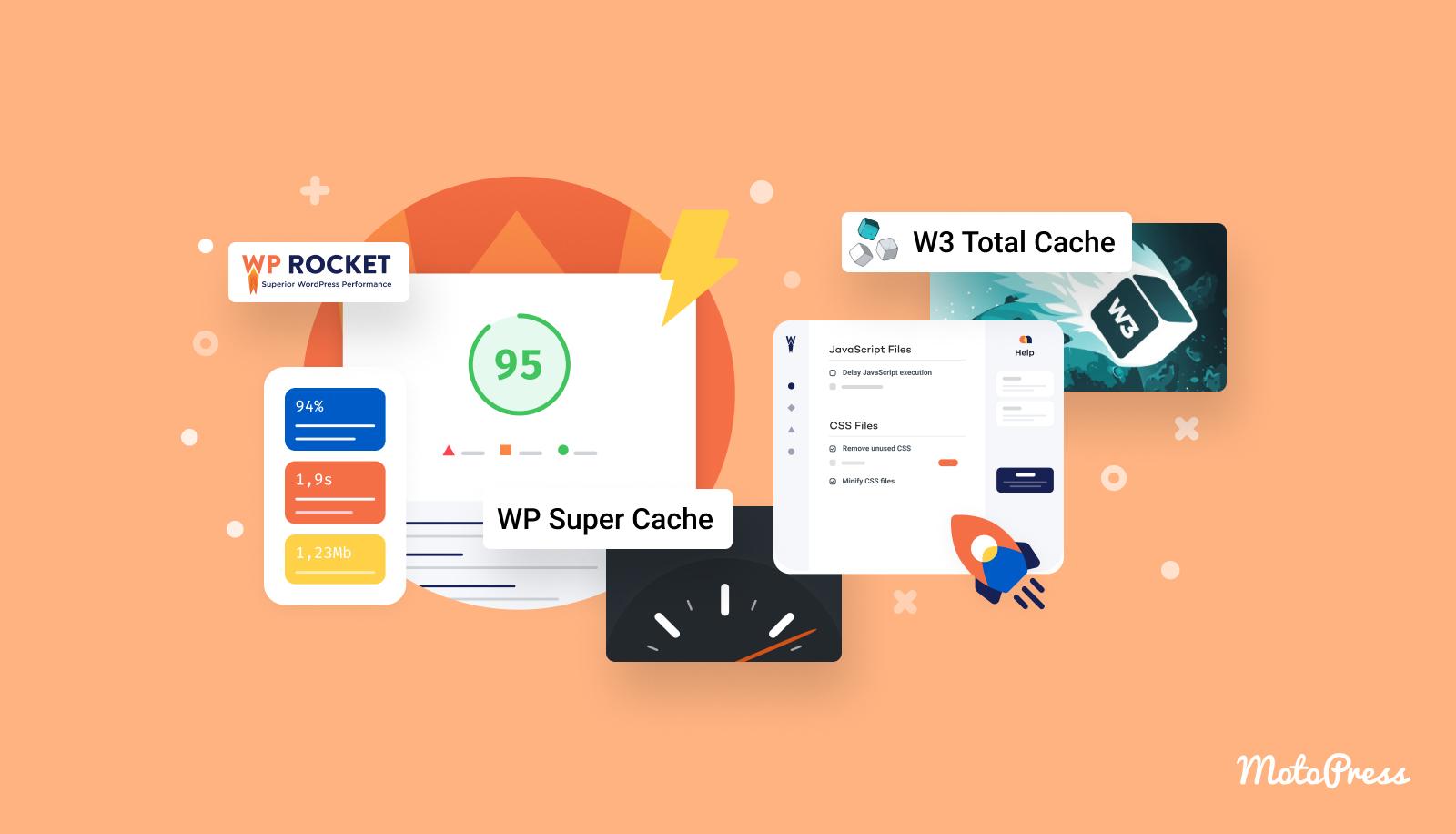
W3 Total Cache
Moderate
High
Advanced users
WP Super Cache
Easy
Moderate
Small to medium sites
WP Rocket
Very Easy
Very High
Serious bloggers & businesses
Cache Enabler
Easy
Good
Beginners
As you can see, user feedback ranges from those who love the complexity and detailed options of W3 Total Cache to the simplicity that WP Super Cache and Cache Enabler provide. Ultimately, the best choice depends on your specific needs, level of expertise, and the nature of your website.
Tips for Configuring Your Caching Plugin for Maximum Speed
Configuring your caching plugin effectively can significantly boost your website’s speed and overall performance. Here are some essential tips to ensure you get the most out of your caching plugin:
Choose the Right Caching Method: Most caching plugins offer various caching methods such as page caching, object caching, and database caching. Depending on your website’s needs, consider enabling all relevant caching methods to maximize speed.
Optimize Cache Expiration: Adjust the cache expiration settings to balance speed and content freshness. For frequently updated websites, a shorter cache lifespan may be necessary, while static sites can benefit from longer expiration times.
Enable Browser Caching: Configure browser caching so visitors don’t have to reload assets like CSS and JS files every time they revisit your site. This can greatly reduce load times for repeat visitors.
Minify and Combine Files: Minification reduces file sizes by stripping unnecessary characters, while combining files decreases the number of requests made by the browser. Make sure these options are enabled in your caching plugin to streamline resource loading.
Implement CDN Support: If you are using a Content Delivery Network (CDN), ensure your caching plugin is configured to work seamlessly with it. This can help distribute your content globally, improving load times for users regardless of their location.
Additionally, it’s important to regularly monitor your website’s performance:
Utilize Performance Testing Tools: Tools like GTmetrix, Pingdom, or Google PageSpeed Insights can help you analyze your site’s loading speed and receive actionable insights on areas needing improvement.
Clear Cache After Changes: Whenever you update your site, whether it’s a new post, a plugin, or a theme, remember to clear your cache. This ensures that visitors see the most current version of your content.
Test Different Configurations: Don’t hesitate to experiment with different settings. Sometimes specific combinations yield better results for your unique site setup.
By following these tips and keeping your caching plugin finely tuned, you’ll not only improve your site’s speed but also enhance user experience and SEO performance. Remember, a faster website means happier visitors and potentially higher conversion rates. Don’t underestimate the power of a well-configured caching strategy!
Frequently Asked Questions (FAQ)
Q&A: The 9 Best WordPress Caching Plugins (Top Speed & Ease of Use)
Q1: What is a caching plugin, and why do I need one for my WordPress site? A1: Great question! A caching plugin helps store a static version of your website, which means that instead of generating a page from scratch every time a visitor arrives, it displays a pre-made version. This drastically speeds up loading times and enhances the overall user experience. If you want to keep your visitors happy and improve your SEO rankings, a caching plugin is essential!
Q2: How do caching plugins improve my website speed? A2: Caching plugins work by saving copies of your website’s files to the server, so when a user requests a page, it serves the cached version instead of running a complex database query every time. This reduces server load and results in much faster load times. In today’s fast-paced digital world, speed is everything!
Q3: Are all caching plugins the same? What should I look for? A3: Not all caching plugins are created equal! When choosing one, you should look for features like ease of use, compatibility with other plugins, advanced caching options, and customer support. The best plugins also offer options for mobile caching and lazy loading, which can further enhance performance.
Q4: Can caching plugins conflict with other plugins or themes? A4: Yes, they can! It’s not uncommon for caching plugins to clash with other plugins or themes, especially if they handle scripts or styles differently. That’s why it’s important to choose a reputable caching plugin and read reviews about compatibility. Always back up your site before making any changes!
Q5: How do I choose the best caching plugin for my site? A5: Start by evaluating your specific needs. Are you running a simple blog or a more complex e-commerce site? Look for plugins that offer features tailored to your requirements. Don’t forget to consider user reviews, ratings, and the plugin’s update history. A proven track record is a good indicator of reliability!
Q6: What are the top caching plugins you recommend? A6: We’ve narrowed it down to nine standout caching plugins that offer a fantastic combination of speed and user-friendliness. These include options like WP Rocket, W3 Total Cache, and LiteSpeed Cache, among others. Each has its own unique perks, so you’ll definitely find one that fits your needs!
Q7: Will using a caching plugin negatively impact my site’s functionality? A7: Generally, caching plugins are designed to improve site performance without sacrificing functionality. However, there might be occasional issues with dynamic elements like forms or shopping carts. The good news is that most caching plugins have settings to exclude certain pages or features from being cached, so you can tweak them to suit your needs.
Q8: Do I need technical skills to use caching plugins? A8: Not at all! Most modern caching plugins are user-friendly and come with easy-to-understand interfaces. While some advanced features may require a bit of technical know-how, you can achieve excellent results with just the basic settings. Many plugins also provide extensive documentation and support to guide you through the setup process.
Q9: Can I see noticeable results after installing a caching plugin? A9: Definitely! Many users report a significant increase in website speed after implementing a caching plugin. You might even see a reduction in bounce rates and improved user engagement. Just make sure to test your site speed before and after installation to appreciate the benefits fully!
Q10: Where can I learn more about these caching plugins and how to install them? A10: You’re in luck! Our article dives deep into each of the nine best caching plugins, explaining their features, benefits, and installation processes. It’s a one-stop shop for everything you need to know to boost your WordPress site’s speed and performance. So, why wait? Check it out and start optimizing your site today!
Insights and Conclusions
As we wrap up our exploration of the 9 best WordPress caching plugins, it’s clear that optimizing your website speed doesn’t have to be a daunting task. With the right tools at your disposal, you can enhance your site’s performance and provide a seamless experience for your visitors. Whether you’re a seasoned developer or just starting your blogging journey, these caching plugins offer user-friendly features that cater to all skill levels.
Remember, a fast-loading website not only improves user experience but also boosts your SEO rankings, leading to more traffic and potential conversions. So, don’t wait any longer—choose a caching plugin that aligns with your needs and watch your website transform into a speed machine!
If you have any questions or need help choosing the right plugin for your specific situation, feel free to drop a comment below. We’re here to help you navigate the world of WordPress and ensure you make the most out of your site. Happy caching!