
In today’s digital landscape, having a stunning website is just the beginning of your online success story. But what happens when your beautiful site is invisible to search engines? If you’ve ever wondered whether AI crawlers, those tireless little bots that index the web, can find their way to your virtual doorstep, you’re not alone. Understanding how to check their accessibility is crucial for ensuring that your content gets the visibility it deserves. In this article, we’ll walk you through the steps to determine if AI crawlers can reach your website and, more importantly, how to fix any hurdles they might encounter along the way. Trust us; addressing these issues could be the key to unlocking a flood of new traffic—and we all know that more visitors can lead to more opportunities. So, let’s dive in and make sure your site is ready to be discovered!
Understanding AI Crawlers and Their Importance for Your Website
AI crawlers are essential tools used by search engines to discover, analyze, and index the content of your website. These automated bots work tirelessly to ensure that your site appears in search results when users type relevant queries. Understanding how these crawlers operate and why they matter for your online presence can empower you to optimize your website effectively.
To start, it’s important to recognize that AI crawlers follow a systematic approach when exploring websites. They move from one page to another using links, scanning the content for keywords, structure, and relevance. This means that if your website has broken links, poor navigation, or inaccessible pages, these crawlers may miss crucial information. Here are some factors that can affect crawler accessibility:
- Robots.txt file: This file instructs crawlers on which pages can be accessed. If configured incorrectly, it can block AI crawlers from accessing important sections of your site.
- Site speed: Slow-loading pages can frustrate crawlers, leading them to abandon the site before fully indexing it.
- Mobile-friendliness: With the increasing use of mobile devices, a non-responsive design can hinder a crawler’s ability to analyze your site properly.
- Duplicate content: If multiple pages contain similar content, crawlers might struggle to determine which version is the most relevant.
To check whether AI crawlers can reach your website, you can utilize various tools such as Google Search Console or SEO auditing software. These tools provide insights into how crawlers interact with your site, allowing you to identify any potential issues. Here’s how you can effectively use these tools:
- Set up Google Search Console: This tool allows you to monitor your site’s performance and provides detailed reports on crawler activity.
- Check crawl errors: Review the “Coverage” report to identify any errors that could prevent crawlers from accessing your pages.
- Utilize the URL inspection tool: This feature shows how Google sees a specific page, helping you confirm whether it is being indexed properly.
If you discover that AI crawlers cannot access your website, don’t panic. There are several strategies you can implement to resolve these issues:
| Issue | Solution |
|---|---|
| Blocked by Robots.txt | Edit the file to allow access to necessary pages. |
| Slow Site Speed | Optimize images and leverage browser caching. |
| Non-Responsive Design | Implement a responsive design or a mobile-friendly theme. |
| Duplicate Content | Use canonical tags to indicate the preferred version of a page. |
By ensuring these elements are in place, you can significantly improve your chances of being indexed effectively by AI crawlers. Remember, the goal is to create a seamless experience not just for your users, but also for the crawlers that help your site gain visibility and reach. The more accessible your website is, the better it can perform in search rankings.
understanding the mechanics of AI crawlers and addressing any access issues is crucial for optimizing your website’s visibility. Take the time to audit your website regularly, implement best practices, and keep up with updates in the world of SEO. Your efforts will pay off in the form of increased traffic, engagement, and ultimately, conversions.
Identifying Common Barriers That Block AI Crawlers
When it comes to ensuring that AI crawlers can access your website, it’s essential to identify and address the common barriers that might be blocking them. Many website owners unknowingly implement settings or features that hinder the crawling process, which can affect their site’s visibility and performance in search engine results. Here are some of the most frequent culprits:
- Robots.txt Restrictions: One of the first places to check is your
robots.txtfile. If this file contains disallow directives for essential sections of your website, crawlers may be blocked from accessing your content. - Noindex Tags: Utilizing
noindex meta tags can prevent crawlers from indexing your pages. Ensure that you’re not inadvertently using these tags on pages you want to be included in search results. - Website Authentication: If your site requires a login to access certain areas, AI crawlers will struggle to index that content. Consider providing alternative paths or a public version of your site for crawlers.
- JavaScript and AJAX Content: While modern crawlers can handle some JavaScript, complex implementations may still cause issues. Make sure critical content is accessible via HTML for optimal crawling.
- Slow Page Load Times: If your website loads slowly, crawlers may abandon the attempt to index your pages entirely. Optimizing images and utilizing caching can help enhance load times.
- IP Blocking: Some server configurations may block specific IP addresses or user agents, inadvertently preventing crawlers from reaching your site. Review your server settings to ensure accessibility.
To illustrate how these barriers can impact your website, consider the following table that highlights common issues and potential fixes:
| Barrier | Impact | Fix |
|---|---|---|
| Robots.txt Restrictions | Blocks access to critical pages | Update robots.txt to allow access |
| Noindex Tags | Prevents indexing | Remove or correct tags |
| Slow Page Load Times | Crawlers may timeout | Optimize performance |
By systematically identifying and addressing these barriers, you can significantly improve the chances of your site being crawled and indexed properly. Regular audits and adjustments help ensure that your content is accessible, making it easier for AI crawlers to do their job effectively.
Remember, the goal is to create an environment that is friendly to both users and crawlers alike. By removing hurdles, you pave the way for enhanced visibility and better search rankings.
How to Use Robots.txt to Control Crawler Access
When it comes to enhancing your website’s visibility, understanding how to use robots.txt effectively is a game changer. This simple text file plays a critical role in guiding search engine crawlers, including AI bots, about which pages to index and which ones to ignore. By carefully crafting your robots.txt file, you can optimize your site’s performance on search engine results pages (SERPs).
Before diving into the specifics, it’s essential to grasp the syntax of a typical robots.txt file. Here’s a quick overview:
User-agent: *
Disallow: /private/
Allow: /public/
In this example:
- User-agent: Specifies which crawlers the rules apply to.
- Disallow: Indicates which pages or directories should not be accessed.
- Allow: Overrides a disallow directive and permits access to specific pages.
To ensure AI crawlers can access your valuable content, focus on the following strategies:
- Keep It Simple: Avoid overly complex rules. Each directive should be straightforward to prevent any misinterpretation by crawlers.
- Test Your File: Use online tools or Google Search Console to check if your robots.txt file functions correctly. This can help you identify any restrictions that may inadvertently block crawlers.
- Regular Updates: Your website evolves, and so should your robots.txt. Regularly review and update it to reflect new content or changes in your site structure.
It’s also important to consider the impact of different directives. For instance, if you want to allow crawlers to index your blog posts but restrict access to your admin pages, your robots.txt could look like this:
| User-agent | Disallow | Allow |
|---|---|---|
| * | /wp-admin/ | /blog/ |
Furthermore, using the noindex meta tag on specific pages is another method to prevent indexing, but remember that this doesn’t block crawlers as robots.txt does. Instead, you’ll need to implement both strategies harmoniously for optimal results.
The ultimate goal is to strike a balance. You want to provide enough access for crawlers to index high-value content while protecting sensitive areas of your site. By using robots.txt wisely, you’re not just controlling access; you’re enhancing your site’s overall search engine friendliness.
Testing Your Website’s Crawlability with Free Tools
When it comes to ensuring that your website is accessible to AI crawlers, using free tools can be a game changer. These tools help you evaluate your site’s structure, identify potential issues, and ultimately enhance your visibility in search results. Here’s how you can leverage these resources effectively.
First and foremost, Google Search Console is an invaluable tool for checking your website’s crawlability. It offers insights into how Googlebot interacts with your site, including indexing status and any errors that may hinder crawling. Simply sign up, verify your site, and dive into the “Coverage” report to view any issues that need addressing.
Another excellent resource is Ahrefs’ Site Audit. This tool allows you to perform a detailed analysis of your website. It identifies broken links, missing meta tags, and other technical SEO issues that could obstruct crawlers. While Ahrefs does offer a premium service, they often have free trials that can be beneficial for short-term assessments.
Don’t overlook Screaming Frog SEO Spider, a desktop program that crawls your website just like a search engine. This tool can help you spot problems such as duplicate content, missing headers, and incorrect redirects. The free version has a limit of 500 pages, which is typically sufficient for smaller sites.
To further enhance your site’s crawlability, consider these key aspects:
- Robots.txt File: Ensure your robots.txt file is correctly configured to allow search engines to crawl your desired pages.
- Sitemap.xml: Create and submit a well-structured XML sitemap to help crawlers discover your content more easily.
- Page Speed: Optimize your website’s loading time. Fast-loading pages are more likely to be crawled and indexed.
- Mobile-Friendliness: With the rise of mobile search, ensure your site is responsive and provides a seamless user experience on all devices.
In addition to individual tools, you can use GTmetrix to analyze your site’s performance and identify what could be slowing down your page loading speed. A faster website not only improves user experience but also enhances your chances of being crawled efficiently.
For a comprehensive overview of your website’s health, you can create a simple table to track your findings across various tools:
| Tool | Key Insights | Recommendations |
|---|---|---|
| Google Search Console | Crawl errors, indexing status | Fix errors, resubmit sitemap |
| Ahrefs Site Audit | SEO issues, broken links | Address issues, improve content |
| Screaming Frog | Site structure, meta issues | Optimize meta tags, fix redirects |
| GTmetrix | Page speed metrics | Optimize images, leverage caching |
By utilizing these free tools and implementing the necessary fixes, you can significantly improve your website’s crawlability. This proactive approach not only enhances your search engine optimization but also ensures that your content is readily available to your audience. Don’t wait for issues to arise; take charge of your website’s performance today!
Decoding Your Server Response Codes: What They Mean for Crawlers
Understanding server response codes is crucial for ensuring that your website is accessible to AI crawlers. These codes are essentially the language of the web, communicating the status of requests made by users or bots. By decoding them, you can effectively troubleshoot any issues that may prevent crawlers from accessing your content.
Here’s a brief overview of the most common server response codes you might encounter:
| Code | Description |
|---|---|
| 200 | OK: The request was successful, and the content is accessible. |
| 301 | Moved Permanently: The requested resource has been permanently moved to a new URL. |
| 404 | Not Found: The requested resource could not be found on the server. |
| 500 | Internal Server Error: A generic error occurred on the server. |
When a crawler encounters a 200 OK response, it indicates that everything is functioning as it should. This is the ideal scenario, as it means your content is visible and ready for indexing. Conversely, a 404 Not Found response signals that the requested URL is invalid, which can significantly hinder your site’s visibility on search engines.
Additionally, the 301 Moved Permanently status is essential for maintaining SEO value during website migrations or URL changes. By implementing proper redirects, you guide crawlers to the new location of your content, ensuring that they don’t encounter dead ends.
If you’re experiencing 500 Internal Server Errors, this is a sign of server misconfigurations or issues that need immediate attention. Regularly checking your server logs can help identify these errors, enabling you to resolve them swiftly and keep your content accessible.
To further assist you in monitoring your server responses, consider using tools like Google Search Console or third-party SEO tools. These platforms can provide insights into how crawlers interact with your site and alert you to any problematic response codes that may be affecting your visibility.
keeping a close watch on your server response codes is not just good practice but a necessity for ensuring your website remains accessible to AI crawlers. By understanding what these codes mean, you’ll be better equipped to troubleshoot issues quickly, ensuring a seamless experience for both users and search engines alike.

How to Analyze Your Website’s Structure for Optimal Crawler Navigation
Understanding the structure of your website is crucial for ensuring that AI crawlers can navigate effectively. A well-optimized website structure not only improves your SEO but also enhances user experience. Start by assessing the hierarchy of your site’s pages. This involves organizing content logically, so crawlers can understand the importance of each page based on its placement within your site.
To analyze your website’s structure, consider using tools such as:
- Google Search Console - Provides insights into how your site appears to search engines.
- Screaming Frog – A powerful tool for crawling your website to identify issues.
- Sitebulb - Offers a visual representation of your site’s structure.
When evaluating your site’s architecture, keep an eye on the internal linking strategy. Internal links help distribute page authority across your site, guiding crawlers to important content. Ensure that:
- All significant pages are easily accessible from the homepage.
- Related content is linked together, forming a network of relevant pages.
- You avoid deep link structures, where important content is buried too many clicks away.
Another critical factor is the use of sitemaps. A well-structured XML sitemap signals to crawlers which pages you consider important and helps them find and index these pages more efficiently. Ensure your sitemap:
- Is updated regularly to include new content.
- Excludes irrelevant pages, such as duplicates or low-value content.
- Includes canonical tags if there are duplicate pages.
In addition to internal linking and sitemaps, pay attention to URL structure. Clean, descriptive URLs improve readability for both users and crawlers. Consider these tips for optimizing your URLs:
- Keep them short and relevant to the page content.
- Utilize hyphens to separate words for better readability.
- Include keywords where appropriate to enhance SEO.
Lastly, don’t overlook the importance of mobile optimization. With the increasing number of users accessing websites via mobile devices, ensuring your site is mobile-friendly allows crawlers to index it effectively. Check that:
- Your site is responsive and adjusts to different screen sizes.
- Loading times are optimized for mobile devices.
- Navigation remains intuitive on smaller screens.
By diligently analyzing these aspects of your website’s structure, you can enhance the navigability for AI crawlers and improve your overall search engine visibility. Regular audits will help maintain an optimal structure as your site grows, ensuring that both crawlers and users can easily find what they need.
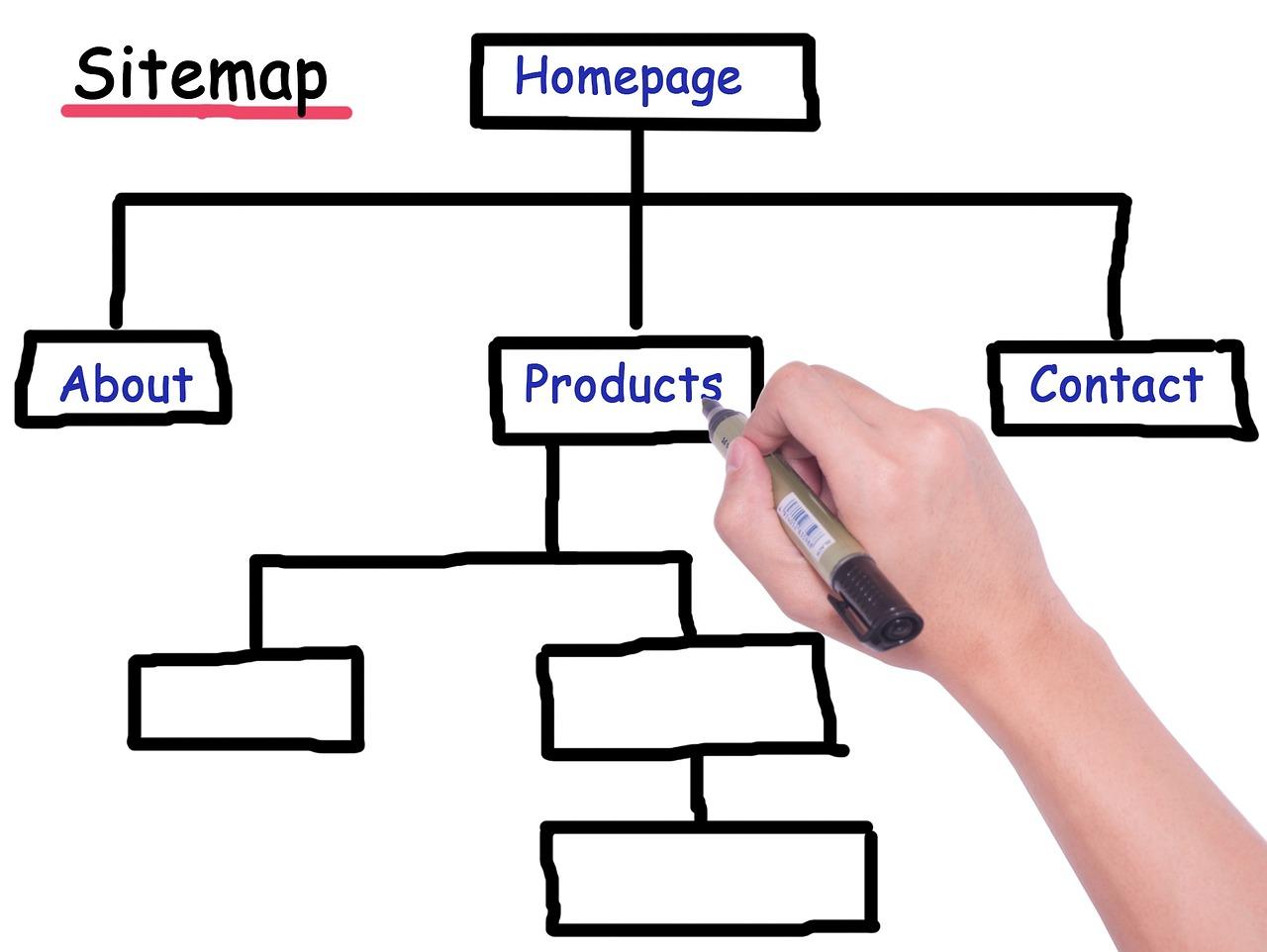
The Role of Sitemaps in Enhancing Crawler Efficiency
When it comes to optimizing your website for search engines and AI crawlers, sitemaps play a pivotal role. They serve as a roadmap, guiding crawlers through the vast expanse of your site’s architecture, ensuring that all important pages are discovered and indexed efficiently. Without a well-structured sitemap, crawlers may struggle to navigate your content, leading to missed opportunities for visibility.
One of the primary functions of a sitemap is to provide a clear outline of your website’s content hierarchy. This is particularly beneficial for:
- Large Websites: With numerous pages and complex structures, a sitemap helps prioritize which pages should be crawled first.
- New Websites: If you’re just starting out, a sitemap can help search engines find your content more quickly, speeding up the indexing process.
- Dynamic Content: Websites that regularly update their content can use sitemaps to inform crawlers about new or changed pages.
Including XML sitemaps in your website’s configuration can significantly enhance crawler efficiency. These sitemaps can specify metadata such as last modified dates, change frequencies, and priority levels for each page, further guiding crawlers on how to treat different sections of your site. This creates a tailored experience for the crawlers, enabling them to focus on the most crucial content first.
Moreover, you can create different types of sitemaps to serve various purposes:
| Type of Sitemap | Description |
|---|---|
| XML Sitemap | Machine-readable format that helps search engines index your pages. |
| HTML Sitemap | User-friendly version that helps visitors navigate your site. |
| Video Sitemap | Specifies video content to help search engines understand it better. |
It’s also essential to regularly update your sitemaps, especially after significant changes or additions to your site. This not only keeps crawlers informed but also enhances your site’s SEO performance by ensuring that all content is accounted for in search engine indexes. Tools like Google Search Console allow you to submit your sitemaps directly, providing you with insights into how well your pages are being crawled and indexed.
neglecting the importance of sitemaps can lead to inefficiencies in crawler behavior, potentially affecting your site’s performance in search rankings. By prioritizing this aspect of your website management strategy, you can enhance overall visibility and user experience.

Fixing Broken Links: A Simple Step Towards Better Crawlability
When it comes to optimizing your website for AI crawlers, fixing broken links is a crucial step that can significantly enhance your site’s crawlability. A broken link not only frustrates users but also hinders search engines from indexing your content effectively. To maintain a healthy website and improve your rankings, it’s essential to regularly check for and address any broken links.
Here’s a quick guide to help you identify and fix broken links:
- Utilize Online Tools: There are numerous free and paid tools available that can scan your website for broken links. Some popular options include:
- Google Search Console
- Ahrefs
- Screaming Frog SEO Spider
- Broken Link Checker
- Manual Check: While tools are incredibly helpful, a manual check can sometimes reveal issues that automated scans miss. Click through your pages and check every link personally.
- Monitor Regularly: Set a schedule to regularly check for broken links, whether it’s monthly or quarterly. Consistent monitoring ensures you catch issues early.
Once you’ve identified broken links, it’s time to take action. Here are some simple fixes:
- Redirect: If the content has moved to a new URL, set up a 301 redirect to guide users and crawlers to the correct location.
- Update: If the broken link points to outdated content, find a relevant current resource to link to instead.
- Remove: If the content is no longer available and there’s no suitable replacement, consider removing the link altogether or replacing it with a related topic.
Keep in mind that broken links can impact your site’s credibility. Search engines may view a site with many broken links as being poorly maintained, which can affect your rankings. Moreover, users may lose trust in your site if they repeatedly encounter dead ends.
To quantify the impact of broken links, consider tracking metrics before and after you implement fixes. Here’s a simple table to illustrate potential changes:
| Metric | Before Fixes | After Fixes |
|---|---|---|
| Broken Links Found | 25 | 0 |
| Average Bounce Rate | 70% | 50% |
| Page Views per Visit | 1.5 | 3.0 |
By prioritizing the repair of broken links, you’re not only improving user experience but also creating a more crawl-friendly website. This simple step can lead to higher search engine rankings and a more engaged audience. So, roll up your sleeves and start fixing those links today!
Ensuring Your Site is Mobile-Friendly for AI Crawlers
In today’s digital landscape, ensuring that your website is mobile-friendly is essential, not just for human users but also for AI crawlers. These intelligent algorithms are designed to analyze your site and determine its relevance, and having a mobile-optimized site can significantly enhance their ability to properly index your content.
Responsive Design Matters: Employing a responsive web design is crucial. This approach ensures that your site adapts to various screen sizes, making it accessible and user-friendly on smartphones and tablets. A mobile-friendly site typically features:
- Fluid grids that adjust the layout based on the screen size.
- Flexible images that resize within their containing elements.
- Media queries that apply different styles based on device characteristics.
Optimize Page Load Speed: AI crawlers prioritize fast-loading sites. If your mobile page takes too long to load, you risk losing both traffic and ranking. To enhance speed, consider the following:
- Compress images without losing quality.
- Minimize HTTP requests by combining files.
- Leverage browser caching to store frequently accessed resources.
Check Mobile Usability in Google Search Console: Google Search Console provides invaluable insights into how well your site performs on mobile devices. Use the “Mobile Usability” report to identify any issues, such as:
- Viewport not set properly.
- Content wider than the screen.
- Clickable elements too close together.
| Issue | Impact | Solution |
|---|---|---|
| Viewport not set | Content may not fit on screens | Use viewport meta tag |
| Content wider than screen | Users must scroll horizontally | Set max-width for images |
| Too close elements | Hard to click on mobile | Increase spacing between buttons |
Utilize Testing Tools: There are several online tools that can help you test your site’s mobile friendliness. Tools such as Google’s Mobile-Friendly Test allow you to input your URL and receive immediate feedback on your site’s mobile performance. Pay attention to the suggestions provided, as they are tailored to improve your site’s accessibility.
Implement Structured Data: Structured data helps AI crawlers understand your content better, which can improve your visibility in search results. Ensure you use schema markup to provide context about your content, particularly for mobile users searching for quick information.
By focusing on these areas, you can significantly improve your website’s mobile-friendliness, making it easier for both users and AI crawlers to navigate and index your site effectively. Adopting these practices will not only enhance user experience but also contribute to better search engine rankings.
Optimizing Page Load Speed to Attract More Crawlers
In today’s digital landscape, the importance of fast loading times cannot be overstated. When it comes to attracting AI crawlers, website speed plays a crucial role in ensuring that your content is indexed efficiently. If your pages take too long to load, these crawlers might abandon ship, which can severely impact your site’s visibility and ranking. Here are some effective strategies to optimize your page load speed.
Minimize HTTP Requests
Every element on your web page, from images to scripts, contributes to HTTP requests. Reducing the number of these requests can significantly enhance your load speed. Here’s how you can do it:
- Combine multiple CSS and JavaScript files into single files.
- Use CSS sprites to reduce the number of image requests.
- Limit the use of external scripts unless absolutely necessary.
Optimize Images
Large images can be a major drag on load times. To ensure that your visuals don’t weigh down your site, consider implementing the following practices:
- Use appropriate file formats—JPEG for photographs and PNG for graphics.
- Compress images without losing quality using tools like TinyPNG or ImageOptim.
- Implement lazy loading so that images only load when they come into the viewport.
Leverage Browser Caching
Browser caching allows frequently accessed resources to be stored locally on a user’s device, which can drastically reduce loading times for repeat visitors. You can easily implement caching by:
- Setting cache-control headers for static resources.
- Utilizing plugins like WP Super Cache or W3 Total Cache for WordPress sites.
Utilize a Content Delivery Network (CDN)
A CDN distributes your content across multiple servers worldwide, allowing users to access your site from the server closest to them. This can dramatically speed up load times. Here are some key benefits:
- Faster load times due to reduced latency.
- Increased availability and redundancy.
- Improved security through DDoS protection.
Reduce Server Response Time
The time it takes your server to process requests is crucial. Here are some strategies to enhance server response times:
- Optimize your database by cleaning up unused data and ensuring efficient queries.
- Choose a reliable hosting provider with good uptime and speed ratings.
- Consider upgrading to a dedicated hosting plan if you’re on shared hosting.
By implementing these strategies, you can create a faster, more efficient website that not only enhances user experience but also improves your chances of being crawled and indexed effectively by AI bots. Remember, a quick-loading site is not just a luxury—it’s a necessity in today’s competitive online space.
Leveraging Analytics to Monitor Crawler Behavior on Your Site
Understanding how AI crawlers interact with your website can unlock valuable insights into your site’s performance and visibility. Analytics tools can provide a window into crawler behavior, revealing which pages are indexed, how frequently they’re crawled, and identifying any potential barriers that might prevent these crawlers from accessing your content. By leveraging these insights, you can optimize your site for better crawling efficiency and ensure your content reaches the intended audience.
Here are some key analytics strategies to monitor crawler behavior:
- Utilize Google Search Console: This tool offers a wealth of information regarding your site’s indexing status. Regularly check the “Coverage” report to see which URLs are successfully indexed and which ones encounter errors.
- Analyze Log Files: By examining server log files, you can see which user agents (including crawlers) are visiting your site and how often they do so. This helps you understand traffic patterns and identify any issues in real-time.
- Monitor Traffic Patterns: Use analytics platforms like Google Analytics to track visitor traffic. A sudden drop in traffic may indicate issues with crawler access, prompting a deeper investigation.
- Set Up Alerts: Establish alerts for significant changes in your site’s crawl rate or indexing status. Quick responses can mitigate potential issues that harm your site’s visibility.
When you uncover problems, it’s essential to address them promptly. Here’s how you can fix common issues that hinder crawler access:
- Review Robots.txt: Ensure that your
robots.txtfile does not block critical pages. Misconfigurations here can prevent crawlers from accessing valuable content. - Check for Broken Links: A high number of broken links can frustrate crawlers and lead to ineffective indexing. Regular audits can help you find and fix these issues.
- Optimize Site Speed: Slow-loading pages can discourage crawlers from thoroughly exploring your site. Invest in performance optimization techniques to enhance load times.
For a clear overview of your site’s crawler-related issues and the effectiveness of your fixes, consider implementing a tracking table to log changes over time. Below is an example of what this might look like:
| Date | Issue Identified | Action Taken | Result |
|---|---|---|---|
| 2023-10-15 | Blocked important pages in robots.txt | Updated robots.txt file | Pages indexed successfully |
| 2023-10-20 | High bounce rate on landing page | Improved page speed | Increased crawl rate |
| 2023-10-25 | Broken links | Corrected URLs | Enhanced site navigation |
By integrating these analytics strategies and maintaining a proactive approach, you can ensure that AI crawlers access and effectively index your content. This not only enhances your website’s visibility but also drives more organic traffic, fostering growth and engagement with your audience.
Conducting Regular Audits: Why It’s Essential for Crawler Accessibility
Conducting regular audits of your website’s accessibility for AI crawlers is not just a good practice; it’s a necessity in today’s digital landscape. Ensuring that search engine bots can efficiently navigate your site can significantly impact your visibility and ranking in search results. Here’s why you should prioritize these audits.
Detecting Technical Issues
Over time, websites can accumulate a variety of technical issues that hinder crawler accessibility. Regular audits allow you to:
- Identify broken links that lead to 404 errors.
- Detect slow-loading pages that may frustrate crawlers.
- Uncover issues with your robots.txt file that could inadvertently block bots.
By addressing these issues promptly, you can ensure that crawlers spend less time bouncing around errors and more time indexing your valuable content.
Monitoring Content Changes
During the lifecycle of your website, content can change rapidly. New pages might be added, while others are modified or removed. Regular audits help you:
- Ensure new content is easily accessible to crawlers.
- Verify that old content is properly redirected if removed.
- Check for duplicate content that could confuse search engines.
By keeping your content organized and accessible, you improve your site’s overall SEO performance.
Improving User Experience
A web crawler’s experience can affect user experience indirectly. When crawlers can’t access your site efficiently, it can lead to poor indexing, which ultimately results in less visibility in search results. Regular audits help you:
- Identify areas of your site that may be difficult for both users and crawlers to navigate.
- Optimize site structure and navigation for optimal performance.
By enhancing both crawler and user navigation, you create a more seamless experience that encourages longer visits and engagement.
Staying Ahead of Algorithm Changes
Search engine algorithms are constantly evolving, and staying updated is crucial for maintaining visibility. Regular audits allow you to:
- Adapt your strategy according to the latest SEO best practices.
- Identify and implement schema markup to enhance search listings.
By proactively adjusting your website in response to these changes, you maintain a competitive edge in your industry.
Investing in Future Growth
Ultimately, regular audits lead to better optimization and enhanced visibility, which can drive traffic and conversions. Think of it as an investment in your website’s future. The potential return can be significant:
| Benefits of Regular Audits | Expected Outcomes |
|---|---|
| Improved Crawler Accessibility | Higher Indexing Rate |
| Enhanced User Experience | Increased Engagement |
| Staying Up-to-Date with Trends | Better Competitive Positioning |
conducting regular audits is fundamental to ensuring that AI crawlers can access, understand, and rank your website effectively. By prioritizing these audits, you not only safeguard your site’s current performance but also lay a strong foundation for future success.
Staying Updated: Keeping Your Website Crawler-Friendly in a Changing Landscape
In today’s digital landscape, ensuring that your website is accessible to AI crawlers is crucial for maximizing your search engine visibility and staying competitive. These crawlers play a vital role in indexing your site, so it’s essential to regularly assess whether they can navigate your content effectively.
One of the first steps to take is to perform a crawl test. You can use various tools, such as Google Search Console, to check how search engines view your site. Look for any crawl errors or blocked resources that might hinder crawlers from accessing your pages. If you find issues, here are some common culprits:
- Robots.txt file: This file tells crawlers which parts of your website to ignore. Make sure you’re not unintentionally blocking important sections.
- Noindex tags: If you’ve added noindex tags to critical pages, these won’t be indexed by search engines.
- Site speed: Slow loading times can deter crawlers, so optimizing your website’s performance is essential.
- Redirect chains: Excessive redirects can lead to crawl errors, so keep them to a minimum.
Another effective strategy is to monitor your website’s performance with site audit tools. These tools can analyze your entire site and provide insights about indexing issues. Consider scheduling regular audits to catch any problems early. Here’s a quick overview of some popular tools:
| Tool Name | Key Features | Price Range |
|---|---|---|
| SEMrush | Comprehensive site auditing, keyword tracking | $119.95/month |
| Ahrefs | Site explorer, content gap analysis | $99/month |
| Google Search Console | Free indexing reports, performance insights | Free |
Additionally, consider the impact of mobile optimization. With a significant amount of web traffic coming from mobile devices, ensuring your site is mobile-friendly can enhance its crawlability. Google predominantly uses the mobile version of a site for indexing, so it’s essential to check how your site performs on different devices.
keep an eye on your website’s content updates. Regularly refreshing your content not only keeps your audience engaged but also signals to crawlers that your site is active and relevant. Whether it’s blog posts, product listings, or landing pages, consistent updates can improve your indexing status and boost your SEO performance.
Frequently Asked Questions (FAQ)
Q: What are AI crawlers, and why do I need to worry about them?
A: Great question! AI crawlers, also known as web crawlers or spiders, are automated programs that explore the web to index content for search engines. They help your website get found by users searching for relevant information. If crawlers can’t reach your site, it means potential visitors won’t find it, and you could be missing out on valuable traffic and leads.
Q: How can I check if AI crawlers can access my website?
A: There are several ways to check! One of the simplest methods is to use Google’s Search Console. Once you’ve verified your site, you can use the “URL Inspection” tool to see if Google’s bot can access a specific page. If you prefer a more hands-on approach, you can also check your robots.txt file, which controls crawler access to various parts of your site. Just enter your domain followed by /robots.txt in your browser to see the rules in place.
Q: What are some common reasons why crawlers might not be able to access my site?
A: There are a few common culprits! Your robots.txt file might be blocking crawlers from accessing certain pages, or there might be server issues preventing them from reaching your site. Additionally, if your site is set to “noindex,” it instructs crawlers not to index the page. Poor website performance or an unresponsive server can also hinder their ability to crawl.
Q: If I discover that crawlers can’t access my site, how do I fix it?
A: Once you identify the issue, fixing it is usually straightforward! Start by modifying your robots.txt file to allow crawlers access to your important pages. If server issues are the problem, consider speaking with your hosting provider for assistance. For noindex tags, simply remove them from the HTML of your pages. Remember to periodically check your site’s crawlability to ensure everything stays in tip-top shape!
Q: Why is it important to fix these issues right away?
A: Timing is everything! The longer crawlers are blocked from accessing your site, the more opportunities you miss. This can directly impact your search rankings and visibility. By addressing these issues promptly, you enable search engines to index your content properly, improving your chances of attracting organic traffic and potential customers.
Q: Can I do this myself, or do I need to hire a professional?
A: It’s absolutely something you can manage on your own, especially with the right tools and resources! Many website platforms offer user-friendly interfaces that make it easy to check and modify crawl settings. However, if you feel overwhelmed or if your website has more complex issues, hiring a professional can give you peace of mind and ensure everything is set up correctly.
Q: What’s the takeaway here?
A: The key takeaway is that ensuring AI crawlers can access your website is crucial for your online success. Regularly checking and fixing crawl issues not only boosts your visibility but also enhances your site’s performance. So don’t wait—take action today and unlock your website’s full potential!
Concluding Remarks
Outro
In today’s digital landscape, ensuring that AI crawlers can access your website is more crucial than ever. By taking the time to evaluate and optimize your site for these automated bots, you not only improve your search engine rankings but also enhance the overall user experience. Remember, it’s not just about making your website appealing to human visitors; it’s also about making it friendly for the algorithms that help people find you.
So, whether you’re a seasoned web developer or just starting out, don’t overlook the importance of crawlers in the grand scheme of your online presence. Use the tools and strategies we’ve discussed to check your site’s accessibility and make the necessary adjustments. The good news? It’s not as daunting as it sounds!
Take action today, and watch how these small changes can lead to significant improvements in your visibility and traffic. Your website deserves to be seen, so let’s make sure those crawlers can find their way! Happy optimizing!