

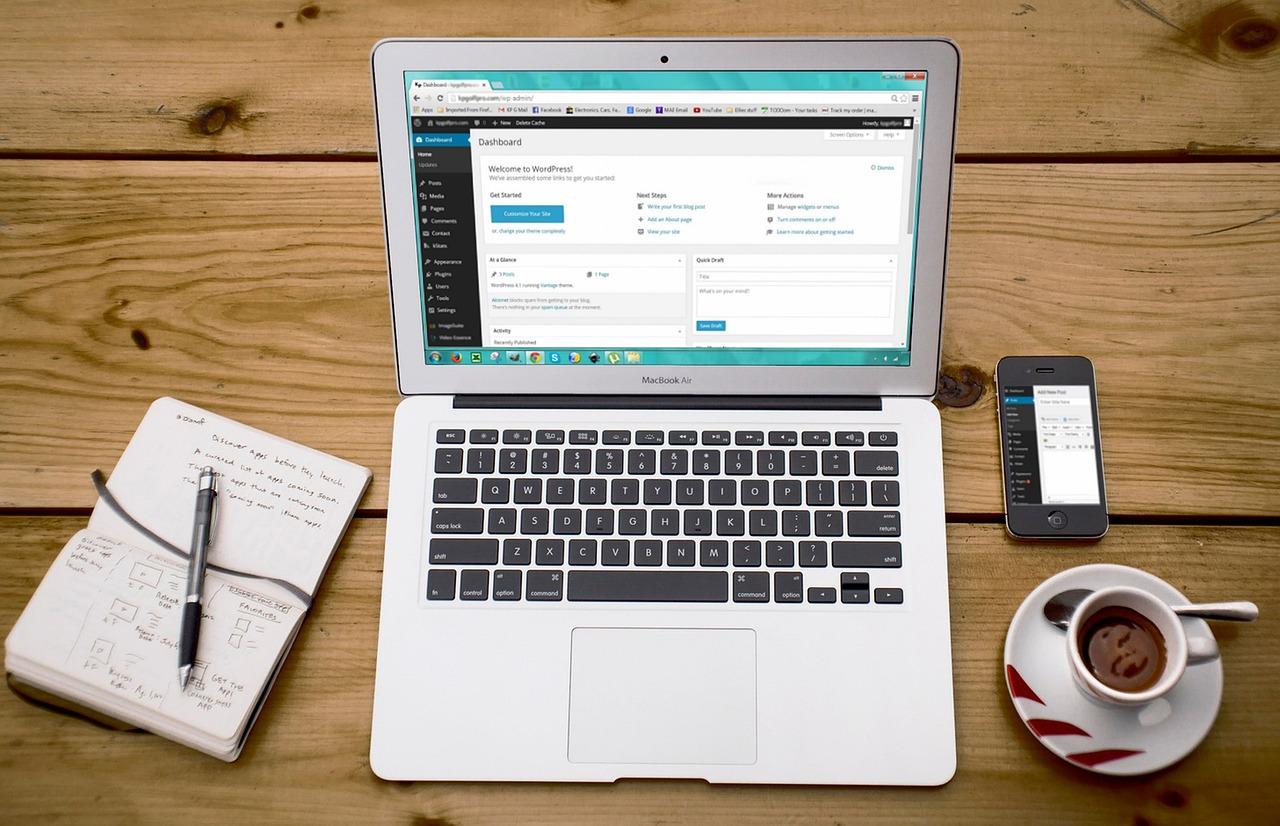
Are you looking to establish an online presence but feeling overwhelmed by the plethora of website builders out there? You’re not alone! With so many options, it can be tough to decipher which features are essential and which are just flashy add-ons. Enter Wix, a popular choice for many budding entrepreneurs and creatives. In this article, we’re diving deep into the myriad of features that Wix offers, giving you a full breakdown of what each one brings to the table. From drag-and-drop design tools to eCommerce capabilities, we’ll help you determine what you actually need for your unique vision. So, whether you’re launching a personal blog, a portfolio, or a full-scale online store, stick around as we guide you through the ins and outs of Wix, ensuring you make an informed decision that sets you up for success!
Exploring Wix: A Comprehensive Introduction
Wix offers a myriad of features that cater to both novice users and seasoned web developers alike. Its drag-and-drop interface is a standout, making it incredibly intuitive for anyone looking to create a website without coding knowledge. You can easily customize your site by simply dragging elements where you want them, allowing for a highly personalized design experience.
Among the robust features available, Wix Templates are worth noting. With hundreds of professionally designed templates, you can choose a starting point that fits your brand. Each template is fully customizable, ensuring your site can reflect your unique identity without starting from scratch.
When it comes to functionality, Wix doesn’t hold back. Here’s a quick breakdown of some essential features:
- Wix App Market: Extend your website’s capabilities with apps for SEO, analytics, marketing, and more.
- SEO Tools: Built-in tools help you optimize your website for search engines, making it easier to attract organic traffic.
- Mobile Optimization: Automatically creates a mobile-friendly version of your site, ensuring it looks great on any device.
- eCommerce Capabilities: Easily set up an online store with secure payment options and inventory management.
- Wix ADI: The Artificial Design Intelligence feature creates a personalized website based on your preferences and needs.
For those who require more control, Wix Code is a game changer. It allows you to add custom functionalities and dynamic content to your website. This feature is perfect for users wanting to incorporate databases, create custom forms, or develop unique applications within their site.
If you’re concerned about performance, Wix provides Fast Loading Times through their reliable hosting services, which means your visitors won’t have to deal with frustrating delays. Additionally, the platform offers a secure environment for your website, including SSL certificates that protect your site and enhance your SEO ranking.
One notable feature is Wix Velo, which combines the ease of drag-and-drop web design with advanced programming capabilities. This is ideal for developers looking to create more complex sites while still benefiting from Wix’s user-friendly interface. Whether you want to build custom applications or manage user interactions, Velo gives you the tools to do so.
To give you a clearer picture, here’s a simple comparison table of Wix features:
| Feature | Beginner Friendly | Advanced Functionality |
|---|---|---|
| Drag-and-Drop Editor | ✔️ | ❌ |
| SEO Tools | ✔️ | ✔️ |
| Wix Code | ❌ | ✔️ |
| eCommerce Features | ✔️ | ✔️ |
| Customizable Templates | ✔️ | ✔️ |
Ultimately, Wix offers a comprehensive suite of features that can accommodate virtually any type of website you wish to create. Whether you’re looking to build a personal blog, a portfolio, or an online store, understanding the full range of tools available will empower you to make informed decisions about what you really need for your project.
User-Friendly Interface: Navigating with Ease
When it comes to building your website, having a user-friendly interface can make all the difference. Wix has designed its platform to ensure that anyone, regardless of their technical skills, can create a stunning website with relative ease. Navigating through the various features is simplified, allowing users to focus on their content rather than getting lost in a labyrinth of settings.
The drag-and-drop functionality is at the core of Wix’s appeal. This intuitive feature allows you to position elements exactly where you want them on the page without any coding knowledge. You can easily add text boxes, images, videos, and more by simply dragging them into place. It’s as easy as rearranging furniture in a room—you have complete control over your design without the hassle of complicated coding.
Additionally, Wix offers a variety of templates that cater to different industries and styles. These templates are not only visually appealing but also optimized for mobile devices. Each template is fully customizable, meaning you can tweak colors, fonts, and layouts to fit your brand’s identity. This flexibility empowers you to maintain a unique look while still benefiting from a structured framework.
Here are some of the standout features that enhance navigation:
- Intuitive Dashboard: Your main hub for managing every aspect of your website, from SEO tools to analytics, all laid out in a user-friendly format.
- Preview Mode: Instantly see how changes will appear on your site without publishing them, ensuring a seamless user experience.
- Help Center & Support: Easily accessible resources and customer support make troubleshooting a breeze, so you’re never left in the dark.
- Responsive Design Options: Automatically optimize your site for mobile viewing, allowing you to reach your audience wherever they are.
The editing experience is further enhanced by the addition of Wix Apps. These third-party tools can be integrated directly into your site, expanding functionality with just a few clicks. Whether you need a booking system, an e-commerce solution, or social media integration, these apps can be easily added without any technical expertise.
For those who prefer a bit more control, Wix also includes an advanced editor. This feature is designed for users who want to dive deeper into customization. Here, you can manipulate CSS and HTML directly, allowing for a more tailored website experience. It’s ideal for users who have some technical skills and want to push their site’s capabilities further.
To illustrate how straightforward Wix is, consider the following comparison:
| Feature | User-Friendly | Traditional Builders |
|---|---|---|
| Drag-and-Drop Editor | ✅ | ❌ |
| Mobile Optimization | ✅ | ❌ |
| Third-Party Integrations | ✅ | ❌ |
| Advanced Customization | ✅ | ✅ |
With these features, Wix has created an environment where even the most novice users can thrive. You’ll find that the learning curve is minimal, and the satisfaction of creating something uniquely yours is incredibly rewarding. Whether you’re building a personal blog, an online store, or a portfolio, navigating Wix’s interface will be a pleasant experience that invites creativity rather than stifling it.
Stunning Templates: Picking the Perfect Design
When it comes to creating an engaging website, the design you choose can make all the difference. Wix offers a treasure trove of stunning templates, each crafted to cater to various industries and personal styles. But how do you pick the perfect one? Here are some key factors to consider:
- Audience Appeal: Think about who will be visiting your site. A vibrant, playful template might work wonders for a children’s store, while a sleek and modern design would better suit a law firm.
- Brand Identity: Your website should reflect your brand’s personality. Are you going for minimalistic elegance or bold and dynamic? Choose a template that resonates with your brand’s voice.
- Functionality: Not all templates are created equal. Some are designed for blogging, while others prioritize e-commerce. Identify the primary function of your site and select a template that supports it.
- Customization Options: While it’s great to start with a stunning template, ensure it offers enough flexibility for your unique vision. Look for templates that allow you to modify colors, fonts, and layouts easily.
Once you have a shortlist of templates, it’s time to dig a little deeper. Check out the user reviews and ratings for each template. Wix provides a platform where users share their experiences, which can give you valuable insights into how well a template performs in real-world applications. Pay attention to:
- Loading Speed: A beautiful site means nothing if it takes forever to load.
- Mobile Compatibility: Ensure the template looks good on all devices, as many users will visit your site from their smartphones or tablets.
- SEO Friendliness: Some templates are more optimized for search engines than others, which can impact your site’s visibility.
Furthermore, consider creating a comparison table to weigh your options effectively:
| Template Name | Industry | Mobile Responsive | User Rating |
|---|---|---|---|
| Creative Portfolio | Art & Design | Yes | 4.8/5 |
| Business Pro | Corporate | Yes | 4.5/5 |
| Shopify Style | E-commerce | Yes | 4.6/5 |
Remember, choosing the right template is just the beginning. It’s about how you personalize your chosen design to make it truly yours. Use Wix’s intuitive drag-and-drop editor to add your images, adjust colors, and create a layout that speaks to your audience. A template is merely a canvas, and your creativity is what will ultimately bring it to life.
Drag and Drop Editor: Customization Made Simple
The drag and drop editor is one of the standout features of Wix, providing an intuitive interface that makes website customization feel effortless. With just a few clicks, you can create a visually stunning site tailored to your brand’s identity. This feature is particularly beneficial for small business owners and creatives who may lack coding skills but still want a professional-looking website.
One of the greatest advantages of the drag and drop functionality is its user-friendliness. You don’t need to have a background in web design to build a site that looks great. Key benefits include:
- Flexibility: Move elements around the page until they feel just right.
- Visual Editing: See your changes in real-time, allowing for instant feedback.
- Pre-made Templates: Use starter templates to jump into the design process quicker.
Moreover, the editor allows you to customize various aspects of your site, from font choices to color schemes, ensuring that your unique style shines through. You can easily integrate different media types, including images and videos, by dragging them into place. This capability allows you to create engaging content quickly, making it easier to keep your audience captivated.
Another noteworthy aspect is the responsive design feature. As you build, Wix’s editor automatically adjusts your layout for mobile devices, ensuring that your site looks just as good on a smartphone as it does on a desktop. This is crucial in today’s mobile-centric world, where more users are browsing on their phones than ever before.
For those looking to enhance their site’s functionality, the drag and drop editor also seamlessly integrates with Wix’s extensive app market. You can add features like:
- Contact forms to gather leads.
- Social media feeds to keep your audience engaged.
- Online booking systems for service-based businesses.
| Element | Functionality |
|---|---|
| Images | Drag to position, adjust size easily |
| Text | Edit font style and size on the fly |
| Buttons | Customize links and styles quickly |
the drag and drop editor stands out as a game-changer for anyone looking to create a customized website without the hassle of complex coding. It empowers users to take control of their online presence, ensuring they can make adjustments as their business needs evolve. Whether you’re a seasoned web designer or a complete beginner, this feature makes customization simple and enjoyable.

Mobile Optimization: Making Your Site Shine on All Devices
In today’s digital landscape, where nearly half of web traffic comes from mobile devices, ensuring your site is optimized for mobile is no longer optional—it’s essential. Wix offers a suite of features that make mobile optimization a breeze, allowing you to create a site that looks stunning, no matter the screen size.
One of the standout features is the mobile editor, which allows you to customize how your site appears on mobile devices. With just a few clicks, you can adjust elements like text size, image placement, and button visibility. This means you can create a mobile-friendly version of your site without sacrificing the desktop experience.
Additionally, Wix automatically generates a mobile version of your site. This built-in functionality is a game-changer for those who may not have the time or expertise to manually optimize their content. However, don’t stop there—take advantage of the mobile editor to ensure that every detail aligns with your brand’s aesthetics and user experience goals.
Consider implementing the following practices to maximize your mobile optimization:
- Responsive Design: Ensure that your layout and content adapt seamlessly to different screen sizes.
- Fast Loading Times: Optimize images and minimize code to enhance site speed on mobile networks.
- Touch-Friendly Navigation: Make buttons and links easy to tap, ensuring a smooth user experience.
- Readable Fonts: Use legible font sizes and styles that are easy to read on smaller screens.
A crucial aspect of mobile optimization is testing. Wix provides tools that allow you to preview how your site will look on various devices. Take advantage of these previews to identify issues before launching. Remember, user experience directly impacts your site’s SEO; a well-optimized mobile site can lead to higher engagement and lower bounce rates.
Here’s a quick comparison table highlighting key mobile optimization features in Wix:
| Feature | Description | Benefits |
|---|---|---|
| Mobile Editor | Customizes mobile site appearance | Enhances user experience |
| Automatic Mobile View | Generates a responsive version automatically | Saves time and effort |
| Speed Optimization Tools | Improves loading times | Increases retention and conversions |
By leveraging these features, not only can you create a visually appealing mobile site, but you can also ensure that it functions effectively. The ultimate goal is to provide a fluid experience that meets the expectations of mobile users, who are often looking for quick access to information and easy navigation.
In a nutshell, mobile optimization is about more than just aesthetics; it’s about creating a seamless user experience that converts visitors into loyal customers. Embrace the tools Wix offers to make your site shine on all devices, and watch your engagement soar!
SEO Tools: Boost Your Visibility Effortlessly
In the digital landscape, standing out is crucial, and the right SEO tools can make all the difference in how your website performs. When using platforms like Wix, leveraging built-in SEO features is essential for enhancing your visibility. Here’s a deep dive into tools that can help elevate your website’s presence with minimal effort.
One of the standout features of Wix is the SEO Wiz. This intuitive tool guides you through a personalized SEO plan tailored to your website’s needs. By following its recommendations, you can:
- Optimize your site’s metadata
- Enhance your image alt text
- Improve your URL structure
The SEO Wiz makes complex SEO strategies more accessible, ensuring even those without a technical background can boost their search rankings.
Another valuable aspect of Wix is its mobile optimization. With an increasing number of users browsing on mobile devices, ensuring that your website is responsive is non-negotiable. Wix automatically adjusts your site for mobile, but you can further refine this by using:
- The mobile editor for layout adjustments
- Mobile-specific SEO settings
- Preview tools to see how your site performs on different devices
This ensures that your site provides a seamless experience across all devices, which is a significant factor for search engine rankings.
Additionally, integrating Google Analytics with your Wix site opens up a treasure trove of insights. Understanding your audience’s behavior helps you tailor your content and SEO strategies effectively. Key metrics to focus on include:
| Metric | Description |
|---|---|
| Bounce Rate | The percentage of visitors who leave after viewing only one page. |
| Session Duration | Average time a visitor spends on your site. |
| Traffic Sources | Where your visitors are coming from (e.g., search engines, social media). |
By analyzing these metrics, you can continuously refine your SEO approach, ensuring you stay ahead in search results.
Lastly, don’t overlook the power of content marketing. Wix allows for easy blogging integration, where you can publish SEO-optimized articles that attract organic traffic. Focus on creating valuable, shareable content that resonates with your target audience. Here are some tips:
- Identify trending topics in your niche
- Incorporate relevant keywords naturally
- Encourage reader engagement through comments and shares
With consistent and quality content, not only will your audience grow, but so will your authority in your industry.
E-commerce Capabilities: Building Your Online Store
When it comes to launching your online business, Wix provides a robust set of e-commerce features that can help you turn your ideas into reality. With its user-friendly interface and a variety of customizable templates, you can create an attractive, functional online store in no time.
One of the standout features of Wix is its drag-and-drop website builder. This intuitive tool allows you to design your store exactly how you envision it. No coding skills? No problem! Simply select, drag, and drop elements like product images, descriptions, and payment buttons to create a seamless shopping experience for your customers.
Moreover, Wix offers a full suite of e-commerce tools that can help streamline your operations:
- Inventory Management: Easily track your products and stock levels.
- Secure Payment Options: Accept credit cards, PayPal, and various other payment methods.
- Shipping Integrations: Connect with major carriers to calculate shipping costs and print labels directly from your dashboard.
- Tax Management: Automatically calculate taxes based on your customers’ locations.
- Discount Codes and Promotions: Encourage sales with customizable coupon codes.
Furthermore, Wix allows you to optimize your store for SEO, ensuring that your products get the visibility they deserve. With customizable URLs, meta tags, and alt text for images, you can enhance your search engine ranking effortlessly.
Let’s not forget about customer engagement. Wix provides various tools such as:
- Email Marketing: Reach out to your customers with tailored campaigns.
- Live Chat: Offer real-time support to enhance customer satisfaction.
- Blog Integration: Share valuable content to attract and retain customers.
To give you an idea of the scalability Wix offers, here’s a quick comparison of its e-commerce plans:
| Plan | Monthly Fee | Features |
|---|---|---|
| Basic | $23 | Online store, secure payments, and limited storage. |
| Business | $27 | Includes everything in Basic plus advanced shipping and tax tools. |
| VIP | $49 | All features plus priority support and premium apps. |
Whether you’re a startup or an established business looking to expand online, Wix’s e-commerce capabilities are designed to grow with you. By leveraging these features, you can create a captivating online store that not only meets your needs but also provides a stellar shopping experience for your customers.

App Market: Enhancing Your Site with Add-Ons
In the digital age, enhancing the functionality of your website is more crucial than ever. One of the easiest ways to do this is through the vibrant ecosystem of add-ons available in the app market. These add-ons can transform your site from a basic web presence into a dynamic platform that meets the diverse needs of your audience.
Whether you’re looking to boost your site’s performance, improve user experience, or add specific features, the app market offers a plethora of options. Here are some popular categories of add-ons you might consider:
- Marketing Tools: Enhance your marketing efforts with tools for email marketing, SEO optimization, and social media integration.
- E-commerce Solutions: Transform your site into a powerful online store with inventory management, payment gateways, and shipping solutions.
- Analytics and Reporting: Utilize add-ons that offer detailed analytics to track visitor behavior and improve your site continuously.
- Customer Support: Provide exceptional service with live chat options, ticketing systems, and FAQ builders.
When selecting add-ons, it’s essential to consider the specific needs of your website and audience. Some users might benefit from a robust CRM integration, while others may prioritize enhancing their site’s visual appeal with custom galleries or sliders. The right combination can significantly differentiate your site in a crowded market.
One notable advantage of utilizing add-ons is the flexibility they offer. Instead of committing to a costly, all-in-one solution, you can pick and choose the tools that best align with your goals. This modular approach not only saves money but also allows you to adapt as your business grows and evolves.
To illustrate how effective these add-ons can be, consider a simple comparison of sites with and without them. Below is a table that outlines the potential benefits:
| Add-Ons Used | Benefits | Without Add-Ons |
|---|---|---|
| Email Marketing Tool | Increased customer engagement and conversion rates | Limited outreach |
| Live Chat Support | Instant customer assistance and satisfaction | Delayed responses |
| SEO Optimization Tool | Higher search engine rankings | Low visibility |
the app market is a treasure trove of opportunities to customize your Wix site. It’s not just about having a pretty interface; it’s about creating a functional and engaging experience for your users. By strategically selecting add-ons that meet your needs, you can significantly enhance your site’s performance and appeal, ultimately leading to greater success.

Blogging Features: Sharing Your Voice with the World
One of the most empowering aspects of using Wix is its ability to amplify your voice and connect you with a global audience. Whether you’re a passionate storyteller, a savvy entrepreneur, or simply someone with a unique perspective, Wix provides you with an array of features designed to help you share your thoughts, ideas, and creativity effortlessly.
First and foremost, Wix’s intuitive drag-and-drop editor allows you to customize your blog layout without any coding knowledge. This means you can focus on what truly matters: your content. Create visually appealing posts that capture your readers’ attention, with ease. Plus, the extensive library of templates ensures that your blog can be as unique as your voice.
Another standout feature is the integrated SEO tools. It’s not enough to just create great content; you also want people to find it. Wix makes this easy by providing built-in SEO features that guide you in optimizing your posts for search engines. Use keyword suggestions, meta tags, and more to enhance your visibility online.
Engaging your audience is essential, and Wix has you covered with its social sharing capabilities. With just a click, you can share your latest posts across various social media platforms, driving traffic back to your site. This feature not only boosts your reach but also encourages interaction with your readers, building a community around your blog.
If you’re looking to monetize your blog, Wix offers various monetization tools that can help you turn your passion into profit. From affiliate marketing to ad placements, you can explore different revenue streams without complicating your workflow. This flexibility allows you to focus on creating content while also considering your financial goals.
Another impressive aspect of Wix is its analytics dashboard. Understanding your audience’s behavior is crucial for growth. With real-time insights into visitor numbers, popular posts, and engagement levels, you can tailor your content strategy to better meet the needs and preferences of your readers.
To help you navigate these features, here’s a quick overview of the key Wix blogging capabilities:
| Feature | Description |
|---|---|
| Drag-and-Drop Editor | Customize your blog layout with ease. |
| SEO Tools | Optimize your posts for search engines effortlessly. |
| Social Sharing | Promote your content on social media platforms. |
| Monetization Options | Explore various ways to earn from your blog. |
| Analytics Dashboard | Gain insights into your audience’s behavior. |
With these features at your disposal, Wix not only allows you to express yourself but also empowers you to build a brand around your voice. Whether you’re just starting or looking to enhance your existing blog, leveraging these tools can elevate your online presence dramatically. Don’t just write for the sake of writing; share your unique story with the world, and let Wix help you shine!
Analytics and Insights: Understanding Your Audience
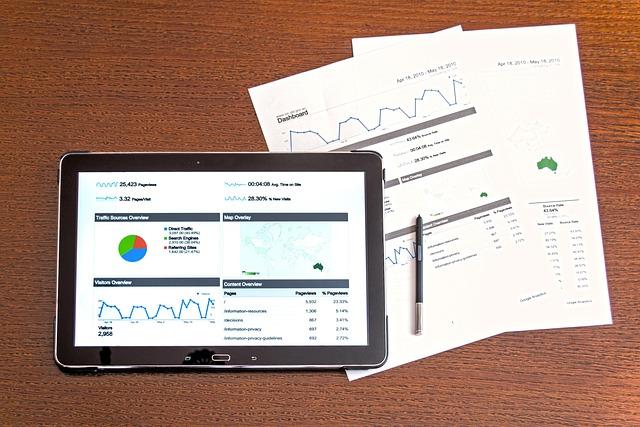
Understanding your audience is the cornerstone of building a successful website. With Wix, you have access to powerful analytics tools that can help you gain valuable insights into who visits your site, how they interact with your content, and what drives their decisions. By leveraging these insights, you can tailor your offerings to better meet their needs and preferences.
Wix provides a robust set of features that allow you to track essential metrics. Here are some key analytics tools you should explore:
- Visitor Statistics: Get a clear picture of how many people are visiting your site, where they’re coming from, and which pages they frequent the most.
- Audience Demographics: Understand the age, gender, and geographic location of your visitors to better tailor your content and marketing strategies.
- Behavior Tracking: Monitor user behavior to see how visitors navigate your site, which can inform your design and content placement decisions.
- Conversion Rate Analysis: Track the effectiveness of your calls to action and conversion funnels, helping you identify where you can improve.
With these tools, you can create a more engaging experience for your users. One of the most effective ways to utilize this data is by segmenting your audience based on their interests and behaviors. This allows for targeted marketing campaigns that resonate with specific user groups, ultimately leading to higher conversion rates.
For instance, if your analytics reveal that a significant portion of your audience is interested in a particular product category, consider highlighting those items prominently on your homepage or creating tailored promotions. You can even experiment with different messaging styles or graphical layouts to see what resonates best.
Moreover, Wix’s integration with Google Analytics provides even deeper insights into your audience’s behavior. You can analyze traffic sources, track user engagement, and measure the success of various marketing efforts all in one place. This level of detail helps you make informed decisions that enhance user experience and increase sales.
| Analytics Feature | Benefit |
|---|---|
| Visitor Statistics | Understand traffic trends over time |
| Audience Demographics | Tailor content to your specific audience |
| Behavior Tracking | Optimize user experience based on navigation patterns |
| Conversion Rate Analysis | Increase sales by refining marketing strategies |
Remember, the key to successful website management lies in continuous improvement. Regularly review your analytics to adapt to changing audience preferences and market trends. By doing so, you’ll ensure that your website remains relevant and appealing to visitors, ultimately driving growth and success.

Customer Support: Getting Help When You Need It
When navigating the vast landscape of website creation, having reliable customer support can make all the difference. With Wix, users can access a variety of support options tailored to meet their needs, ensuring that help is just a click away.
One of the standout features of Wix customer support is the 24/7 availability. Whether you’re facing technical issues at midnight or need guidance on design choices during the day, help is always available. The support team is ready to assist you in:
- Resolving technical glitches
- Navigating the Wix Editor
- Understanding SEO best practices
- Optimizing your website’s performance
If you prefer a more self-directed approach, Wix also offers an extensive Knowledge Base filled with articles, guides, and tutorials. This resource is perfect for users who enjoy learning at their own pace. Here you can find step-by-step instructions on various topics, including:
- Setting up your domain
- Customizing templates
- Integrating third-party applications
- Managing e-commerce functionalities
For those who thrive on community interaction, the Wix Forum is a dynamic space where users can share tips, ask questions, and connect with other Wix enthusiasts. Participating in the forum not only helps you find answers but also allows you to contribute your own expertise to the community.
For more personalized support, you can reach out to Wix through their live chat feature or submit a support ticket. The response time is generally quick, and you’ll be matched with a representative who understands your unique challenges. This direct line to support ensures that you receive targeted assistance rather than generic solutions.
Here’s a quick comparison of the support options available through Wix:
| Support Type | Availability | Response Time |
|---|---|---|
| Live Chat | 24/7 | Immediate |
| Email Support | Business Hours | 1-2 Days |
| Knowledge Base | Always Available | Instant |
| Community Forum | Always Available | Variable |
All these options make it clear that Wix is committed to ensuring that its users have the resources they need to succeed. Whether you’re just starting out or looking to enhance your website’s functionality, the customer support tools provided by Wix are designed to help you every step of the way.

Pricing Plans: Finding the Right Fit for Your Budget
When it comes to selecting a pricing plan for Wix, it’s essential to identify not just what you can afford, but also what features align with your goals. Wix offers a variety of plans, each tailored to different needs—whether you’re a small business, an artist, or an eCommerce giant.
Here’s a quick rundown of what you can expect from the different tiers:
| Plan Type | Monthly Cost | Key Features |
|---|---|---|
| Combo | $14 |
|
| Unlimited | $18 |
|
| Business Basic | $23 |
|
| eCommerce | $27 |
|
Choosing the right plan is about balance. If you’re just starting out, the Combo plan might be all you need for a personal site or a portfolio. As you grow, consider the Unlimited plan to eliminate bandwidth restrictions and enhance your site’s performance. Are you ready to dive into eCommerce? The Business Basic and eCommerce plans provide robust features designed to facilitate sales and manage inventory effectively.
One of the most appealing aspects of Wix is its flexibility. You’re not locked into a long-term commitment—you can upgrade or downgrade your plan as your needs evolve. This adaptability allows you to experiment with different features, ensuring you only pay for what you actually use.
Moreover, consider your target audience when selecting a plan. A more visually appealing site with custom features can make a significant difference in engagement and conversion rates. If you see your business scaling quickly, investing in a higher-tier plan can pay off in the long run.
take the time to evaluate what you need now and what you may require in the future. Wix’s diverse pricing plans cater to a wide range of budgets and functionalities, allowing you to find the perfect match for your goals. Whether you need a simple website or a comprehensive eCommerce platform, there’s a plan suited just for you.
Common Pitfalls: What to Avoid for Success
When diving into the world of Wix, it’s easy to get swept away by the plethora of features it offers. However, not every tool is necessary for your success. Here are some common pitfalls to avoid to ensure your website doesn’t just look good, but performs well too.
One major mistake is overloading your site with unnecessary features. While it might be tempting to use every tool at your disposal, such as animations, pop-ups, and multiple galleries, this can lead to a cluttered site that distracts visitors from your main message. Focus on a few key features that enhance user experience instead:
- Simple Navigation: Make it easy for visitors to find what they need.
- Responsive Design: Ensure your site looks good on all devices.
- Clear Calls-to-Action: Guide users on what to do next.
Another pitfall is neglecting SEO optimization. Many users assume that a beautiful design is all they need for success, but without proper search engine optimization, your site might remain hidden. Here are a few SEO elements you shouldn’t overlook:
- Meta Tags: Ensure every page has unique titles and descriptions.
- Alt Text for Images: Helps search engines understand your visuals.
- Mobile Optimization: A must for better search rankings.
Some users also fall into the trap of ignoring analytics and user feedback. Launching your site is just the beginning; monitoring its performance is crucial. Utilize Wix’s built-in analytics tools to track visitor behavior and adapt accordingly. Consider these points:
- Regularly check your site’s traffic sources.
- Identify which pages have high bounce rates.
- Gather feedback through surveys or forms to understand user preferences.
Lastly, don’t underestimate the power of professional quality images. Using low-quality or generic stock photos can make your site look untrustworthy. Instead, invest in high-quality visuals that represent your brand effectively. A table comparing image sources could look like this:
| Image Source | Quality | Cost |
|---|---|---|
| Custom Photography | High | Varies |
| Stock Photos (Free) | Medium | Free |
| Stock Photos (Paid) | High | Monthly Fee |
By steering clear of these common pitfalls and focusing on what truly matters, you’ll be well on your way to creating a successful Wix website that captivates and converts visitors. Remember, less is often more when it comes to web design!
Final Thoughts: Making the Most of Your Wix Experience
As you wrap up your journey through the amazing features of Wix, it’s essential to focus on how to leverage these tools for your website’s success. The platform’s versatility empowers users of all skill levels, making it easier than ever to create a stunning online presence.
One of the standout aspects of Wix is its drag-and-drop editor. This user-friendly interface allows you to customize your site without any coding knowledge. Whether you’re a small business owner or an aspiring blogger, take advantage of this feature to arrange elements in a way that reflects your unique style. Don’t hesitate to experiment with layouts, colors, and fonts!
Another feature that deserves your attention is the Wix App Market. This treasure trove of applications can extend the functionality of your site significantly. You can find everything from social media integrations to e-commerce solutions. Consider the following popular apps:
- Wix Chat – Engage with your visitors in real-time.
- Wix SEO Wiz – Optimize your site for search engines effortlessly.
- Wix Forms – Collect leads and feedback seamlessly.
Don’t overlook the importance of SEO optimization in your Wix experience. With built-in tools and the Wix SEO Wiz, you can boost your site’s visibility. Make it a point to regularly update your site with fresh content that incorporates relevant keywords. This not only helps with rankings but also keeps your audience engaged.
If you’re venturing into e-commerce, Wix provides robust features to create an online store. Utilize the Wix Stores feature to manage your inventory, process payments, and handle shipping with ease. Make sure to explore the various templates available, ensuring your store not only functions well but also looks professional.
Incorporating analytics tools can provide invaluable insights into your site’s performance. By keeping track of visitor behavior, you can make informed decisions on content and design adjustments. Check out tools like Google Analytics or Wix’s own analytics dashboard to stay in the know.
Lastly, consider the power of community and support. Wix offers extensive resources, including tutorials, forums, and customer support, to help you navigate challenges. Engaging with other Wix users can provide inspiration and solutions that you might not have considered.
making the most of your Wix experience boils down to utilizing the features that best suit your needs. Embrace the creativity, stay informed, and don’t hesitate to reach out for support. Your website is a reflection of you, so invest the time and effort to make it truly shine!
Frequently Asked Questions (FAQ)
Q&A: Wix Features – Full Breakdown (& What You Actually Need)
Q1: What is Wix and who is it for?
A: Wix is a popular website builder that empowers individuals and businesses to create stunning websites without needing any coding skills. Whether you’re a small business owner, a freelancer, or just someone wanting to showcase a portfolio, Wix provides the tools you need to make your online presence shine. It’s perfect for anyone looking to build a professional-looking website quickly and easily!
Q2: What are the standout features of Wix that I should know about?
A: Oh, there are quite a few! Some of the standout features include:
- Drag-and-Drop Editor: This is probably the most user-friendly feature. You can easily add and arrange elements on your site without any technical know-how.
- Templates Galore: Wix offers hundreds of customizable templates tailored for various industries, so you can find one that fits your vision.
- Mobile Optimization: Every site built on Wix is automatically optimized for mobile devices. No more worrying about how your site looks on smartphones!
- App Market: Need extra functionality? The Wix App Market has a plethora of third-party apps you can integrate, from chatbots to booking systems.
- SEO Tools: Wix has built-in SEO tools to help your site rank better in search engines, ensuring you get the visibility you deserve.
Q3: What should I focus on when using Wix?
A: When diving into Wix, it’s essential to focus on a few key areas:
- Design: Choose a template that resonates with your brand and customize it to make it your own. Remember, first impressions matter!
- Content: Quality content is king. Make sure your text is engaging and informative, and don’t skimp on images; they can make or break your site’s appeal.
- SEO Settings: Don’t overlook the SEO features! Optimize your titles, descriptions, and alt text to improve your search rankings.
- User Experience: Think about how visitors will navigate your site. Keep it intuitive and easy to use.
Q4: Are there any hidden costs with Wix?
A: It’s a good question! While Wix offers a free plan, it comes with limitations, like Wix-branded ads on your site. To access more features, like a custom domain and additional storage, you’ll likely need to opt for one of their premium plans. Just be sure to read the fine print so you know what you’re signing up for!
Q5: Can I switch from Wix to another platform later?
A: While it’s not impossible, moving from Wix to another platform can be a bit tricky due to the proprietary nature of their designs and features. If you think you might want to switch in the future, it’s wise to keep your content backed up and consider how essential customization is for your needs.
Q6: Is Wix worth it for my small business?
A: Absolutely! Wix is an excellent investment for small businesses. Its ease of use, stunning designs, and robust features make it ideal for those who want to establish an online presence without breaking the bank. Plus, the support and resources available make it easy to troubleshoot or learn as you go.
Q7: What’s the first step I should take if I want to get started with Wix?
A: Simple! Head over to Wix.com, sign up for a free account, and start exploring the templates and features. Take your time to familiarize yourself with the platform, and don’t hesitate to use their tutorials and support resources. You’ll be amazed at how quickly you can create something fantastic!
By understanding Wix’s features and what you truly need, you can create a website that not only looks amazing but also serves your goals effectively. Ready to dive in? Let’s get building!
The Way Forward
As we wrap up our deep dive into the world of Wix features, it’s clear that this platform offers a treasure trove of tools to help you create a stunning website. Whether you’re a budding entrepreneur, a creative professional, or just someone looking to share your passion online, there’s something here for everyone.
Remember, while it’s tempting to get lost in the myriad of options Wix provides, the key is to focus on what aligns with your goals. Prioritize the features that will truly enhance your website and engage your audience.
So, are you ready to take the plunge? With the right features at your fingertips, you can transform your online presence from ordinary to extraordinary. Don’t just dream about the website you want—make it happen with Wix! If you have questions or need guidance, feel free to drop a comment. Happy building!





