

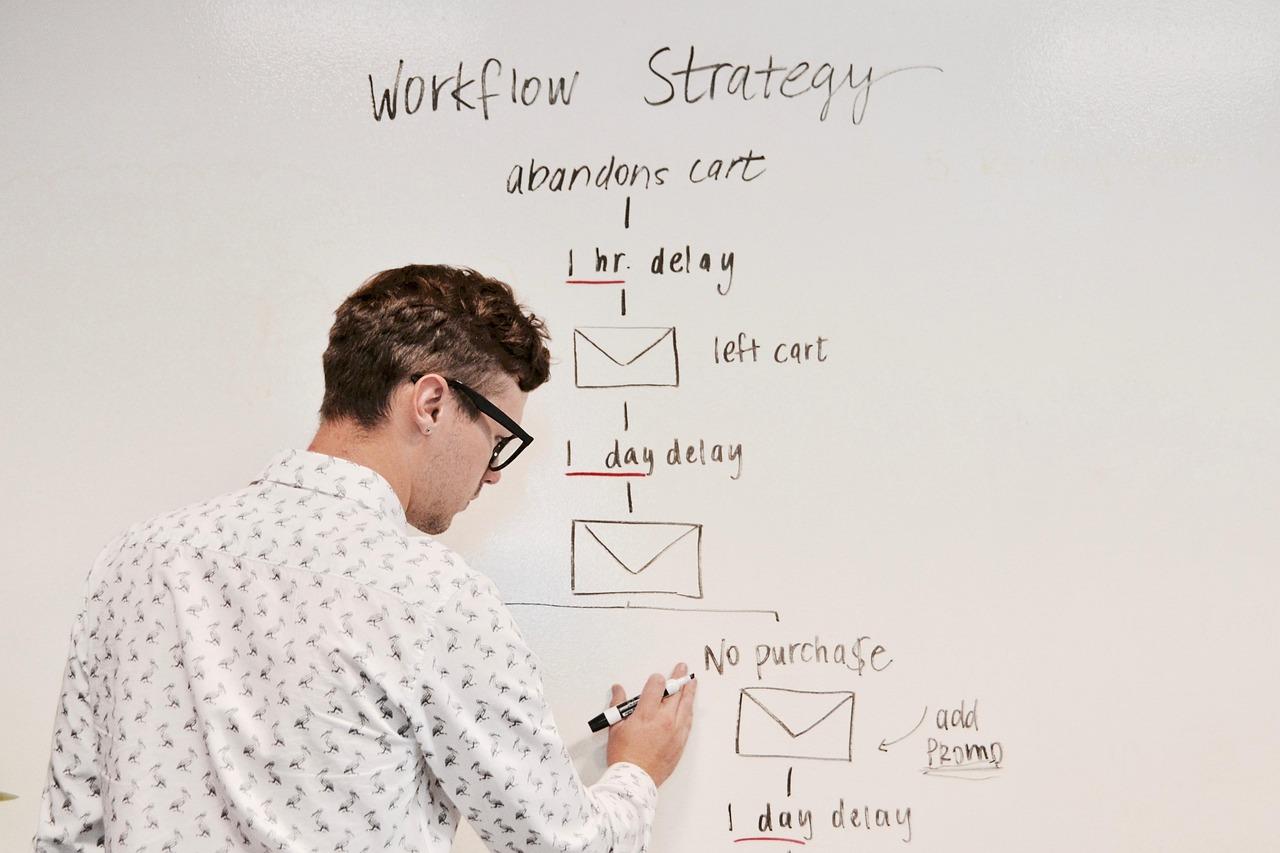
Are you looking to streamline your AI workflows and unleash the true potential of automation? If so, you’ve probably heard of n8n, the powerful open-source workflow automation tool that makes it easy to connect various apps and services. But before you dive headfirst into creating complex workflows, there’s a crucial aspect to consider: where you’ll host your n8n instance. While many might default to cloud services, hosting n8n on a Virtual Private Server (VPS) offers unique advantages that can enhance performance, security, and customization. In this article, we’ll explore why a VPS could be your best bet for hosting n8n, and we’ll guide you through the key considerations to keep in mind. Whether you’re a seasoned developer or just starting your automation journey, understanding these hosting options will empower you to create seamless AI workflows that truly elevate your projects. Let’s get started!
Understanding n8n and Its Role in AI Workflows
In the fast-evolving landscape of automation and artificial intelligence, n8n emerges as a pivotal tool for orchestrating seamless workflows. With its open-source nature, n8n allows users to design intricate workflows without the need for extensive programming knowledge. This flexibility is particularly crucial in AI applications, where diverse data sources and services must interact efficiently.
One of the standout features of n8n is its ability to integrate various technologies and platforms. Whether it’s pulling data from APIs, connecting to databases, or interacting with machine learning models, n8n provides a visual interface that simplifies the process. Users can create workflows that not only automate tasks but also facilitate real-time data processing, a key requirement for AI-driven projects.
When considering hosting n8n on a Virtual Private Server (VPS), several factors come into play. Performance is a primary concern; your VPS should have adequate resources to handle the demands of your workflows, especially if they require intensive computations or handle large datasets. Here are some aspects to contemplate:
- CPU and RAM: Ensure your VPS has enough processing power and memory to manage simultaneous workflow executions.
- Storage: Opt for SSD storage for faster data retrieval, which is essential in AI applications where speed can impact results.
- Scalability: Choose a VPS provider that allows easy scaling of resources as your needs grow.
Security is another critical aspect when deploying n8n. Sensitive data often flows through AI workflows, so implementing robust security measures is non-negotiable. Here are some recommendations:
- SSL Encryption: Use SSL certificates to encrypt data in transit, ensuring that sensitive information remains secure.
- Access Controls: Implement role-based access controls to manage who can view and edit workflows.
- Regular Updates: Keep n8n and all dependencies regularly updated to protect against vulnerabilities.
Additionally, the community-driven nature of n8n means that there are plenty of resources available for troubleshooting and optimization. Users can benefit from a wealth of plugins and integrations developed by community members, enhancing the platform’s capabilities. This collaborative spirit not only fosters innovation but also provides a safety net for users encountering challenges in their AI workflows.
monitoring your n8n workflows is essential for maintaining efficiency and effectiveness. Implementing logging and alerting mechanisms can help you identify bottlenecks or failures in your workflows promptly. Consider using tools like Grafana or Prometheus for visualization and monitoring, allowing you to keep an eye on your workflow performances at all times. This proactive approach can save you valuable time and resources in the long run.
n8n stands out as a versatile tool that can enhance AI workflows through its automation capabilities. With the right hosting setup on a VPS, you can leverage its full potential, ensuring that your AI applications run smoothly, securely, and effectively.
Why Choose a VPS for Your n8n Hosting Needs
When considering the best environment for hosting n8n, a Virtual Private Server (VPS) emerges as a top contender. Here are some compelling reasons to choose a VPS for your n8n hosting needs:
- Enhanced Performance: A VPS provides dedicated resources, including CPU, RAM, and storage, unlike shared hosting. This ensures that your n8n workflows run smoothly, even during peak usage times when demand is high.
- Scalability: As your AI workflows grow, so do your requirements. VPS hosting allows for easy upgrades to your resources without the need for a complete overhaul of your system. You can scale your infrastructure to accommodate increased data processing or more complex integrations seamlessly.
- Full Control: With a VPS, you have root access, granting you the freedom to customize your environment. This is particularly beneficial for configuring n8n to suit your specific needs, whether you require custom nodes, integrations, or other enhancements.
- Improved Security: Security is paramount when handling sensitive data. VPS hosting offers a more secure environment compared to shared hosting. You can implement your security measures, including firewalls and intrusion detection systems, to protect your workflows and data.
- Isolation from Other Users: In a VPS setup, you are isolated from other users on the server. This means that no one else’s activities will affect the performance or stability of your n8n instance, which is crucial for maintaining uninterrupted workflows.
Another key consideration is the ability to run multiple instances of n8n on a single VPS. If you are testing new workflows or integrations, you can easily create isolated environments without additional costs or complications. This flexibility is invaluable for developers and teams looking to experiment and innovate.
Additionally, many VPS providers offer managed services that can offload the technical responsibilities of server management. This means you can focus on building and optimizing your n8n workflows while experts handle updates, backups, and performance monitoring. It’s like having the best of both worlds—control and convenience.
| Feature | Shared Hosting | VPS Hosting |
|---|---|---|
| Resource Allocation | Shared among users | Dedicated resources |
| Scalability | Limited | Highly scalable |
| Security | Basic | Enhanced security features |
| Control | Limited | Full root access |
opting for a VPS for your n8n hosting needs offers a multitude of advantages that can significantly enhance your workflow efficiency, security, and adaptability. By investing in a VPS, you’re not just securing a hosting solution; you’re empowering your AI-driven processes to reach their full potential.
Key Advantages of Using n8n for AI Automation
When it comes to automating workflows, especially in the realm of AI, n8n stands out as a versatile choice that offers numerous benefits. Here are some key advantages to consider:
- Open Source Flexibility: n8n is an open-source tool that allows you to customize and extend its functionality according to your specific needs. This means you can harness the power of AI without the constraints typically imposed by proprietary software.
- User-Friendly Interface: With its intuitive drag-and-drop interface, n8n makes it easy for both technical and non-technical users to create complex workflows. The learning curve is gentle, enabling teams to get up and running swiftly.
- Wide Range of Integrations: n8n supports numerous plugins and integrations, making it seamless to connect various AI services and applications. Whether you’re looking to integrate with machine learning platforms or data processing tools, there’s likely a node for that.
- Cost-Effective Solution: Hosting n8n on a VPS can be more affordable than utilizing cloud-based services for automation. You gain full control over your resources and can adjust based on your organization’s needs, optimizing costs without sacrificing performance.
- Enhanced Security: By hosting n8n on your own VPS, you can implement your own security measures, ensuring that sensitive data remains protected. This is especially crucial when working with proprietary AI models or personal information.
- Scalability: As your automation needs grow, n8n can adapt to scale with you. The architecture allows for the addition of more nodes and workflows without major disruptions, ensuring that your AI operations can grow smoothly alongside your business.
- Community Support and Documentation: Being part of an open-source community means that there’s a wealth of resources available. From forums to comprehensive documentation, you can find answers and support as you navigate your automation journey.
To sum it up, n8n provides a robust solution for AI automation that combines flexibility, user-friendliness, and cost-effectiveness. By leveraging its strengths, you can create powerful workflows that enhance your productivity and drive innovation.
Selecting the Right VPS Provider for n8n
When it comes to running n8n on a Virtual Private Server (VPS), selecting the right provider can significantly impact your workflow automation experience. Here are some key factors to consider that will help ensure you find the perfect match for your needs.
- Performance and Reliability: Choose a VPS provider renowned for speed and uptime. Look for those that guarantee at least 99.9% uptime, as any downtime can disrupt your critical workflows.
- Scalability: As your AI workflows evolve, so too will your resource requirements. Opt for a provider that allows easy upgrades, whether it’s increasing CPU, RAM, or storage space.
- Support and Documentation: Solid customer support is essential, especially when dealing with complex workflows. Check if the provider offers 24/7 support, extensive documentation, and user forums.
- Geographic Location: The location of the server can affect latency. Consider a provider with data centers close to your target audience or application users to minimize delays.
- Pricing Transparency: Look for a provider with straightforward pricing plans that don’t have hidden fees. It’s crucial to understand what you’re paying for and how costs may change as you scale.
In addition to these factors, it’s essential to evaluate the specific features that a VPS provider offers. Here’s a quick comparison of some popular VPS providers and their features that are particularly beneficial for running n8n:
| Provider | Performance | Support | Price | Scalability |
|---|---|---|---|---|
| DigitalOcean | High | 24/7 | Starts at $5/month | Easy |
| Linode | High | 24/7 | Starts at $5/month | Flexible |
| Vultr | Moderate | 24/7 | Starts at $5/month | Good |
| AWS Lightsail | High | 24/7 | Starts at $3.50/month | Elastic |
Another critical aspect is the security features offered by the VPS provider. Look for options that include:
- Regular backups and snapshots
- Firewalls and DDoS protection
- SSH key authentication
Lastly, consider the ease of setup and management that the provider offers. A user-friendly interface can greatly simplify the deployment and management of your n8n instance, allowing you to focus on building robust AI workflows rather than wrestling with configuration challenges.
By keeping these considerations in mind, you can confidently select a VPS provider that not only meets your current needs but also supports your future growth as you harness the power of n8n for your AI workflows.
Essential Specifications for Your VPS Setup
When setting up a Virtual Private Server (VPS) for hosting n8n and managing your AI workflows, it’s crucial to consider several key specifications that can significantly impact performance, scalability, and overall usability. The right configuration can make all the difference in ensuring smooth operation and efficient task management.
CPU and Performance: Your VPS needs a robust CPU to handle multiple workflows and complex automation tasks efficiently. Look for options that offer:
- Multi-core CPUs: At least a quad-core processor to manage parallel processes.
- High clock speeds: Favor CPUs with higher clock frequencies that can process tasks faster.
Memory (RAM): RAM is critical for the performance of n8n, especially when you run multiple workflows simultaneously. Consider the following:
- Minimum 4 GB RAM: This is essential for basic operations.
- 8 GB or more: If you expect to handle larger datasets or run several workflows concurrently.
Storage Type and Capacity: The choice of storage can greatly affect loading times and data retrieval speeds. Here are some recommendations:
- SSD over HDD: Solid State Drives (SSDs) offer faster read/write speeds, enhancing the performance of your applications.
- Storage capacity: Depending on your workflow requirements, aim for at least 50 GB of storage, scaling up as needed.
Network Bandwidth: A reliable and fast internet connection is essential to ensure smooth data transfers and API interactions:
- Minimum 1 Gbps: Bandwidth allows for efficient data processing and reduces latency.
- Unmetered options: Consider plans that offer unmetered bandwidth to avoid unexpected charges on high data usage.
Operating System: The choice of OS can affect compatibility and performance:
- Linux distributions: Ubuntu and Debian are popular choices due to their strong community support and compatibility with n8n.
- Containerization: Consider using Docker for easier management and deployment of your workflows.
Backup and Security Features: Protecting your data is paramount. Look for VPS providers that offer:
- Automated backups: Regular backups ensure you can recover your workflows in case of data loss.
- Firewall and DDoS protection: Essential for safeguarding your server from external threats.
Ultimately, investing time in selecting the right specifications for your VPS will pay off in the long run, ensuring that your n8n-powered AI workflows operate seamlessly and efficiently.
Optimizing Your VPS for Enhanced Performance
When managing a Virtual Private Server (VPS) for n8n workflows, enhancing its performance can be a game changer for your AI applications. A well-optimized VPS not only improves response times but also ensures smooth execution of complex automations. Here are some strategies to consider:
- Choose the Right Plan: It’s essential to select a VPS plan that meets your workload requirements. Look for options with sufficient CPU resources and RAM to handle your expected traffic and data processing needs.
- Optimize Resource Allocation: Assign resources based on the specific needs of your workflows. For instance, if certain processes are more resource-intensive, allocate more CPU and memory to those tasks.
- Utilize Caching Mechanisms: Implement caching strategies to reduce load times. Tools like Redis or Memcached can be utilized to cache frequently accessed data, minimizing the workload on your database.
- Regularly Monitor Performance: Use monitoring tools to track the performance of your VPS. Keeping an eye on metrics such as CPU usage, memory consumption, and network traffic can help identify bottlenecks before they become issues.
Another vital aspect of optimizing your VPS is ensuring that your software stack is up to date. Regular updates not only improve security but can also enhance performance. Consider the following:
- Keep Your OS Updated: Ensure your operating system is running the latest version to take advantage of performance improvements and security patches.
- Update n8n and Plugins: Regularly update n8n and any associated plugins. New versions often include optimizations that can lead to faster execution of workflows.
- Review Dependencies: Periodically check your project’s dependencies for updates. Outdated libraries can slow down performance and introduce security vulnerabilities.
Network optimization is also critical for a responsive VPS. A speedy connection can significantly improve the performance of your AI workflows:
- Select a Reliable Data Center: Choose a VPS provider that offers data centers close to your user base to minimize latency.
- Implement a CDN: If your workflows involve serving files or data to users, a Content Delivery Network (CDN) can help distribute that load and enhance access speeds.
| Optimization Technique | Benefits |
|---|---|
| Resource Allocation | Improves task execution speed |
| Regular Software Updates | Enhances security and performance |
| Network Optimization | Reduces latency and improves load times |
Implementing these strategies will not only help you maximize the potential of your VPS but also ensure that your n8n workflows run smoothly and efficiently. Remember, a well-optimized environment fosters better automation, ultimately leading to more productive outcomes in your AI endeavors.
Security Best Practices for Hosting n8n on a VPS
When hosting n8n on a VPS, ensuring the security of your workflows and data is paramount. Below are some essential practices to help you fortify your environment.
- Keep Your Software Updated: Regularly update both n8n and your server’s operating system. Updates often include crucial security patches that protect against vulnerabilities.
- Use Strong Passwords: Implement complex passwords for your n8n instance and VPS. Consider using a password manager to generate and store unique passwords.
- Enable SSL: Secure your n8n instance with HTTPS by obtaining an SSL certificate. This will encrypt the data transmitted between your users and the server.
- Implement Firewall Rules: Configure your server’s firewall to allow only necessary traffic. This often means restricting access to n8n’s port (default is 5678) to specific IP addresses.
Additionally, it’s wise to limit access to your n8n instance:
- Use VPN for Access: Setting up a Virtual Private Network (VPN) allows only trusted users to access your n8n workflows securely.
- Apply Role-Based Access Control: If multiple users need access, implement role-based permissions to ensure users only see and interact with the workflows necessary for their tasks.
Another critical aspect is monitoring and logging:
- Enable Logging: Keep track of all activities on your n8n instance. Logs can help identify unauthorized access attempts and other suspicious activities.
- Regular Backups: Schedule automatic backups of your n8n data. In the event of a breach or data loss, having recent backups can be a lifesaver.
For a quick reference, here’s a simple checklist of security measures:
| Security Measure | Status |
|---|---|
| Software Up-to-Date | ✔️ |
| Strong Passwords | ✔️ |
| SSL Enabled | ✔️ |
| Firewall Configured | ✔️ |
| VPN Access | ✔️ |
| Logging Enabled | ✔️ |
By following these best practices, you can significantly enhance the security of your n8n instance on a VPS. A proactive approach not only protects your data but also builds trust with your users.

Integrating AI Tools with n8n: What You Need to Know
As AI continues to reshape various industries, integrating AI tools with automation platforms like n8n can significantly enhance your workflows. By leveraging the capabilities of n8n, you can create automated processes that incorporate AI functionalities, making your operations more efficient and intelligent.
One of the first considerations when setting up n8n for AI-related tasks on a VPS (Virtual Private Server) is resource allocation. AI applications can be resource-intensive, depending on the complexity of the models you want to implement. Therefore, it’s crucial to ensure that your VPS has:
- Sufficient RAM: 8 GB or more is recommended for most AI tasks.
- Robust CPU: Opt for multi-core processors to handle parallel processing.
- Scalable Storage: Ensure you have SSD storage for speed, especially for large datasets.
Next up is network bandwidth. AI applications often involve data transfer between different services, especially if you’re using APIs for your AI tools. Make sure your VPS plan includes:
- High Data Transfer Limits: Look for plans that offer unlimited or high bandwidth.
- Low Latency: Choose a VPS location close to your user base to minimize latency.
Security is another vital factor. When working with sensitive data, particularly in AI applications, it’s essential to implement strong security measures. Here are some best practices:
- Use SSL Certificates: Encrypt your n8n instance with HTTPS.
- Regular Backups: Set up automated backups to protect your data.
- Firewall Settings: Configure firewalls to restrict unauthorized access.
Let’s not forget about scalability. As your AI workflows grow, you’ll want a setup that can easily scale. Consider choosing a VPS provider that offers:
- Flexible Resources: The ability to upgrade RAM, CPU, and storage without downtime.
- Load Balancers: To manage traffic and distribute workloads effectively.
Lastly, integrating AI tools within n8n requires a solid understanding of APIs. This is where the magic happens—connecting various services to create a seamless automated workflow. Familiarize yourself with:
- REST and GraphQL APIs: Most AI tools offer these interfaces for integration.
- API Rate Limits: Be aware of any limitations to avoid throttling during high-demand periods.
integrating AI tools with n8n on a VPS can be a game-changer for your workflows. By ensuring you have the right resources, robust security, and a scalable architecture, you set the stage for innovative automation that leverages the power of AI effectively.

Scalability Considerations for Growing AI Workflows
When designing AI workflows, scalability is a key factor that can determine the success or failure of your projects. As demand for your AI-driven solutions grows, your infrastructure must be ready to handle the increased load. Here are some critical considerations to keep in mind:
- Resource Allocation: Ensure that your VPS has adequate CPU, RAM, and storage to accommodate your growing AI tasks. Monitoring resource usage regularly will help you anticipate when to scale up.
- Load Balancing: As your workflows expand, implement load balancing techniques to distribute workloads evenly across multiple servers. This not only enhances performance but also increases redundancy.
- Horizontal vs Vertical Scaling: Understand the difference between horizontal scaling (adding more machines) and vertical scaling (enhancing existing machines). The right choice depends on your specific needs and budget.
- Data Management: As your data input grows, consider utilizing cloud storage solutions that can efficiently handle large datasets and integrate seamlessly with your AI processes.
Another important aspect is the flexibility of your architecture. Choose a setup that allows you to easily integrate new tools and technologies as they become available. This ensures that your AI workflows remain cutting-edge without the need for a complete overhaul each time you want to introduce a new feature or service.
Furthermore, it’s crucial to think about security and compliance as you scale your workflows. With sensitive data often being processed in AI applications, ensuring that your infrastructure meets regulatory standards is essential. Regularly update your security protocols and conduct audits to safeguard your systems.
| Scaling Method | Pros | Cons |
|---|---|---|
| Horizontal Scaling | Improved fault tolerance, easy to add more resources | Can be more complex to manage |
| Vertical Scaling | Simpler implementation, less management overhead | Limited by physical hardware, potential downtime during upgrades |
Additionally, performance monitoring tools can provide insights into how your AI workflows are functioning. By analyzing performance metrics, you can identify bottlenecks and make informed decisions about when and how to scale your resources. Always strive for a balance between performance and cost when making these adjustments.
don’t underestimate the power of community and support. Leverage forums, user groups, and professional networks to share best practices and learn from others who have successfully scaled their AI workflows. Engaging with a community can provide invaluable insights and solutions to common challenges.
Monitoring and Maintenance Tips for Your n8n Instance
To ensure your n8n instance runs smoothly and efficiently, regular monitoring and maintenance are essential. Here are some practical tips to keep your workflows in top shape:
- Resource Monitoring: Keep an eye on CPU and memory usage. High resource consumption can indicate inefficient workflows or an overloaded server. Utilize tools like htop or Glances to get real-time statistics.
- Database Management: Regularly clean up your database. n8n stores workflow executions and logs that can accumulate over time. Consider periodic cleanup scripts or using the n8n database cleanup feature to remove outdated entries.
- Backup Strategy: Implement a robust backup strategy for your n8n instance. Schedule daily or weekly backups of your workflows and database to ensure you can recover quickly in case of data loss.
- Update Regularly: Stay updated with the latest n8n releases. Updates not only bring new features but also important security patches. Create a schedule for checking updates, and consider setting up automatic updates if feasible.
- Workflow Optimization: Regularly review your workflows for efficiency. Look for opportunities to reduce unnecessary steps or combine actions to streamline processes. This will enhance performance and decrease resource usage.
- Error Logging: Enable and monitor error logging in n8n. Catching errors early can prevent larger issues down the line. Review logs frequently to identify any recurring problems that need addressing.
- Performance Testing: Conduct routine performance tests. Simulate heavy loads using your workflows to see how well your VPS handles stress. This can help identify bottlenecks and areas for improvement.
In addition to these tips, consider implementing the following strategies for deeper insights:
| Monitoring Tool | Key Features | Best For |
|---|---|---|
| Prometheus | Time-series data, alerting | Advanced users requiring detailed metrics |
| Grafana | Visualization of metrics, dashboards | Visual representation of your n8n performance |
| New Relic | Application performance monitoring | Comprehensive application insights |
By integrating these monitoring tools, you can gain more visibility into your n8n instance. This allows you to make informed decisions on scaling and resource allocation, ensuring your workflows can handle increased loads as your needs evolve.
Lastly, always keep your community connections strong. Engage with the n8n community forums and social media channels to stay updated on best practices and new features. Sharing experiences and solutions with fellow users can provide invaluable insights and tips for maintaining your instance effectively.
Cost-Effectiveness of Hosting n8n on a VPS
When considering the , it’s essential to evaluate various factors that contribute to overall expenses and potential savings. A Virtual Private Server (VPS) offers a flexible and scalable environment, which can be tailored to fit the specific needs of your AI workflows. By opting for a VPS, you can strike a balance between performance and cost, ensuring that your automation processes run smoothly without breaking the bank.
One of the primary advantages of using a VPS for n8n is its affordable pricing compared to dedicated servers. Typically, VPS providers offer various pricing tiers based on resources such as CPU, RAM, and disk space. This flexibility allows you to choose a plan that aligns with your budget and workload demands. Here are some common considerations when evaluating VPS costs:
- Resource Allocation: Calculate the necessary CPU, RAM, and storage based on your anticipated usage. This ensures you only pay for what you need.
- Traffic Limits: Be mindful of bandwidth limits, as exceeding these could incur additional charges.
- Backup Strategies: Look for plans that include automated backups, which can save you money and stress in the long run.
Another cost-saving benefit is the reduced operational overhead. With n8n, you can automate repetitive tasks and streamline processes, leading to significant time savings. This not only enhances productivity but also allows team members to focus on more strategic initiatives, ultimately reducing labor costs associated with manual workflows. The initial investment in a VPS can quickly pay off through these operational efficiencies.
You should also consider the potential for scalability with VPS hosting. As your AI workflows grow and evolve, you may need to adjust your resources accordingly. VPS hosting providers typically offer easy upgrades, enabling you to add more CPU, RAM, or storage without migrating to a new server. This scalability can save you money, as you won’t have to invest in additional infrastructure upfront.
| Feature | VPS Hosting | Dedicated Hosting |
|---|---|---|
| Cost | Lower monthly fees | Higher upfront costs |
| Scalability | Easy to scale resources | More complex upgrades |
| Control | Root access with flexibility | Full control but less flexibility |
| Performance | High performance for most tasks | Maximum performance but often overkill |
Moreover, many VPS providers offer pay-as-you-go pricing models, which can further enhance cost-effectiveness. This model allows you to pay only for the resources you use, making it ideal for businesses with fluctuating demands. For example, during peak usage times, you can temporarily scale up your resources and scale down during quieter periods. This adaptability can lead to substantial savings over time.
hosting n8n on a VPS is not only a practical choice but also a financially savvy decision. By evaluating your specific needs and leveraging the advantages of VPS, you can optimize your spending while maintaining high performance and flexibility for your AI workflows. It’s all about finding the right balance that supports your growth without compromising your budget.
Real-World Use Cases of n8n in AI Applications
n8n has rapidly gained traction in the realm of artificial intelligence due to its flexibility and user-friendly interface. By seamlessly integrating various services and APIs, n8n empowers users to automate complex workflows without extensive coding knowledge. This has opened up a world of possibilities for businesses and developers alike. Here are some compelling ways n8n is applied in AI-centric projects:
- Data Collection and Preprocessing: AI models thrive on quality data. n8n can easily connect to various data sources, such as databases, spreadsheets, or third-party APIs, to fetch and preprocess data automatically. Imagine a workflow that pulls data from a CRM system, cleans it, and stores it in a structured format ready for model training!
- Automating Model Training: Once your data is prepared, n8n can trigger model training processes using platforms like TensorFlow or PyTorch. By setting up a workflow that monitors data updates, you can ensure your models are always trained on the latest information without manual intervention.
- Real-Time Predictions: After deploying an AI model, n8n can assist in creating workflows that handle real-time predictions. For example, if you’re using a sentiment analysis model, n8n can automatically process incoming social media posts and return sentiment scores, all without needing to write a line of code.
- Error Monitoring and Notification: AI systems can be complex and prone to errors. With n8n, you can build workflows that monitor model performance and alert teams if predictions deviate from expected outcomes. This proactive approach ensures timely intervention and continuous model improvement.
What’s remarkable about n8n is its ability to adapt to any AI project, whether you’re working on natural language processing, image recognition, or predictive analytics. By leveraging its extensive list of integrations, teams can build cohesive workflows that enhance productivity and streamline operations.
Moreover, n8n’s open-source nature provides transparency and customization. Developers can modify existing nodes or create new ones tailored to specific AI use cases, which is especially beneficial for niche applications. This flexibility not only saves time but also empowers teams to innovate without constraints.
To give you an idea of how diverse these applications can be, consider the following table showcasing different AI scenarios and n8n’s role in each:
| AI Scenario | n8n Workflow Example |
|---|---|
| Chatbot Integration | Connects to chat services and processes user queries through AI models. |
| Personalized Marketing | Analyses customer data to automate targeted email campaigns. |
| Fraud Detection | Monitors transactions in real-time and flags suspicious activities. |
| Image Classification | Uploads images to cloud storage and runs classification models automatically. |
In a world where efficiency is key, using n8n for AI workflows can provide a significant edge. The creative potential of connecting AI systems with various tools and platforms can lead to groundbreaking applications. As AI continues to evolve, leveraging n8n will allow teams to keep pace with changing demands and expectations.
Troubleshooting Common Issues with n8n on VPS
When running n8n on a VPS, you might encounter some snags along the way. Fear not! Many common issues have straightforward solutions. Here are a few troubleshooting tips to help you get back on track.
Connection Issues: If you find that n8n cannot connect to your database, check the following:
- Ensure that your database URL is correctly configured in your n8n settings.
- Verify that the database server is running and accessible from your VPS.
- Check firewall settings to ensure that they allow traffic on the necessary ports.
Integration Failures: Sometimes, workflows may fail to execute due to integration issues. Here’s what you can do:
- Review the API keys and authentication tokens for the services you’re integrating.
- Make sure that the services are up and running and that you have the necessary permissions for the actions you’re trying to perform.
- Check the n8n logs for error messages that can provide insights into what went wrong.
Performance Problems: If n8n is running slowly, consider the following optimizations:
- Increase the allocated resources (CPU and RAM) for your VPS.
- Optimize your workflows to reduce unnecessary API calls or data processing.
- Utilize caching strategies for frequently accessed data to enhance performance.
Deployment and Configuration Errors: Misconfigurations can lead to deployment issues. To rectify this:
- Double-check your environment variables for accurate values.
- Ensure that the necessary packages and dependencies are installed on your VPS.
- Review the documentation for any specific setup instructions related to your server environment.
If you prefer a more structured approach to common problems, here’s a handy reference table:
| Error Type | Common Cause | Solution |
|---|---|---|
| Database Connection | Incorrect URL | Verify URL and credentials |
| Integration Failure | Invalid API keys | Check API credentials |
| Slow Performance | Insufficient resources | Upgrade your VPS |
| Deployment Error | Missing dependencies | Install required packages |
Remember, the n8n community is a valuable resource. Don’t hesitate to reach out on forums or Discord for help. With a bit of persistence and troubleshooting, you’ll have your workflows up and running smoothly in no time!
Future-Proofing Your n8n Hosting Strategy
When it comes to hosting n8n for AI workflows, planning for the future is essential. As your needs evolve, so should your hosting strategy. Here are some key considerations to keep your setup flexible and scalable:
- Scalability: Choose a VPS provider that allows for easy scaling of resources. You want to ensure that as your workflows grow in complexity or volume, you can quickly upgrade your CPU, RAM, and storage without significant downtime.
- Redundancy: Implement a multi-instance setup. If one instance fails, others can take over, ensuring that your workflows remain uninterrupted. This is crucial for maintaining reliability in mission-critical applications.
- Containerization: Consider using Docker or Kubernetes. These technologies allow you to encapsulate your n8n instance, making it easier to deploy, manage, and scale across different environments.
- Monitoring and Alerts: Set up a robust monitoring system to track the performance and health of your n8n instance. Alerts can notify you of any issues before they escalate, enabling proactive management.
Additionally, keep in mind the importance of data security. As AI workflows often handle sensitive information, you should prioritize robust security measures:
- Encryption: Ensure that data in transit and at rest is encrypted. This adds an essential layer of security against unauthorized access.
- Regular Backups: Schedule automated backups to protect your workflows and data. This will safeguard against data loss and facilitate recovery in the event of a failure.
- Access Control: Implement strict access controls to limit who can interact with your n8n instance. Use role-based access to ensure that only authorized users can execute critical workflows.
Another aspect to consider is integration potential. Your hosting environment should not only support n8n but also facilitate seamless connections with other services and tools:
| Integration Type | Benefits |
|---|---|
| API Connections | Allows real-time data processing and automation. |
| Webhook Support | Enables event-driven workflows, improving responsiveness. |
| Third-party Services | Expands functionality by connecting with popular platforms. |
Lastly, a forward-looking strategy includes staying updated with the n8n community and its advancements. Regularly check for:
- New Features: Keep an eye on updates and enhancements to the n8n platform. New capabilities can improve your workflows and overall efficiency.
- Community Add-ons: Engage with the community for plugins and extensions that could enhance your n8n experience.
- Best Practices: Learn from other users’ experiences to refine your own workflows and hosting strategies.
Frequently Asked Questions (FAQ)
Q&A: n8n for AI Workflows – Hosting Considerations on VPS
Q1: What is n8n, and how does it relate to AI workflows?
A1: Great question! n8n is an open-source workflow automation tool that allows you to connect various applications and services seamlessly. Think of it as the bridge between your AI solutions and the different tools you use. By setting up workflows in n8n, you can automate tasks involving AI models, such as data processing, triggering analyses, or even managing outputs. It makes working with AI much more efficient!
Q2: Why should I consider using a VPS to host n8n for my AI projects?
A2: Hosting n8n on a Virtual Private Server (VPS) offers several benefits for your AI projects. First, you get dedicated resources, which means better performance and reliability, especially important when running resource-intensive AI tasks. Plus, a VPS gives you more control over your environment, allowing customization to meet your specific needs—something you won’t get with shared hosting options.
Q3: What kind of VPS specifications should I look for when setting up n8n for AI workflows?
A3: When selecting a VPS, consider the following specs:
- CPU Cores: At least 2 cores to handle multiple processes smoothly.
- RAM: A minimum of 4GB is advisable, especially if you’re working with larger datasets or complex models.
- Storage: SSD storage is preferred for faster data access; aim for at least 20GB.
- Bandwidth: Ensure your VPS has sufficient bandwidth to handle your expected data traffic efficiently.
Q4: Is it complicated to set up n8n on a VPS?
A4: Not at all! The setup process is quite straightforward. There are various guides available that walk you through installation on popular VPS providers. If you’re familiar with basic command-line operations, you can get n8n running in no time. Plus, once you’ve set it up, the user-friendly interface makes creating and managing workflows a breeze!
Q5: What are some common challenges I might face when hosting n8n on a VPS?
A5: Like any tech project, you might run into a few bumps along the way. Common challenges include configuring your firewall for security, ensuring your VPS is properly scaled for your workload, and managing updates. However, with a solid understanding of your needs and some basic troubleshooting skills, these issues can be managed effectively.
Q6: How can I ensure that my n8n instance is secure on a VPS?
A6: Security is essential, especially when handling AI data. Here are some tips:
- Use HTTPS: Always secure your n8n instance with SSL certificates.
- Regular Updates: Keep n8n and your server OS updated to protect against vulnerabilities.
- Firewall Configurations: Set up a firewall to control incoming and outgoing traffic.
- Access Control: Limit access to your n8n instance with strong passwords and, if possible, IP whitelisting.
Q7: Can I scale my n8n workflows as my AI projects grow?
A7: Absolutely! One of the significant advantages of using a VPS is scalability. As your AI projects grow, you can easily upgrade your VPS plan to allocate more CPU, RAM, or storage. Additionally, n8n’s architecture allows you to create more complex workflows without sacrificing performance, making it a flexible solution for evolving needs.
Q8: Why should I start using n8n for my AI workflows today?
A8: If you’re looking to streamline your AI projects, n8n is an excellent choice! It simplifies the workflow process, saves you time, and enhances productivity. With the flexibility of a VPS, you’re setting yourself up for success. Don’t just take my word for it—dive in and see how n8n can transform the way you work with AI!
Feel free to ask any more questions or explore further topics about n8n and hosting solutions!
Final Thoughts
As we wrap up our exploration of using n8n for AI workflows on a VPS, it’s clear that the potential for streamlining processes and enhancing productivity is immense. With the right hosting considerations in place, you can harness the power of automation to elevate your AI projects to new heights.
Remember, choosing the right VPS can make all the difference—balancing performance, cost, and scalability to match your specific needs is essential. Don’t hesitate to experiment with different configurations to find what works best for you. The beauty of n8n lies in its flexibility, allowing you to customize your workflows and integrate with a variety of AI tools seamlessly.
So, whether you’re a seasoned developer or just stepping into the world of automation, n8n offers an exciting pathway to optimize your AI initiatives. Why not take the plunge? By investing a little time in setting up your VPS and mastering n8n, you’re not just keeping up with the future—you’re shaping it. Happy automating!






