Are you on the hunt for a flexible and powerful content management system (CMS) for your website? If so, you might have stumbled upon Joomla, a name that’s been making waves in the web development world. But what exactly is Joomla, and why should you consider it for your next project? In this article, we’ll dive into the ins and outs of Joomla, exploring its top features, when it shines the brightest, and weighing its pros and cons. Whether you’re a seasoned developer or a complete newbie, we’ll help you determine if Joomla is the right fit for your online needs. So grab a cup of coffee, and let’s unravel the potential of this versatile platform together!
Understanding Joomla: An Overview of Its Origins and Purpose
Joomla is a powerful content management system (CMS) that has evolved significantly since its inception in 2005. Born from the need for a flexible and user-friendly platform, Joomla quickly gained traction among developers and users alike, thanks to its open-source nature that allows for extensive customization. The name “Joomla” is derived from the Swahili word “jumla,” which means “all together,” reflecting the collaborative spirit behind its development.
The core purpose of Joomla is to enable users to create, manage, and publish content on the web without requiring deep technical knowledge. This makes it an ideal choice for both novices and seasoned developers. With a robust set of features, Joomla serves a wide array of applications, from simple blogs to complex corporate websites. Its intuitive interface and extensive documentation further enhance its accessibility, fostering a community of users who share resources and support one another.
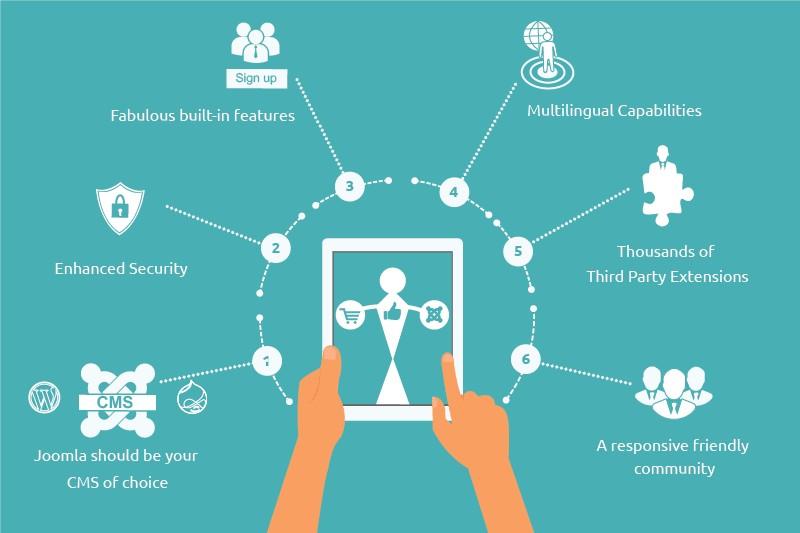
One of Joomla’s standout features is its flexibility. Users can easily extend the platform’s capabilities through thousands of plugins and extensions available in the Joomla Extensions Directory. These additions can enhance functionality, whether it’s through e-commerce solutions, social networking tools, or SEO optimization. Some key features of Joomla include:
User Management: Joomla allows for detailed user groups with different access levels, making it easy to manage a multi-user environment.
Multilingual Support: Built-in multilingual capabilities enable users to create websites in multiple languages seamlessly.
Template Customization: A wide variety of templates and themes are available for personalized website design.
SEO-Friendly: Joomla offers various tools to enhance search engine visibility, helping websites rank higher in search results.
When deciding whether Joomla is the right CMS for your project, consider its advantages and disadvantages. On the one hand, Joomla provides a comprehensive solution for content management with its abundance of features. However, its learning curve may be steeper than that of some other platforms, like WordPress, particularly for those who are entirely new to website development. Here’s a quick comparison:
Pros
Cons
Highly customizable with extensions
Higher learning curve for beginners
Strong community support
Some extensions can be costly
Great for complex sites and applications
Less user-friendly for simple sites
Ultimately, Joomla stands out as a versatile CMS that caters to a diverse audience. It’s particularly well-suited for users who require a more complex and feature-rich platform than simpler alternatives. Whether you’re building a community portal, an online store, or a corporate website, Joomla offers the tools necessary to create a professional and scalable online presence.
Understanding Joomla’s origins and purpose is essential for leveraging its full potential. By grasping the philosophy and flexibility behind this CMS, users can tap into a vast pool of resources and create unique web solutions that meet their specific needs. With continuous updates and a dedicated community, Joomla remains a strong contender in the world of content management systems.
Key Features That Make Joomla Stand Out in the CMS Landscape
Joomla has earned its place as a robust content management system (CMS), thanks to several key features that set it apart from other platforms. Its versatility and flexibility make it an appealing choice for various types of websites, whether personal blogs, corporate portals, or online stores.
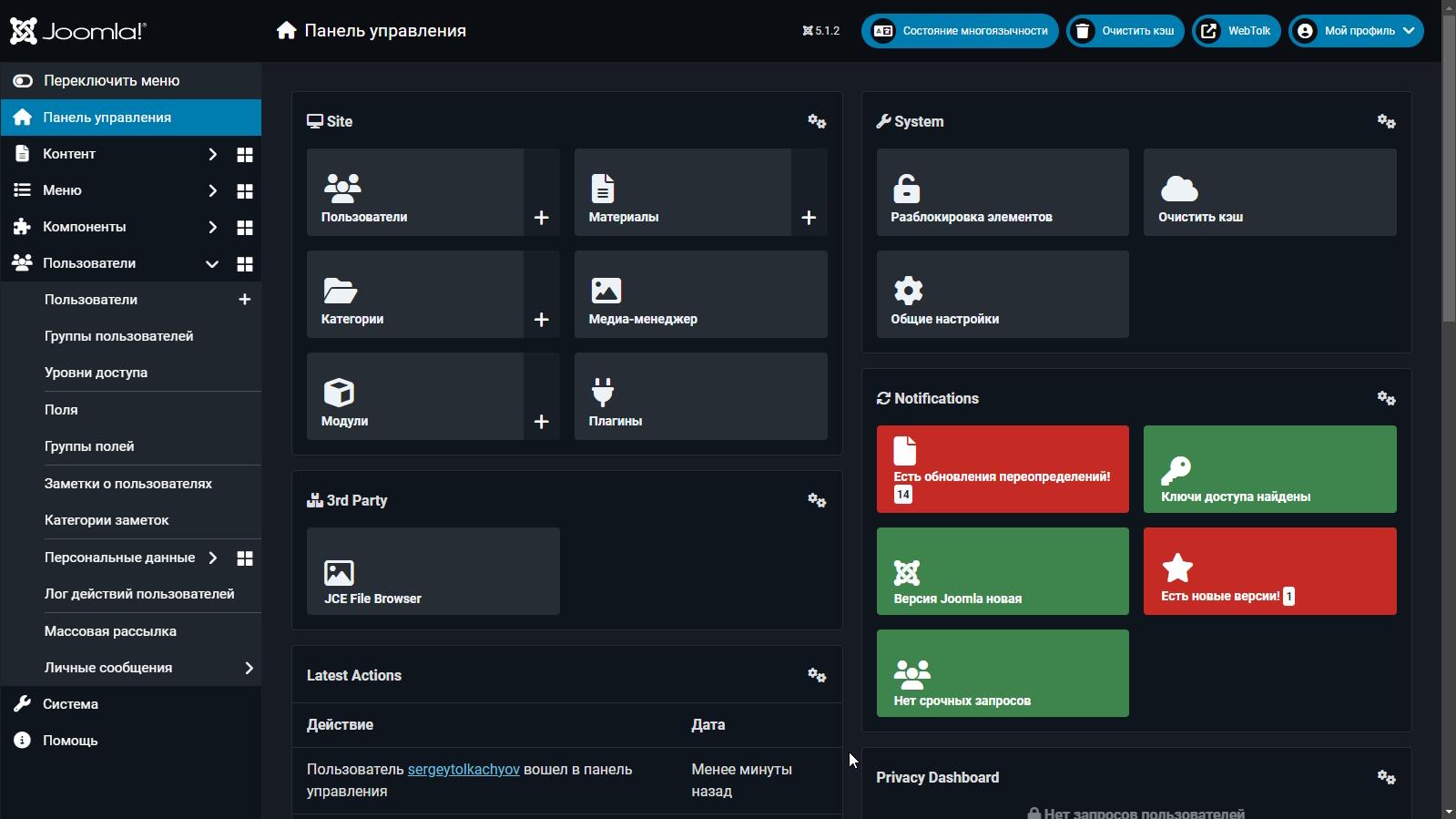
One of the standout features of Joomla is its user-friendly interface. The admin dashboard is intuitive, allowing even beginners to navigate without a steep learning curve. This is complemented by a rich ecosystem of extensions and templates that enhance functionality and design. Users can easily install plugins to add features such as contact forms, SEO tools, and social media integration with just a few clicks.
Another compelling aspect is Joomla’s multilingual support. Out of the box, it allows users to create websites in multiple languages, which is a significant advantage for businesses targeting global audiences. This feature is particularly beneficial for organizations that need to maintain a consistent brand presence across various regions without the hassle of managing separate sites for each language.
Security is paramount in today’s digital landscape, and Joomla takes this seriously. It includes built-in security features such as two-factor authentication, security updates, and user access controls, helping to protect your site from potential threats. Additionally, a vibrant community constantly develops and updates security plugins, ensuring that users can stay one step ahead of vulnerabilities.
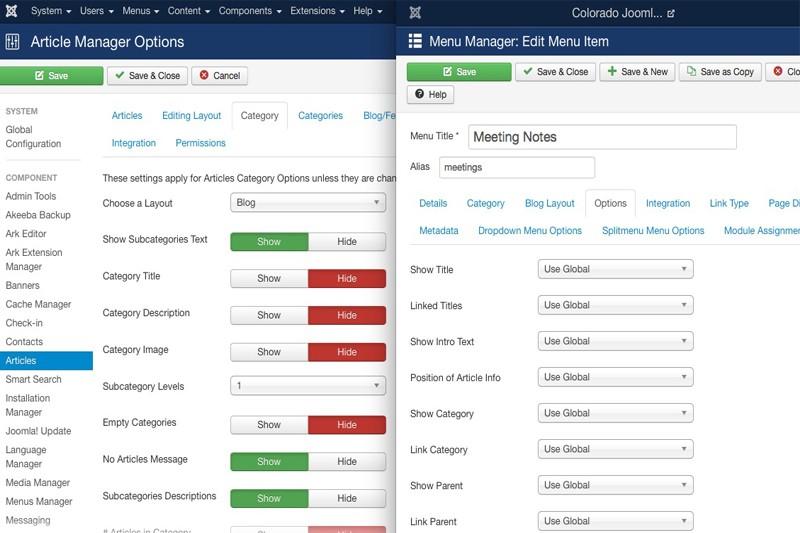
Content management in Joomla is both powerful and flexible. The system provides sophisticated tools for structuring content, such as categories, subcategories, and tags, which streamline the organization of large volumes of information. Moreover, its menu management system allows for the creation of complex navigation structures, making it easier for visitors to find what they’re looking for.
To illustrate the differences in features among leading CMS platforms, here’s a quick comparison table:
Lastly, Joomla shines in its community support. With a large, active user base and countless forums, users can easily find solutions to problems or get advice on best practices. The availability of tutorials, documentation, and forums makes troubleshooting and learning more accessible, empowering users to maximize the potential of their sites.
Getting Started with Joomla: Installation and Setup Made Easy
When diving into Joomla, the first step is understanding its installation process. Luckily, Joomla is designed to be user-friendly, making it accessible for both beginners and seasoned developers. To get started, you’ll need a few essentials: a web server (like Apache), a PHP installation, and a MySQL database. If you’re using a local environment, tools like XAMPP or MAMP can simplify the setup.
Once you have your server ready, head over to the Joomla download page to grab the latest version. Extraction of the downloaded zip file will reveal a folder containing all the necessary files you need for installation. Upload these files to your server’s root directory using an FTP client or your hosting provider’s file manager.
After uploading the files, the next step is accessing your site through a web browser. This is where the Joomla installation wizard kicks in. Follow these simple steps:
Choose your language.
Verify the PHP configuration, ensuring everything is green.
Set up your database by entering the database name, username, and password.
Configure your site settings like site name, admin username, and password.
Complete the installation and remember to remove the installation folder for security reasons.
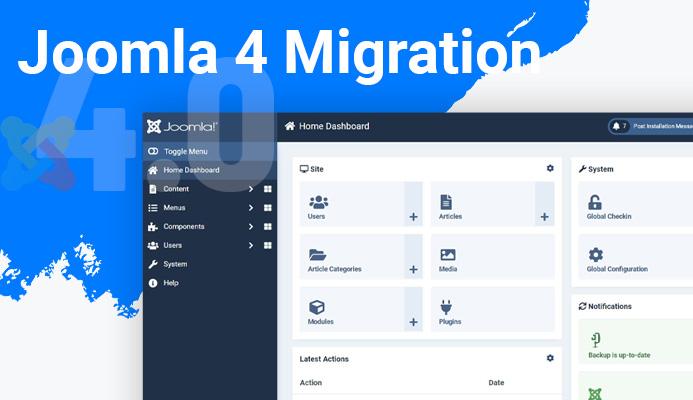
Now that your Joomla site is installed, let’s talk about initial setup. The first thing you might want to do is explore the Administrator Dashboard. This area is the control center of your website where you can manage content, users, and extensions. Familiarizing yourself with the dashboard will allow you to take full advantage of Joomla’s capabilities.
One of the standout features of Joomla is its extension system. Joomla offers thousands of extensions—plugins, components, and templates—that enable you to enhance your site’s functionality. Browse the Joomla Extensions Directory to find tools that suit your needs. Whether you need SEO tools, e-commerce solutions, or social media integration, there’s an extension for that!
For users with specific needs such as multilingual support or e-learning, Joomla shines even brighter. Its built-in multilingual features allow you to create a site that caters to a global audience, while various e-learning extensions can transform your site into a learning management system.
Joomla Installation Overview
Step
Action
1
Download Joomla from the official site.
2
Upload files to your server.
3
Run the installation wizard.
4
Set up database and site settings.
5
Explore the Admin Dashboard.
By following these straightforward steps, you’ll find that setting up Joomla is not only easy but also an exciting start to creating a powerful website. With its extensive features and supportive community, Joomla is a solid choice for anyone looking to build a dynamic online presence.
Exploring Joomlas Flexibility: Customization Options for Every Need
Joomla stands out in the realm of content management systems, particularly due to its versatility and robust customization options. Whether you’re building a small business website, an online portfolio, or a large community portal, Joomla’s flexibility shines through in various ways. Let’s delve into the customization options that make Joomla a top choice for many users.
One of the most significant aspects of Joomla’s flexibility is its template system. Users can choose from thousands of free and premium templates to tailor their site’s appearance. This means you can achieve a unique look that aligns with your brand’s identity without starting from scratch. With a simple installation, you can switch styles with ease, allowing for a fresh design whenever you need it.
Furthermore, Joomla provides extensive extension capabilities. With thousands of extensions available in the Joomla Extensions Directory, you can enhance your website’s functionality to suit your needs perfectly. Consider some of these popular extension types:
Components: Full-featured applications that add significant functionality.
Modules: Lighter extensions that add features to existing components or display content in specific areas.
Plugins: Small codes that modify the functionality of Joomla by adding or changing features.
Another significant advantage of Joomla is its user management system. This feature allows you to create complex user groups and permissions, enabling you to control access to various parts of your site. Whether you’re running a community-driven site or a corporate platform, you can manage user roles efficiently, giving specific users access to particular content or sections of the site.
For those who prioritize SEO capabilities, Joomla offers integrated tools to optimize your content for search engines. You can easily modify page titles, meta descriptions, and URLs to enhance your site’s visibility. Coupled with the ability to install SEO-focused extensions, Joomla ensures your website can compete effectively in search engine rankings.
When it comes to e-commerce, Joomla doesn’t disappoint either. Several powerful e-commerce extensions, like VirtueMart and HikaShop, empower users to transform their sites into fully functional online stores. With options for product management, payment gateways, and shipping configurations, building an online business is just a few clicks away.
Feature
Benefit
Templates
Customizable design without coding knowledge
Extensions
Enhance functionality as per your requirements
User Management
Control access and permissions easily
SEO Tools
Improve search visibility with integrated options
E-commerce
Set up an online store effortlessly
Joomla’s customization options are designed to meet a diverse range of needs, making it an excellent choice for anyone from beginners to advanced developers. Its ability to adapt to various projects ensures that you can create a website that not only looks great but also performs exceptionally well in meeting your specific goals.
When to Choose Joomla: Ideal Scenarios for Using This CMS
Choosing the right content management system (CMS) can significantly impact the success of your online presence. Joomla stands out as a powerful platform that caters to specific needs. Here are some scenarios where opting for Joomla would be the ideal choice.
1. Medium to Large-Sized Websites: If you’re planning to build a medium to large-scale website, Joomla is an excellent choice. It can efficiently handle complex structures and a vast array of content types, making it suitable for:
Business websites
Online magazines
Educational portals
Non-profit organizations
2. User Access Management: Joomla excels in user management and access control. If your website requires multiple users with different roles and permissions, Joomla allows you to define user groups and set specific access levels. This capability is particularly beneficial for:
Collaborative projects
Membership sites
Community-driven platforms
3. Multilingual Support: For businesses or organizations with a global audience, Joomla’s built-in multilingual capabilities make it easier to create content in different languages. This feature is essential for:
International companies
Travel and tourism websites
Educational institutions with diverse student bodies
4. E-commerce Integration: If you want to set up an online store, Joomla offers robust e-commerce options through extensions like VirtueMart. It’s perfect for:
Small to medium-sized businesses
Retailers looking for flexibility in design
Those seeking to customize their shopping experience
5. High Customization Needs: Joomla’s flexibility allows for extensive customization. If your project requires a unique design or specific functionalities, Joomla provides the tools and extensions needed to tailor your website. This is ideal for:
Creative agencies
Freelancers offering tailored services
Innovative startups needing custom solutions
6. Strong Community Support: Joomla boasts a vibrant community that can be a valuable resource. When you choose Joomla, you benefit from:
A wealth of tutorials and documentation
Active forums for troubleshooting
Regular updates and security patches
Joomla shines in scenarios that demand advanced user management, multilingual support, and extensive customization. If your project aligns with these needs, Joomla could be your perfect CMS partner.
Pros of Using Joomla: Why It Might Be the Right Choice for You
If you’re considering a content management system (CMS), Joomla stands out with its unique advantages that cater to a diverse range of users. Here’s why Joomla might be the ideal choice for your next project:
User-Friendly Interface: Joomla offers an intuitive interface that simplifies the management of content. Even if you’re not tech-savvy, you’ll find navigating the dashboard and managing your website a breeze.
Extensive Flexibility: Whether you’re building a blog, an online store, or a portfolio, Joomla is adaptable. Its flexible framework allows you to extend functionalities through a variety of extensions and templates.
Robust Community Support: With a large, active community of users and developers, finding help is easy. You can access forums, tutorials, and documentation that can guide you through any challenges you might encounter.
Multi-Language Support: Joomla is designed to cater to a global audience. With built-in multi-language capabilities, you can easily create a website that speaks to users in different languages, enhancing your reach and accessibility.
SEO-Friendly: Joomla comes equipped with features that allow you to optimize your website for search engines easily. You can customize URLs, add meta tags, and use various plugins to enhance your site’s visibility online.
Additionally, if you’re looking for a platform that can scale as your business grows, Joomla offers powerful capabilities for larger projects:
Feature
Benefit
Access Control Levels
Manage user permissions and roles effectively
Extensive Extensions
Access to thousands of plugins and templates to enhance functionality
Responsive Design
Ensures your site looks great on all devices
Security is another cornerstone of Joomla, making it an excellent choice for users who prioritize safety:
Regular Updates: Joomla is consistently updated to address security vulnerabilities and improve performance, ensuring your site remains secure against potential threats.
Built-In Security Features: Out of the box, Joomla provides features such as two-factor authentication and advanced password management to protect your site from unauthorized access.
Lastly, Joomla’s scalability is unmatched. Whether you’re starting a small blog or launching a full-scale e-commerce platform, Joomla can grow with you. This adaptability means you can start simple and build complexity as your needs evolve, making it a future-proof choice for anyone looking to invest in a CMS.
Cons of Joomla: Potential Drawbacks to Consider Before Committing
While Joomla offers a range of powerful features, it’s important to acknowledge some potential drawbacks that may impact your decision. Understanding these cons can help you weigh your options more thoroughly before committing to this content management system.
Complex Learning Curve: One of the most notable challenges with Joomla is its steeper learning curve. Compared to more user-friendly platforms like WordPress, Joomla may require a bit more time and effort to master, especially for those who are new to website development. The admin interface can be overwhelming, filled with numerous options and configurations that new users may find confusing.
Limited Plug-in Availability: While Joomla provides many extensions to enhance functionality, it has a significantly smaller catalog compared to other platforms. This means that finding specific functionalities might require more digging, and you may not always find the perfect tool for your needs. Additionally, some of the available extensions can be outdated or poorly maintained, which can lead to compatibility issues.
Performance Concerns: As your Joomla site scales, performance can become a concern. Heavy use of extensions can slow down your website, impacting user experience and SEO rankings. Proper optimization and maintenance are essential, but they require ongoing effort and expertise that may not be feasible for everyone.
Frequent Updates Required: Joomla often requires regular updates to maintain security and functionality. While this is common across all CMS platforms, the update process can sometimes lead to compatibility issues with existing extensions and templates. Users must be prepared to invest time into ensuring their site remains up-to-date and functional.
Community Support Limitations: Joomla has a dedicated community, but it is not as expansive as that of WordPress. This can make it more challenging to find solutions to problems or connect with fellow users for support. The documentation available is comprehensive, but it can still feel disconnected for those who prefer real-time assistance.
Hosting Requirements: Joomla requires specific server configurations that may limit your hosting options. Some shared hosting plans might not meet the requirements for optimal Joomla performance, leading you to invest in more robust hosting solutions. This could increase your overall costs, especially for small businesses or personal projects.
If you’re considering Joomla for your next project, it’s vital to evaluate these potential drawbacks carefully. Each con has its implications, and weighing them against Joomla’s strengths will help you determine if it’s the right CMS for your needs.
Joomla vs Other CMS Platforms: How It Compares to WordPress and Drupal
When it comes to choosing a content management system (CMS), Joomla often finds itself in a head-to-head challenge with the giants of the industry: WordPress and Drupal. Each of these platforms has its own strengths and weaknesses, making them suitable for different types of users and projects.
Joomla is known for its flexibility and powerful features, making it a great choice for complex websites that require more functionality than what WordPress can offer. It strikes a balance between user-friendliness and advanced capabilities, appealing to both novice users and experienced developers. Here’s how Joomla compares to WordPress and Drupal:
Key Comparisons
Feature
Joomla
WordPress
Drupal
User-Friendliness
Moderate
High
Low to Moderate
Customization Options
Extensive
Broad, but limited for complex needs
Highly customizable, but requires coding
Best For
Complex sites, social networks
Blogs, simple websites
Enterprise-level websites
One of Joomla’s standout features is its built-in multilingual capabilities, allowing users to create sites in multiple languages without the need for additional plugins. This contrasts with WordPress, where multilingual support often requires third-party plugins, potentially complicating the setup for users who are not tech-savvy.
On the other hand, WordPress excels in simplicity and ease of use, making it the preferred choice for beginners and bloggers. With its vast library of themes and plugins, users can quickly create and manage a website with minimal technical knowledge. However, this ease often comes at the cost of flexibility for more complex needs, where Joomla may shine brighter.
Meanwhile, Drupal is a powerhouse for developers looking for robust security and extensive customization options. However, its learning curve is steeper compared to Joomla and WordPress, making it less accessible for non-developers. Drupal is often favored for enterprise-level solutions where high scalability and security are paramount.
the choice between Joomla, WordPress, and Drupal ultimately boils down to the specific requirements of your project. If you need a versatile platform with solid support for community-driven features, Joomla might be your best bet. For straightforward blogging and simple website creation, WordPress leads the pack. Conversely, if security and advanced customization are your top priorities, Drupal remains the leader in that arena.
Harnessing Extensions and Templates: Boosting Functionality in Joomla
One of the most compelling aspects of Joomla is its extensive ecosystem of extensions and templates, which significantly enhance the functionality and design flexibility of your website. These tools allow you to customize your Joomla experience to fit your specific needs, whether you’re building a simple blog, an e-commerce site, or a complex corporate platform.
Extensions in Joomla can be categorized into three main types: components, modules, and plugins. Each serves a unique purpose:
Components are the core building blocks and typically control the main content of your site. For example, a component might manage a shopping cart or a photo gallery.
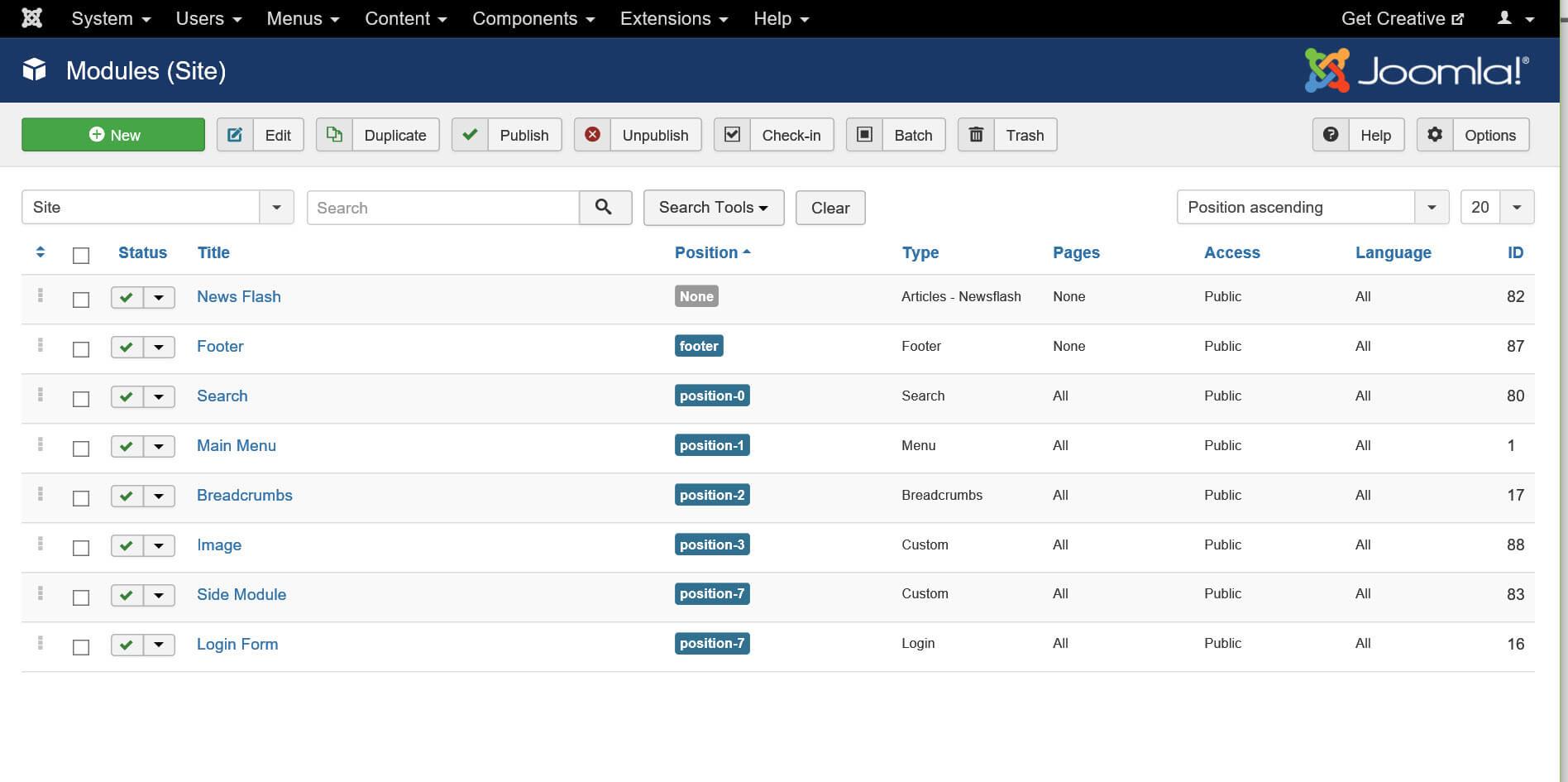
Modules act as containers for the content and can be displayed in various positions on your site. They allow for additional functionalities like displaying a calendar or latest blog posts.
Plugins are event-driven and enhance the core functionality of Joomla. They can be used for tasks like embedding videos or optimizing SEO automatically.
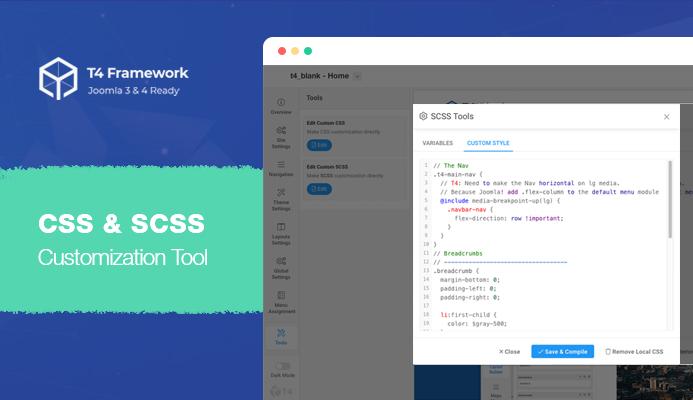
When it comes to enhancing the visual appeal of your site, Joomla templates are essential. They dictate the layout and design of your site, enabling you to create a unique online presence. The use of templates provides consistency across your pages, and you can easily switch templates to refresh your site’s look without altering the underlying content.
Moreover, many templates come with customization options that allow you to modify styles, colors, and layouts without needing extensive coding knowledge. With the right template, even the most complex designs can be achieved with just a few clicks.
To illustrate the power of extensions and templates, consider the following table summarizing some popular Joomla extensions and their functions:
Extension Name
Type
Primary Function
VirtueMart
Component
E-commerce management
JEvents
Component
Event management and calendars
JCE Editor
Plugin
Advanced content editing
EasySocial
Component
Social networking
Another advantage of using Joomla extensions is their active community support. Many developers contribute to the Joomla ecosystem, ensuring that extensions are regularly updated and compatible with the latest version of Joomla. This active participation means that you can find solutions to common challenges and get advice from experienced users, which can be invaluable, especially for newcomers.
the combination of extensions and templates in Joomla not only enhances functionality and visual appeal but also empowers users with the ability to create and manage diverse types of websites efficiently. With its robust customization options, you can easily adapt your Joomla site to meet your individual or business needs.
Security Features of Joomla: Keeping Your Site Safe and Secure
In a digital landscape where threats to online security are ever-evolving, Joomla stands out with a robust suite of security features designed to protect your website. Understanding these features can help you keep your site safe while providing peace of mind for both you and your users.
One of the cornerstone elements of Joomla’s security is its user management system. This system allows you to create multiple user groups with varying levels of access permissions. By ensuring that only trusted individuals have administrative privileges, you can significantly reduce the risk of unauthorized access. Here are some key aspects:
Granular Permissions: Control what each user can see and modify.
Role-Based Access: Assign roles based on user needs, minimizing unnecessary access.
Joomla also incorporates two-factor authentication (2FA), a crucial feature that adds an extra layer of security to your login process. With 2FA enabled, users must provide a secondary authentication factor, often in the form of a code sent to their mobile device. This means that even if a password is compromised, the site remains secure. Enabling this feature is simple and can be done through the user settings.
Another impressive feature is Joomla’s update management system. Regular updates are critical to maintaining security, as they often contain patches for known vulnerabilities. Joomla makes it easy to keep your site current with its built-in update notifications, ensuring you are aware when newer, safer versions are available. Here’s how it helps:
Automatic Updates: Enable automatic updates to ensure you never fall behind.
Notifications: Get alerts for important security updates.
To further bolster security, Joomla provides a comprehensive security checklist that guides users in implementing best practices. This checklist includes recommendations like using strong passwords, regular backups, and securing the configuration file. Following these guidelines can significantly enhance your site’s defenses against attacks.
Additionally, Joomla’s extension management system plays a pivotal role in security. Extensions can introduce vulnerabilities, so Joomla allows you to review and manage them judiciously. You can easily disable or remove any extensions that are not actively maintained or pose security risks. It’s essential to:
Research Extensions: Always check the reviews and updates of extensions before installation.
Limit Usage: Use only necessary extensions to minimize risks.
the community support surrounding Joomla cannot be overlooked. The Joomla community is vigilant about reporting vulnerabilities and providing solutions, ensuring that users have access to timely information and support. Engaging with forums and following official Joomla updates can keep you informed about the latest security threats and best practices.
Joomla’s suite of security features—from user management to regular updates—provides a solid foundation for safeguarding your site. By leveraging these tools, you can ensure that your website remains a secure space for your users and protects your digital assets effectively.
SEO Capabilities in Joomla: Optimizing Your Content for Better Reach
Joomla is not just a powerful content management system; it also comes equipped with a variety of SEO tools that can significantly enhance your website’s visibility on search engines. By harnessing these capabilities, you can improve your content’s reach and engage a larger audience.
One of the standout features is the built-in SEO settings. Joomla allows you to customize meta descriptions, titles, and keywords for each page, giving you full control over how your content is presented in search results. This not only helps search engines understand what your pages are about but also entices users to click through.
Additionally, Joomla provides SEF (Search Engine Friendly) URLs. This feature helps convert complex URL structures into more readable links, making it easier for both search engines and users to navigate your site. For instance, a URL like www.yoursite.com/index.php?option=com_content&view=article&id=123 can be transformed into something like www.yoursite.com/your-article-title, which is far more appealing and understandable.
Another vital aspect of Joomla’s SEO capabilities is the ability to manage redirects. If you ever need to change your website structure or remove content, Joomla allows you to set up 301 redirects to guide users and search engines to the new locations. This is crucial for maintaining your site’s authority and preventing broken links.
Don’t overlook the importance of content performance analytics. Joomla integrates seamlessly with tools like Google Analytics, enabling you to track visitor behavior, page views, and engagement metrics. Understanding this data is essential for optimizing your content strategy and identifying what resonates most with your audience.
Furthermore, Joomla supports a variety of SEO extensions that can further enhance your website’s performance. Some popular choices include:
sh404SEF: A comprehensive SEO tool that helps in creating SEO-friendly URLs and managing metadata.
Easy Frontend SEO: Allows you to edit SEO settings directly from the frontend of your site, making it user-friendly.
OSMeta: Helps manage your metadata efficiently, ensuring that each page is optimized.
optimize your images and videos. Joomla allows you to add alt text to images, which is crucial for both SEO and accessibility. Make sure to utilize this feature to describe your visuals, improving your chances of being found in image search results.
With all these robust SEO features at your disposal, Joomla empowers you to create optimized content that not only attracts visitors but also keeps them engaged. Embrace these tools, and watch your website flourish in the competitive digital landscape.
Community and Support: The Benefits of Joining the Joomla Ecosystem
One of the most significant advantages of joining the Joomla ecosystem is the vibrant and diverse community that surrounds it. Whether you’re a newbie just starting out or a seasoned developer, the supportive network of Joomla users is always there to lend a helping hand. By engaging with this community, you can gain insights, share experiences, and tap into a wealth of knowledge that can help you navigate your Joomla journey.
Joining forums, social media groups, or even local meetups opens doors to numerous benefits:
Real-time Assistance: Get answers to your questions from experienced users who have faced similar challenges.
Knowledge Sharing: Learn from tutorials, case studies, and best practices shared by other community members.
Networking Opportunities: Connect with professionals, freelancers, and fellow enthusiasts who can provide valuable connections for future projects.
Collaboration: Work with others on projects or contribute to open-source initiatives that can enhance your skills.
Furthermore, Joomla offers extensive documentation and resources that are continuously updated by community volunteers. This ensures that you have access to the latest information and best practices. The official Joomla documentation includes:
Installation guides
Component and module explanations
Security best practices
Troubleshooting tips
Another vital aspect of the community is the availability of extensions and templates. With thousands of free and premium extensions developed by community members, you have the flexibility to customize your site to meet your specific needs. This ecosystem not only enhances the functionality of your website but also allows you to tap into the creativity of others.
Moreover, participating in the Joomla community means you are part of a larger mission to improve the platform and contribute to its growth. By sharing your feedback, reporting bugs, or even developing new features, you play a role in shaping the future of Joomla. This sense of ownership and contribution can be incredibly rewarding and motivating.
the benefits of joining the Joomla ecosystem extend far beyond technical support. It’s about building relationships, enhancing your skills, and being part of an innovative community that values collaboration and shared learning. Embrace the opportunity to connect, contribute, and grow within this dynamic environment!
Is Joomla Right for Your Project? Making the Final Decision
Deciding whether Joomla is the right fit for your project involves weighing various factors. It’s crucial to consider your specific needs, technical expertise, and long-term goals. Here are some elements to reflect on:
Project Complexity: Joomla excels in managing complex websites with multiple content types. If your project involves extensive content management or requires advanced features, Joomla may be the ideal choice.
Customization Needs: If you envision a highly customized website, Joomla’s flexibility allows for extensive modifications. With thousands of extensions and templates available, you can tailor your site to fit your exact specifications.
User Access Levels: For projects requiring different user roles and permissions, Joomla’s built-in access control system is a significant advantage. This feature allows you to manage who can view or edit specific content easily.
Community Support: Joomla boasts an active community of developers and users. If you anticipate needing support or resources, the robust forums and documentation available can be incredibly beneficial.
However, it’s also essential to acknowledge some drawbacks. Joomla can have a steeper learning curve compared to other platforms like WordPress. If your team is not technically inclined, you may face challenges during setup and maintenance. Additionally, while Joomla offers great flexibility, this can sometimes lead to decision fatigue when selecting the right extensions or templates.
Consideration
Joomla
Other Platforms
Ease of Use
Moderate
Easy (e.g., WordPress)
Customization
Highly Flexible
Moderately Flexible
Community Support
Strong
Very Strong
Best For
Complex Sites
Blogs & Small Businesses
Ultimately, the decision hinges on your project’s specific requirements and your team’s capabilities. If you need a robust content management system with scalable capabilities and don’t mind investing time to learn the platform, Joomla could be your best bet. Conversely, if you’re looking for a straightforward solution without the need for complex configurations, you might want to explore simpler alternatives.
Consider conducting a trial run with Joomla by setting up a demo site. By testing its features firsthand, you can gain a better understanding of how it aligns with your vision. This hands-on approach will help you make a more informed decision without the pressure of commitment.
Tips and Tricks for Maximizing Your Joomla Experience
Getting the most out of Joomla can be a game-changer for your website development journey. Here are some insider tips and tricks that can help you navigate the platform like a pro:
Utilize Extensions Wisely: Joomla offers a vast library of extensions ranging from SEO tools to e-commerce solutions. Before you install an extension, evaluate whether it meets your specific needs and check user reviews for reliability.
Master the Menu Manager: A well-organized menu is crucial for user navigation. Use the Menu Manager to create clear pathways for your visitors, and don’t hesitate to use submenus for complex site structures.
Leverage Templates: Choose a template that aligns with your brand but also offers flexibility. Don’t shy away from customizing your chosen template to better suit your content layout and aesthetic.
Utilize Joomla’s Built-In SEO Features: Make use of the built-in SEO settings to optimize your site. This includes setting up friendly URLs, meta descriptions, and alt tags for images to enhance your search engine visibility.
Another critical aspect to consider is the management of your site’s performance:
Optimize Your Images: Large images can slow down your website. Use tools like TinyPNG to compress images before uploading them to Joomla.
Caching: Enable Joomla’s caching features to speed up page load times. This can significantly enhance user experience and improve your site’s performance.
Regular Updates: Keep Joomla and all extensions up to date to ensure security and functionality. Outdated software can lead to vulnerabilities that may compromise your site.
To make your Joomla experience even better, consider implementing some additional best practices:
Backup Regularly: Always have a backup solution in place. Use extensions like Akeeba Backup to automate the process, ensuring your content is safe in case of any mishaps.
Create User Groups: If you have multiple users managing the site, set up user groups with specific permissions. This helps maintain control while allowing collaboration.
Monitor Analytics: Integrate tools like Google Analytics to track your site’s performance. Understanding user behavior can guide future content and design decisions.
Allows for multiple user roles and access levels.
Community Sites, Membership Sites
SEO-Friendly
Offers built-in SEO tools and support for plugins.
Business Sites, E-commerce
Multilingual Support
Built-in features for creating multilingual sites.
Global Businesses, Travel Sites
By integrating these tips into your Joomla workflow, you’ll not only enhance your site’s functionality but also create a compelling experience for your visitors. Remember, the more you explore and experiment with Joomla, the more proficient you’ll become!
Frequently Asked Questions (FAQ)
Sure! Here’s a Q&A format for an article titled “What Is Joomla? (Top Features, When To Use It + Pros & Cons)” that maintains a conversational and persuasive tone.
Q1: What exactly is Joomla?
A1: Joomla is a powerful and flexible content management system (CMS) that allows you to build and manage websites and online applications. Think of it as a toolbox for creating everything from simple blogs to complex corporate websites. With its user-friendly interface, you can easily publish content, manage users, and customize the look and feel of your site without needing to be a coding whiz!
Q2: What are some of the top features of Joomla?
A2: Joomla packs a punch with its features! Here are some standouts:
User Management: You can create different user groups with varying access levels, making it easy to manage your team.
Multilingual Support: Joomla supports multiple languages right out of the box, so you can reach a global audience with ease.
Extensions and Templates: There’s a rich library of extensions and templates that allow you to add functionality and customize the design to fit your brand.
SEO-Friendly: Joomla has built-in SEO features to help you optimize your site for search engines.
Strong Community Support: With a vibrant community of developers and users, finding help and resources is a breeze!
Q3: When should I consider using Joomla?
A3: Joomla shines in several scenarios! It’s perfect for:
Medium to Large Websites: If you need a site that can grow and expand, Joomla’s robust features can handle it.
Portfolios and Business Sites: If you’re showcasing a portfolio or need a professional business site, Joomla lets you do that with style.
Community Platforms: Joomla is great for building social networks or community-driven websites.
Q4: What are the pros of using Joomla?
A4: Let’s dive into the perks:
Flexibility: You can create virtually any type of website with Joomla’s extensive capabilities.
Scalability: As your site grows, Joomla can grow with you without compromising performance.
Security: Joomla has strong security features and regular updates to keep your site safe.
Multi-User Collaboration: If you have a team, Joomla’s user management makes collaboration a breeze.
Q5: And what about the cons?
A5: No platform is perfect, and Joomla has its challenges:
Learning Curve: While it’s user-friendly, beginners might find it a bit complex compared to simpler CMS like WordPress.
Limited Themes: While there are templates, the selection isn’t as vast as some other platforms.
Performance: Larger websites might require optimization to ensure fast loading times.
Maintenance: Like any CMS, you’ll need to keep it updated and maintained, which can be a hassle for some.
Q6: In a nutshell, why should I choose Joomla over other CMS options?
A6: If you need a robust, flexible, and scalable solution for your website, Joomla is an excellent choice. It’s particularly valuable for users who want a balance between ease of use and advanced functionality. Plus, with a supportive community and plenty of resources, you won’t feel like you’re in this alone. Whether you’re building a small site or a large-scale application, Joomla has the tools you need to make it happen. So why not give it a try? You might just find it’s the perfect fit for your next project!
—
This conversational Q&A format engages the reader while providing key insights about Joomla, its features, and when it might be the best option.
Closing Remarks
As we wrap up our exploration of Joomla, it’s clear that this powerful content management system offers a unique blend of flexibility and functionality that can cater to a wide range of website needs. Whether you’re a small business owner looking to create an engaging online presence, or a developer seeking a robust platform for advanced projects, Joomla has something for everyone.
By now, you should have a solid understanding of Joomla’s top features, its ideal use cases, and the pros and cons that come with it. Remember, the best CMS for you ultimately depends on your specific requirements, technical skills, and future goals. Joomla stands out for its user-friendly interface, strong community support, and extensive extensions, making it a compelling choice for many.
So, why not take the plunge? Dive into Joomla and see how it can transform your web experience. With its capabilities, you might just find that it’s the perfect match for your project. And as always, don’t hesitate to reach out to the vibrant Joomla community for support and inspiration. Happy building!