


Introduction
In today’s digital landscape, remote access has become a cornerstone for businesses, especially as many of us adapt to hybrid and remote work environments. Among the various methods of accessing company resources, Remote Desktop Protocol (RDP) stands out as a popular choice. It’s convenient, but it also comes with its own set of security challenges—particularly for organizations operating within the EU. As cyber threats continue to evolve, ensuring the security of your RDP access is not just a necessity; it’s a responsibility.
If you’re managing systems in the EU, you’re likely aware of the stringent data protection regulations and the high stakes involved in safeguarding sensitive information. But fear not! In this article, we’ll explore best practices for securing RDP access that not only comply with EU regulations but also fortify your defenses against potential breaches. Whether you’re an IT professional, a business owner, or just someone interested in enhancing your cybersecurity posture, this guide will equip you with actionable strategies to protect your remote access points effectively. Let’s dive in and ensure that your RDP connections are as secure as they can be!
Understanding the Risks of RDP Access in the EU
Remote Desktop Protocol (RDP) has become a popular tool for accessing systems remotely, especially in the EU, where businesses operate increasingly in a digital landscape. However, with convenience comes the threat of potential risks that can compromise sensitive data and infrastructure. Understanding these vulnerabilities is essential for any organization that utilizes RDP.
Data Breaches and Unauthorized Access
One of the most significant risks associated with RDP access is the possibility of data breaches. Cybercriminals often exploit weak passwords or outdated software to gain unauthorized access to systems. This can lead to:
- Stolen sensitive data
- Financial loss
- Damage to reputation
Implementing robust password policies and regularly updating software can significantly mitigate these risks.
RDP Vulnerabilities and Exploits
RDP has been a target for vulnerabilities, such as the infamous BlueKeep exploit, which allows attackers to execute arbitrary code on unpatched systems. Staying updated on the latest vulnerability disclosures and security patches is crucial. Consider the following best practices:
- Regular software updates
- Prompt application of security patches
- Monitoring security advisories from reputable sources
Brute Force Attacks
Brute force attacks are a common method used by attackers to crack RDP login credentials. These attacks can be mitigated through several strategies:
- Implementing account lockout policies
- Using multi-factor authentication
- Limiting login attempts
By making it harder for attackers to guess credentials, organizations can strengthen their defenses against unauthorized access.
Geolocation Restrictions
Implementing geolocation restrictions can help limit RDP access to trusted locations. This means only allowing connections from specific IP addresses or regions. This strategy can substantially reduce the attack surface, as it prevents unauthorized access attempts from high-risk areas. The following table outlines potential restrictions based on geolocation:
| Region | Access Status |
|---|---|
| EU Member States | Allowed |
| Non-EU Countries | Blocked |
Enhanced Firewall Rules
A strong firewall can act as a formidable barrier against unwanted RDP access. By setting strict firewall rules, organizations can control the flow of traffic and minimize exposure. Consider:
- Restricting access to RDP ports
- Implementing IP whitelisting
- Logging and monitoring traffic for suspicious activity
Conclusion: Prioritize RDP Security
Understanding the risks associated with RDP access is key to safeguarding your organization. By implementing best practices and proactive security measures, businesses in the EU can enjoy the benefits of remote access without compromising their security posture. Security should never be an afterthought; prioritize it today to protect your digital assets for tomorrow.
Why You Need a Strong RDP Security Strategy
Remote Desktop Protocol (RDP) is a powerful tool that allows users to access and manage systems from afar. However, its convenience also makes it a prime target for cybercriminals. A robust security strategy is essential to protect your systems and sensitive data against unauthorized access and potential breaches.
Understanding the risks associated with RDP access is the first step in fortifying your security measures. Attackers often exploit weak passwords, outdated software, and misconfigured settings to compromise systems. By implementing a strong security strategy, you can significantly reduce these vulnerabilities and make it much more difficult for hackers to gain entry.
- Implement Multi-Factor Authentication (MFA): By requiring users to provide multiple forms of verification, you add an extra layer of security. Even if a password is compromised, the chances of an unauthorized login decrease dramatically.
- Limit RDP Access: Restrict access to only the necessary personnel. Use firewall rules to allow RDP connections only from specific IP addresses or ranges, minimizing the attack surface.
- Regular Updates and Patching: Ensure all systems are up to date with the latest security patches. Cybercriminals often exploit known vulnerabilities, and timely updates can mitigate these risks.
- Use Strong Passwords: Encourage the use of complex passwords that are difficult to guess. Avoid using default credentials and change passwords regularly.
Another key aspect of a strong security strategy is continuous monitoring and logging of RDP sessions. By keeping an eye on access logs, you can quickly identify unusual activity and respond to potential threats before they escalate. This proactive approach can be the difference between a minor incident and a full-blown security breach.
Consider implementing a tiered access model where users have permissions based on their specific needs. This minimizes the risk of internal threats and ensures that only authorized personnel can access sensitive systems. A well-defined user access policy can streamline operations while enhancing security.
| Best Practice | Benefit |
|---|---|
| Multi-Factor Authentication | Increased account security |
| Regular Software Updates | Protection against known vulnerabilities |
| Access Logging | Quick identification of breaches |
| Strong Password Policies | Reduced risk of unauthorized access |
consider conducting regular security assessments and penetration testing to identify potential weaknesses in your RDP setup. This proactive measure not only helps you understand your security posture but also prepares you to handle potential threats more effectively. By adopting a comprehensive RDP security strategy, you are not just safeguarding your systems but also fostering a culture of security awareness among your team.
Implementing Multi-Factor Authentication for Added Protection
In today’s landscape of constantly evolving cybersecurity threats, relying solely on a password for Remote Desktop Protocol (RDP) access is no longer enough. Multi-Factor Authentication (MFA) adds an essential layer of security, ensuring that even if a password is compromised, unauthorized access is still thwarted. By implementing MFA, you can significantly reduce the risk of breaches that can lead to data loss or financial repercussions.
MFA works by requiring users to verify their identity through multiple forms of authentication before gaining access to RDP systems. This typically involves something they know (like a password), something they have (like a smartphone or hardware token), or something they are (biometric verification). By integrating these factors, you create a robust defense mechanism against unauthorized access.
Here are some key benefits of implementing Multi-Factor Authentication:
- Enhanced Security: Even if a hacker obtains a password, they would still need the second factor to gain access.
- Reduced Risk of Credential Theft: MFA helps mitigate risks associated with phishing attacks, as the attacker would need more than just the stolen password.
- Compliance with Regulations: Many industry standards and regulations mandate the use of MFA, particularly for sensitive data access.
- User Confidence: Knowing that their accounts are protected with an additional layer of security can increase user trust and satisfaction.
When selecting an MFA solution, consider options that seamlessly integrate with your existing RDP infrastructure. Popular methods include SMS-based verification, authenticator apps like Google Authenticator, and biometric solutions such as fingerprint or facial recognition. It’s crucial to choose a method that aligns with your organization’s security requirements and user convenience.
To illustrate the effectiveness of MFA, let’s look at a simple comparison of access methods:
| Access Method | Security Level | User Experience |
|---|---|---|
| Password Only | Low | Quick but risky |
| Password + SMS | Medium | Moderate convenience |
| Password + Authenticator App | High | Secure and user-friendly |
| Password + Biometric | Very High | Fast and secure |
Incorporating MFA into your RDP access protocols is not just a recommendation; it’s a necessity. The potential consequences of a breach far outweigh the effort required to implement an MFA solution. By investing in this additional layer of security now, you are proactively defending your organization against future threats.
Ultimately, the key to a successful MFA implementation lies in user education and support. Ensure your users understand the importance of MFA, how to use it effectively, and provide assistance during the transition. A well-informed user base is your first line of defense in maintaining secure RDP access.
Choosing the Right Network Level Authentication
When it comes to securing RDP access, the choice of network level authentication (NLA) can significantly impact your organization’s security posture. NLA is a crucial component that not only protects your data but also enhances the overall user experience. Let’s explore the key considerations for selecting the best NLA options tailored for your needs.
First and foremost, consider the type of user access required. For organizations with remote employees or third-party vendors, implementing NLA can provide a secure access gateway. By using NLA, users must authenticate before they establish a session, which minimizes the risk of unauthorized access. This is especially important in ensuring that sensitive data remains protected, particularly under EU regulations that emphasize data protection.
Another critical factor is the infrastructure support for NLA. Ensure that your operating systems and remote desktop environments are compatible with NLA. Most modern Windows environments support NLA, but you should verify compatibility across all devices and systems within your network. This will help prevent any potential connectivity issues as you implement your security measures.
When considering NLA, it’s also essential to evaluate the authentication mechanisms at your disposal. Options include:
- SSL/TLS: Secures the communication channel.
- Active Directory Integration: Leverages existing user credentials for authentication.
- Multi-Factor Authentication (MFA): Adds an additional layer of security beyond just passwords.
Incorporating multi-factor authentication into your NLA strategy is one of the most effective ways to enhance security. By requiring users to provide more than one form of verification, you can significantly reduce the risk of unauthorized access. This is especially relevant for organizations handling sensitive data, as it aligns with EU GDPR requirements to protect personal data through robust security measures.
It’s also wise to conduct regular security assessments to ensure that your NLA configuration continues to meet your evolving security needs. As threats and vulnerabilities change, so should your authentication methods. Regular reviews will help you stay ahead of potential risks and ensure compliance with industry standards.
| Authentication Method | Pros | Cons |
|---|---|---|
| SSL/TLS | Strong encryption | Requires certificate management |
| Active Directory | Streamlined user management | Dependent on AD security |
| MFA | Enhanced security | User resistance to extra steps |
Ultimately, the choice of NLA should align with your organization’s security policies and business objectives. It’s not merely about compliance but fostering a culture of security that permeates the organization. By taking a proactive approach to NLA, you not only protect your assets but also instill confidence among your users that their data is secure.
Regularly Updating and Patching Your RDP Software
In the ever-evolving landscape of cybersecurity threats, keeping your Remote Desktop Protocol (RDP) software up-to-date is not just a best practice—it’s a necessity. Regular updates and patches are critical in ensuring that vulnerabilities are addressed promptly, shielding your systems from potential exploits. Neglecting to apply these updates can leave your network open to unauthorized access and data breaches.
When you think about it, updates are akin to a protective shield. They not only enhance the functionality of your RDP software but also fortify it against new and emerging threats. Consider the following benefits of maintaining a routine update schedule:
- Security Enhancements: Each update typically includes patches for known vulnerabilities, helping to safeguard against the latest threats.
- Performance Improvements: Updates often come with optimizations that can improve the speed and efficiency of your RDP sessions.
- New Features: Software developers frequently introduce new features that can enhance user experience and productivity.
- Compliance: Staying updated can help ensure compliance with regulatory standards, which is especially important in the EU region.
To effectively manage your RDP software updates, it’s important to implement a systematic approach. Here are some recommended steps:
- Schedule Regular Checks: Set reminders to check for updates on a monthly basis. This can be automated in many systems, minimizing the effort required.
- Enable Automatic Updates: Where possible, enable automatic updates to ensure you do not miss critical patches and enhancements.
- Test Updates Before Deployment: If you manage a large network, consider deploying updates in a test environment before rolling them out widely.
- Stay Informed: Subscribe to security bulletins or news feeds related to RDP software so you are aware of any urgent updates that may need immediate attention.
To illustrate the importance of timely updates, consider this table showcasing the timeline of reported RDP vulnerabilities and their corresponding patch releases:
| Vulnerability | Date Discovered | Patch Release Date | Severity Level |
|---|---|---|---|
| BlueKeep | May 2019 | May 2019 | Critical |
| DejaBlue | August 2019 | September 2019 | Critical |
| RDP Client Vulnerability | March 2020 | April 2020 | High |
By analyzing this data, it becomes evident just how quickly vulnerabilities can emerge and be patched. It’s a race against time, and every second counts when it comes to your organization’s cybersecurity. Your proactive stance on updates could make the difference between a secure environment and a cyber incident.
never underestimate the power of a simple update. By , you not only protect your organization from potential threats but also create a safer working environment for your team. Embrace the habit of routine maintenance, and watch as your RDP access transforms from a potential vulnerability into a robust part of your cybersecurity strategy.
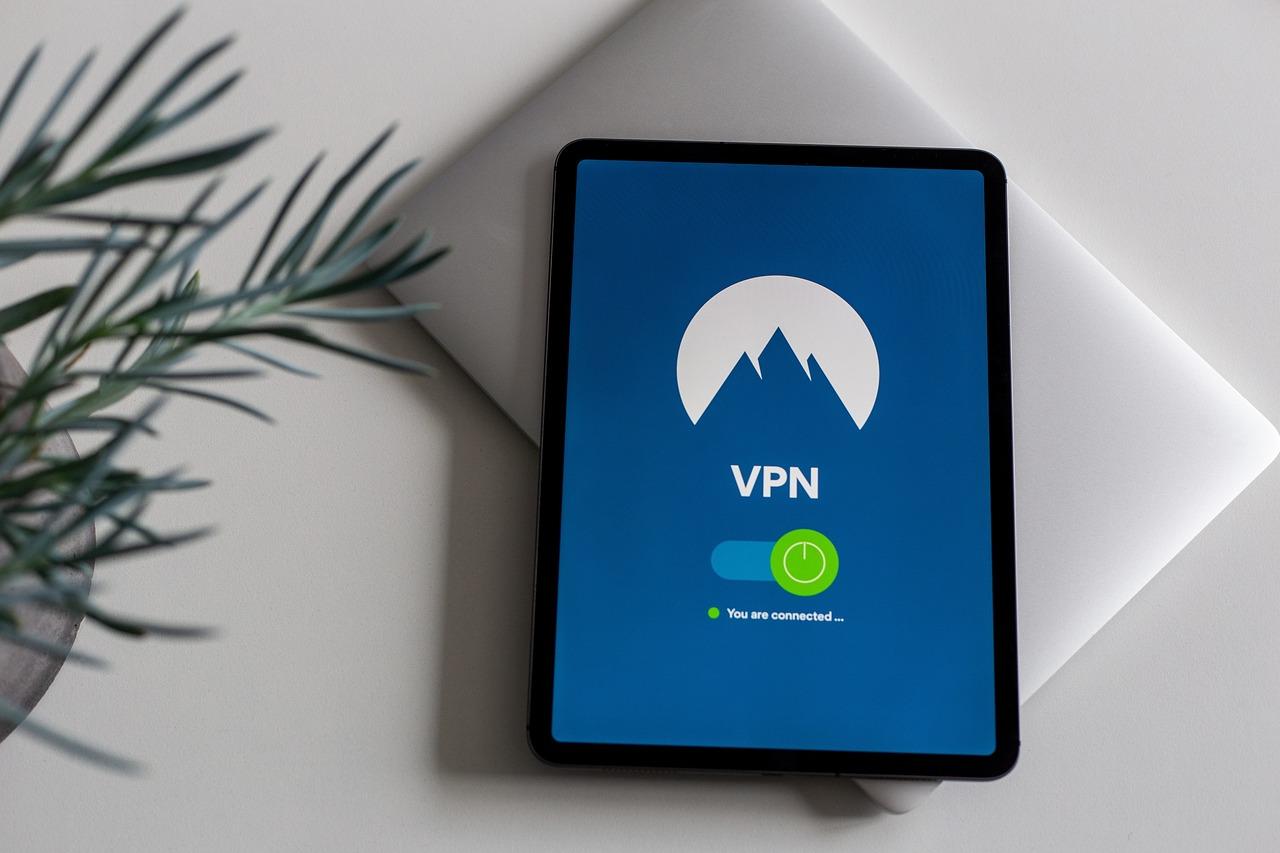
Utilizing VPNs to Secure RDP Connections
When it comes to securing Remote Desktop Protocol (RDP) connections, Virtual Private Networks (VPNs) can be a game-changer. By establishing a private tunnel for your data to travel through, VPNs significantly enhance your security posture. This is particularly vital for organizations operating in EU regions, where data protection regulations are stringent. Leveraging VPNs not only helps in protecting sensitive information but also in maintaining compliance with various legal requirements.
Here are some compelling reasons to utilize VPNs for your RDP connections:
- Encryption: VPNs encrypt your data, ensuring that even if it is intercepted, it remains unreadable to unauthorized users.
- IP Masking: By masking your real IP address, VPNs help you maintain anonymity and prevent unauthorized access attempts.
- Geolocation Flexibility: If your RDP connections need to comply with regional data regulations, VPNs allow you to connect through a server in the desired location.
- Enhanced Security Protocols: Many VPN providers implement robust security measures, including multi-factor authentication and strict no-logs policies.
Setting up a VPN for RDP connections is straightforward but requires careful planning. Here’s a simple roadmap to get started:
| Step | Description |
|---|---|
| 1. Choose a Reliable VPN Provider | Look for a provider that offers strong encryption and a good reputation for security. |
| 2. Configure the VPN Client | Install and configure the VPN client on all devices that will access RDP. |
| 3. Set Up RDP Over VPN | Ensure that RDP traffic is routed through the VPN by adjusting settings accordingly. |
| 4. Test the Connection | Verify that you can connect to the RDP server securely through the VPN. |
It’s important to emphasize that while VPNs significantly enhance your security, they are not a silver bullet. Complementing VPN usage with other security practices is essential. Implementing strong passwords, enabling account lockout policies, and regularly updating software can further strengthen your defenses.
Moreover, consider using split tunneling for your VPN setup. This allows you to route only RDP traffic through the VPN while sending other data directly over your Internet connection. This can improve speed and efficiency while maintaining security for sensitive RDP sessions.
Lastly, stay informed about the evolving cybersecurity landscape. Regularly update your VPN software and RDP configurations to adapt to new threats. By prioritizing security and utilizing VPNs for your RDP connections, you’re not only protecting your data but also building trust with clients and stakeholders in the EU region.
Setting Up Firewall Rules to Control RDP Access
Establishing robust firewall rules is crucial for controlling Remote Desktop Protocol (RDP) access, especially when securing connections from EU regions. Start by defining which IP addresses or ranges can connect to your RDP server. This can significantly reduce the attack surface by limiting access to trusted devices only.
Here are some key practices to consider:
- Restrict IP Ranges: Utilize geolocation services to identify the IP ranges that are valid for your users. Only allow RDP connections from those ranges.
- Use Different Ports: While the default RDP port is 3389, changing this to a less common port can help evade automated attacks.
- Implement Time-Based Rules: If possible, restrict access to specific times when employees are likely to need RDP access. Outside of these hours, deny connections.
- Logging and Monitoring: Ensure that all RDP access attempts are logged. Monitor these logs for unusual activity, such as repeated failed login attempts.
It’s also vital to layer your security measures. Combine firewall rules with additional security protocols like VPN access. This way, even if someone tries to brute-force your RDP connection, they will first need to penetrate the VPN barrier.
When crafting firewall rules, consider the following simple table for easy reference:
| Rule Type | Description |
|---|---|
| Allow | Permit connections from trusted IP ranges. |
| Deny | Block all other IP addresses. |
| Log | Log all connection attempts for review. |
| Alert | Notify administrators on multiple failed attempts. |
Additionally, consider implementing a multi-factor authentication (MFA) system. This adds another layer of security, requiring users to not only enter their password but also verify their identity through another method, such as a mobile app or SMS code.
it’s essential to regularly review and update your firewall rules. Business needs and IP addresses can change, and staying proactive about your security settings will help maintain a secure RDP environment. Set calendar reminders for quarterly reviews to ensure that your rules remain effective and relevant.
Monitoring RDP Sessions for Unusual Activity
is crucial to safeguarding your systems from potential breaches. As remote desktop protocol (RDP) is often targeted by cybercriminals, it’s essential to be proactive in identifying and mitigating threats. Here are some effective strategies to enhance your monitoring efforts:
- Implement Session Logging: Enable comprehensive logging of all RDP sessions. This includes tracking user logins, duration of sessions, and any disconnections. These logs should be regularly reviewed to spot any patterns that might indicate unauthorized access.
- Use Intrusion Detection Systems: Deploy an Intrusion Detection System (IDS) to monitor network traffic for suspicious activity. This can help identify attempts to exploit vulnerabilities in your RDP setup.
- Alerting Mechanisms: Set up alerts for any unusual activities, such as multiple failed login attempts from a single IP address or logins during off-hours. This immediate feedback can facilitate quick responses to potential threats.
- Analyze User Behavior: Utilize User and Entity Behavior Analytics (UEBA) tools to create a baseline of normal user activity. Any deviations from this baseline can trigger alerts and further investigation.
Besides implementing the aforementioned strategies, having a structured approach to incident response is vital. This entails:
| Incident Type | Response Action |
|---|---|
| Unauthorized Access Attempt | Lock the account and investigate the source IP. |
| Suspicious User Behavior | Temporarily disable the user account and conduct a review. |
| Repeated Failed Logins | Ban the IP address and increase monitoring on the account. |
Additionally, regularly updating your monitoring tools and staying informed about the latest threats is essential. Cyber threats evolve rapidly, and maintaining updated security measures will help you stay one step ahead. Consider scheduling periodic training sessions for your IT staff to ensure they are well-versed in the latest monitoring techniques and tools.
Incorporating machine learning algorithms can also enhance your monitoring capabilities. These algorithms can analyze vast amounts of data and identify anomalies that may go unnoticed by human eyes. Implementing such advanced technology can provide a robust safety net, ensuring that any unusual activity is promptly flagged for further investigation.
Lastly, ensure that your RDP environments are segmented from the rest of your network. This can help contain potential breaches, making it harder for attackers to move laterally across your infrastructure. By keeping your RDP sessions monitored and secure, you are significantly reducing the risk of unauthorized access and protecting sensitive data.
Educating Your Team on RDP Security Best Practices
Ensuring your team is well-versed in Remote Desktop Protocol (RDP) security is essential to safeguarding your organization’s sensitive information. As cyber threats become increasingly sophisticated, it’s crucial to provide your team with the knowledge and tools they need to protect your systems effectively.
Start with Basics: Begin the education process by outlining the fundamental concepts of RDP security. Explain how RDP works and the potential vulnerabilities that can arise from inadequate security measures. An understanding of these basics will empower your team to recognize the importance of adhering to best practices.
Here are some key points to cover:
- What is RDP? – A protocol that allows users to connect to another computer over a network connection.
- Common Threats: Brute force attacks, session hijacking, and man-in-the-middle attacks.
- Importance of Security: RDP connections are often targeted by cybercriminals, making security a top priority.
Implement Strong Authentication: Educate your team on the significance of using strong, complex passwords and enabling two-factor authentication (2FA) whenever possible. This adds an extra layer of security, making it significantly more challenging for unauthorized users to gain access.
Utilize Network-Level Authentication (NLA): NLA requires the user to authenticate before establishing a session, minimizing the risk of unauthorized access. Train your team on how to enable this feature on all RDP servers.
Restrict RDP Access: Discuss the importance of limiting RDP access to only those who absolutely need it. Implementing a whitelist approach can significantly reduce exposure. Consider the following strategies:
- Limit RDP access to specific IP addresses.
- Use a VPN for remote connections.
- Regularly review user access and permissions.
Regular Audits and Updates: Encourage your team to conduct regular security audits and keep systems updated. This includes installing patches and security updates promptly. Use this table to outline a simple monthly audit schedule:
| Task | Frequency |
|---|---|
| Review RDP user access | Monthly |
| Update software and security patches | Bi-weekly |
| Conduct security training sessions | Quarterly |
Incident Response Planning: Teach your team how to respond in the event of a security breach. Having a clear, actionable incident response plan can significantly mitigate damage. Discuss roles, responsibilities, and communication channels to ensure a streamlined response.
By embedding these practices into your team’s daily routine, you can create a culture of security awareness that helps protect your organization from RDP-related threats. Investing time in educating your team is not just a precaution; it’s a vital strategy for safeguarding your digital assets.
Creating a Comprehensive Incident Response Plan
To effectively secure RDP access, developing a robust incident response plan is essential. This plan should outline clear procedures for identifying, responding to, and recovering from security incidents affecting Remote Desktop Protocol (RDP) access. Here are the key components to consider:
- Preparation: Establish a dedicated incident response team with defined roles and responsibilities. Conduct regular training sessions to ensure team members are familiar with their tasks during an incident.
- Identification: Implement monitoring tools to detect suspicious activities on your RDP servers. Utilize intrusion detection systems (IDS) to alert your team in real-time when unauthorized access attempts occur.
- Containment: Develop strategies to isolate affected systems swiftly. This may involve disconnecting the compromised server from the network to prevent further damage.
- Eradication: Once contained, investigate the incident to determine the root cause. Remove malware or unauthorized access points to ensure the security of your systems.
- Recovery: After resolving the incident, restore affected systems to normal operation. Be sure to apply all necessary patches and updates to prevent recurrence.
- Lessons Learned: Conduct a post-incident analysis to evaluate the response. Document findings and update your incident response plan accordingly to improve future responses.
For an incident response plan to be effective, it should be regularly reviewed and updated. Cyber threats are constantly evolving, and so must your strategies and defenses. One way to ensure your plan remains relevant is by performing regular tabletop exercises that simulate potential incidents. This practice allows your team to refine their response techniques in a controlled environment.
| Incident Type | Response Time | Key Actions |
|---|---|---|
| Unauthorized Access | Immediate | Isolate, Investigate |
| Malware Infection | Within 1 Hour | Contain, Eradicate |
| Data Breach | Within 4 Hours | Notify, Remediate |
Moreover, communication is vital during an incident. Ensure all stakeholders are kept informed throughout the response process. Clear communication helps mitigate panic and ensures that everyone is aligned on the necessary actions being taken. Consider establishing a dedicated communication channel for incident reporting and updates.
a well-crafted incident response plan not only enhances your organization’s resilience against cyber threats but also bolsters trust among your clients and partners. By prioritizing the security of RDP access and being prepared for incidents, you can protect your assets and maintain your reputation in an increasingly digital landscape.
Leveraging Advanced Threat Detection Tools
In today’s digital landscape, securing Remote Desktop Protocol (RDP) access, particularly from European Union regions, is paramount. One of the most effective ways to achieve this is by . These tools not only enhance security but also provide a proactive approach to identifying potential vulnerabilities and threats before they can be exploited.
Behavioral Analytics is one of the cornerstones of advanced threat detection. By monitoring user behavior, these systems can establish a baseline of normal activity. Any deviations from this baseline can trigger alerts, allowing your security team to investigate suspicious activities promptly. This is particularly crucial for RDP access, as unusual login patterns can signify an attempted breach.
Additionally, Machine Learning Algorithms play a significant role in threat detection. These algorithms can analyze vast amounts of data to identify anomalies that might go unnoticed by traditional security measures. For instance, if a user typically logs in from Germany and suddenly attempts to access RDP from an IP address in another country, machine learning tools can flag this as a potential security threat.
Integrating Threat Intelligence Feeds into your security infrastructure can also enhance your threat detection capabilities. These feeds provide real-time information about known threats, vulnerabilities, and malicious IP addresses. By keeping your systems updated with the latest intelligence, you can better prepare for and mitigate potential attacks targeting your RDP services.
When selecting advanced threat detection tools, look for features that specifically address RDP security concerns. Here are a few essential features to consider:
- Multi-Factor Authentication (MFA): Adds an extra layer of security by requiring multiple forms of verification before granting access.
- Intrusion Detection Systems (IDS): Monitors network traffic for suspicious activity and alerts administrators in real-time.
- Endpoint Protection: Secures devices that connect to the RDP server, ensuring that any vulnerable endpoints do not become entry points for attackers.
Establishing a Security Information and Event Management (SIEM) system can further streamline the monitoring of your RDP access. SIEM systems aggregate data from various sources, providing a comprehensive view of your security posture. By analyzing this data, organizations can quickly identify and respond to potential threats.
consider conducting regular security audits and penetration testing to assess the effectiveness of your threat detection tools. This not only helps identify weaknesses in your current setup but also ensures that your security measures evolve alongside emerging threats. By staying one step ahead, you can fortify your defenses and enhance the overall security of your RDP access from EU regions.
Implementing advanced threat detection tools is not just a recommendation; it’s a necessity in the current threat landscape. By adopting these technologies, you can significantly bolster your RDP security and reduce the likelihood of falling victim to cyberattacks.
Conducting Regular Security Audits for RDP Access
Conducting security audits for Remote Desktop Protocol (RDP) access is crucial in safeguarding your systems against unauthorized access and potential breaches. Regular audits not only help you identify vulnerabilities but also ensure compliance with security standards, particularly vital for organizations operating in the EU.
Here are some key elements to consider during your security audits:
- Review Access Logs: Regularly analyze access logs to detect any unusual activity. Look for failed login attempts, especially from unfamiliar IP addresses.
- Assess User Privileges: Ensure that users only have the access they need. Conduct periodic reviews to revoke unnecessary permissions and enforce the principle of least privilege.
- Evaluate Security Policies: Check your existing security policies to ensure they align with current best practices and regulatory requirements. This includes password policies, multi-factor authentication, and session timeouts.
In addition to these fundamental practices, you may also want to implement a checklist for thorough audits:
| Audit Element | Status |
|---|---|
| Access Logs Reviewed | Yes / No |
| User Privilege Assessment Completed | Yes / No |
| Security Policies Updated | Yes / No |
| Multi-Factor Authentication Enabled | Yes / No |
Don’t forget to document your findings carefully. Good documentation will serve as a valuable reference for future audits and help demonstrate compliance with the GDPR and other regulations. Regularly scheduled audits contribute to a culture of security awareness within your organization, encouraging employees to remain vigilant.
consider using automated tools to assist in your audits. These tools can help streamline the process, providing real-time alerts for suspicious activities and vulnerabilities. However, remember that automation should complement, not replace, the human aspect of security auditing.
The Importance of Strong Password Policies
In today’s digital landscape, where cyber threats are on the rise, implementing robust password policies is not just a best practice; it’s an essential line of defense. Strong passwords act as the first barrier against unauthorized access, particularly for sensitive systems such as Remote Desktop Protocol (RDP) access. When securing RDP connections from EU regions—or any region, for that matter—having well-defined password protocols can significantly reduce the risk of breaches.
Why Strong Passwords Matter
Passwords are often the weakest link in security chains. Weak passwords can be easily compromised through techniques such as brute force attacks or social engineering. To mitigate these risks, organizations should enforce policies that require:
- Minimum length: At least 12 characters, ideally more.
- Complexity: A mix of uppercase letters, lowercase letters, numbers, and special characters.
- Password expiration: Regularly scheduled updates to passwords, typically every 90 days.
- No reuse: Prevent users from recycling old passwords.
Implementing Multi-Factor Authentication (MFA)
While strong passwords are crucial, they become even more effective when combined with Multi-Factor Authentication (MFA). MFA adds an additional layer of security by requiring users to provide two or more verification factors to gain access. This can include:
- Something you know: The password.
- Something you have: A mobile device or hardware token.
- Something you are: Biometric verification, such as fingerprint or facial recognition.
By incorporating MFA, you significantly diminish the chances of unauthorized access, even if a password is compromised.
The Role of Education in Password Security
Employees often overlook the importance of strong password practices. Regular training sessions can educate users about potential threats and the significance of following password policies. Consider the following topics for training:
- Recognizing phishing attempts.
- Understanding the consequences of weak passwords.
- Best practices for creating memorable yet strong passwords.
Table of Common Password Mistakes
| Common Mistake | Impact |
|---|---|
| Using personal information | Easy for attackers to guess. |
| Sharing passwords | Increases risk of breaches. |
| Ignoring password updates | Leaves systems vulnerable. |
With the rise of sophisticated cyber threats, adhering to strong password policies is paramount for any organization looking to safeguard its systems. By fostering a culture of security awareness and implementing stringent password protocols, businesses can significantly enhance their security posture and protect sensitive data from unauthorized access.
Conclusion: Building a Robust RDP Security Framework
In today’s digital landscape, ensuring secure Remote Desktop Protocol (RDP) access is paramount, especially for organizations operating in or providing services to EU regions. A robust security framework is essential to protect sensitive information and maintain the integrity of your systems. Here are some fundamental components that should be part of your RDP security strategy:
- Multi-Factor Authentication (MFA): Implement MFA to add an extra layer of security. This ensures that even if credentials are compromised, unauthorized access remains challenging.
- Network Level Authentication (NLA): Enable NLA to require authentication before a remote session is established. This reduces the risk of unauthorized access.
- Strong Password Policies: Enforce complex password requirements and regular password changes to minimize the risk of brute-force attacks.
- IP Whitelisting: Limit RDP access to specific IP addresses, which can drastically reduce exposure to potential threats.
- Regular Updates and Patch Management: Ensure that your systems are up-to-date with the latest security patches to protect against known vulnerabilities.
Establishing a security framework goes beyond merely applying technical measures. It also involves fostering a culture of security awareness among your team. Regular training sessions can empower employees to recognize phishing attempts and other cyber threats that could compromise RDP security. Consider the following strategies:
- Conduct Regular Training: Schedule periodic workshops to educate staff about RDP security best practices and emerging threats.
- Simulated Phishing Attacks: Use simulations to help employees identify and appropriately respond to phishing attempts, reinforcing their training.
Another vital aspect of a strong RDP security framework is the implementation of comprehensive monitoring and logging mechanisms. Keep track of all remote access attempts to identify potential breaches and take proactive measures. Here are some methods to enhance your monitoring:
| Monitoring Method | Description |
|---|---|
| Audit Logs | Maintain detailed logs of RDP access, including timestamps, usernames, and IP addresses. |
| Intrusion Detection Systems (IDS) | Deploy IDS to monitor network traffic for suspicious activities or patterns. |
| Alerts and Notifications | Set up automatic alerts for failed login attempts or unusual access patterns. |
always remember that no system is entirely impervious to attacks. Regularly review and test your security framework through penetration testing and vulnerability assessments. This proactive approach helps you identify weaknesses and rectify them before they can be exploited by malicious actors.
building a robust RDP security framework is not a one-time task but an ongoing commitment. By integrating technical measures, fostering employee awareness, implementing monitoring systems, and regularly testing your defenses, you can significantly enhance your security posture. As we navigate the complexities of securing RDP access, let’s prioritize a proactive, comprehensive approach to safeguard our digital environments.
Frequently Asked Questions (FAQ)
Q&A: Securing RDP Access from EU Regions (Best Practices)
Q1: What is RDP, and why is it important to secure it?
A1: RDP, or Remote Desktop Protocol, is a Microsoft protocol that allows users to connect to another computer over a network. It’s crucial for remote work, but if not secured properly, it can be a gateway for cybercriminals. By implementing robust security measures, you can protect sensitive data and systems against unauthorized access and potential breaches.
Q2: What are the risks associated with RDP access?
A2: The main risks include brute-force attacks, exposure to malware, and unauthorized access. Cybercriminals often scan for RDP ports to find vulnerable systems. If they gain access, they can steal sensitive information, deploy ransomware, or compromise other systems in your network.
Q3: What are some best practices for securing RDP access specifically for users in EU regions?
A3: Absolutely! Here are some effective strategies:
- Strong Password Policies: Use complex passwords that combine letters, numbers, and symbols, and change them regularly.
- Two-Factor Authentication (2FA): Enabling 2FA adds an extra layer of security, requiring users to provide a second form of verification.
- Limit RDP Access: Restrict RDP access to specific IP addresses or use a VPN to connect, reducing exposure to the public internet.
- Network Level Authentication (NLA): This requires users to authenticate before establishing a session, making it harder for attackers.
- Regular Updates: Keep your systems and software updated to protect against vulnerabilities.
- Monitor and Log Access: Regularly review access logs for unusual activity, and set up alerts for potential breaches.
Q4: How does the GDPR influence RDP security practices?
A4: The General Data Protection Regulation (GDPR) emphasizes data protection and privacy for EU citizens. If your organization handles personal data, ensuring RDP security is not just a best practice but a legal requirement. Breaches can lead to significant fines and damage to your reputation, so investing in robust security measures is not only wise but necessary.
Q5: What tools or technologies can help enhance RDP security?
A5: There are several tools available:
- Firewalls: Use firewalls to restrict RDP traffic to only necessary ports.
- RDP Gateway: An RDP Gateway can securely tunnel RDP connections, adding an extra layer of protection.
- Security Information and Event Management (SIEM) Systems: These can help monitor and analyze security events in real-time, allowing for quick responses to potential threats.
- Endpoint Protection: Ensure that endpoint devices are equipped with antivirus and anti-malware solutions.
Q6: Is securing RDP access a one-time effort?
A6: Not at all! Securing RDP access is an ongoing process. Cyber threats evolve constantly, so regular audits, updates, and training for employees are essential to adapt to new challenges. Stay informed about the latest security trends and continuously improve your defenses.
Q7: How can organizations educate their employees about RDP security?
A7: Training is key! Regular workshops, online courses, and informative newsletters can help keep employees aware of best practices. Simulating phishing attacks and sessions on identifying social engineering tactics can also empower staff to recognize threats and respond effectively.
Q8: Where can I find additional resources or support for securing RDP access?
A8: Several organizations and websites provide comprehensive guides and resources, including the European Union Agency for Cybersecurity (ENISA) and the National Cyber Security Centre (NCSC). Consulting with cybersecurity professionals can also provide tailored advice specific to your organization’s needs.
Conclusion: Protecting your RDP access is not just a technical task; it’s a crucial step in safeguarding your organization’s data and reputation. By following these best practices, you’ll not only comply with regulations like GDPR but also ensure a safer remote work environment for everyone. Take action today, and secure your future!
Future Outlook
securing RDP access from EU regions is not just a best practice; it’s a necessity in today’s digital landscape. With the increasing sophistication of cyber threats, it’s crucial to stay one step ahead by implementing robust security measures. By leveraging strong authentication methods, employing network-level protections, and keeping your systems updated, you can significantly reduce the risk of unauthorized access.
Remember, the stakes are high, and a proactive approach is your best defense. Take the time to assess your current RDP setup, educate your team on potential vulnerabilities, and make the necessary adjustments. Your organization’s data security is worth the effort.
So, don’t wait for a breach to happen. Start securing your RDP access today to ensure peace of mind for you and your customers. After all, in a world where information is power, safeguarding that information is the first step toward maintaining trust and integrity in your operations. Let’s make security a priority, together!






