In today’s digital age, a well-designed website isn’t just a luxury for healthcare providers—it’s a necessity. With patients turning to the internet for information, booking appointments, and seeking out medical advice, your website is often the first impression you make. So, how do you ensure it’s a good one? The answer lies in design.
In this article, we’re diving into the world of medical website design, showcasing nine stellar examples that not only look great but also convert visitors into loyal patients. Whether you’re redesigning an existing site or starting from scratch, these ideas are perfect for inspiration—think of it as a design toolkit. You’ll discover how to blend aesthetics with functionality, ensuring your website doesn’t just attract clicks but also drives action. Ready to boost your online presence and connect with more patients? Let’s get started!
The Importance of an Effective Medical Website Design
In the digital age, a well-designed medical website is not just a nice-to-have; it’s a necessity. Patients today are increasingly turning to the internet to find healthcare providers, access medical information, and book appointments. An effective website can act as your virtual front door, welcoming potential patients and guiding them through their healthcare journey.
When it comes to creating a website that converts visitors into patients, several key design elements come into play:
User-Friendly Navigation: A clean, intuitive layout allows visitors to find information quickly. Organize content logically, making it easy for users to locate services, contact information, and appointment booking options.
Responsive Design: With a growing number of users accessing websites from mobile devices, a responsive design ensures that your site looks great and functions well on any screen size.
Compelling Visuals: High-quality images and videos can engage users and communicate your practice’s values. Use visuals to tell your story, showcase your staff, and highlight patient success stories.
Clear Calls-to-Action (CTAs): Make it easy for visitors to take the next step, whether it’s scheduling an appointment, signing up for a newsletter, or contacting your office. Use bold and actionable language to guide them.
Trust Signals: Incorporate elements that build credibility, such as patient testimonials, certifications, and partnerships with reputable medical organizations. Trust is a crucial factor for patients when choosing a healthcare provider.
Moreover, the choice of content management system (CMS) can impact both the design and functionality of your medical website. Opting for a CMS that allows for easy updates and maintenance can save time and resources. Here’s a simple comparison of popular options:
Ultimately, the goal of your medical website should be to create an engaging, informative, and trustworthy experience for users. By leveraging effective design principles, you not only enhance user experience but also increase the likelihood of converting visitors into loyal patients. So take a closer look at your current website design and identify areas for improvement. The right design can significantly impact your practice’s success in attracting and retaining patients.
Key Elements of a High-Converting Medical Website
Creating a compelling medical website is more than just putting information online; it’s about crafting a user experience that converts visitors into patients. To achieve this, there are several key elements that must be integrated seamlessly into your website’s design and functionality.
Clear and Intuitive Navigation
Your website should have a simple navigation structure that allows users to find the information they need without frustration. Consider using a sticky menu that follows users as they scroll, ensuring that critical links like services, contact information, and appointment scheduling are always accessible.
Responsive Design
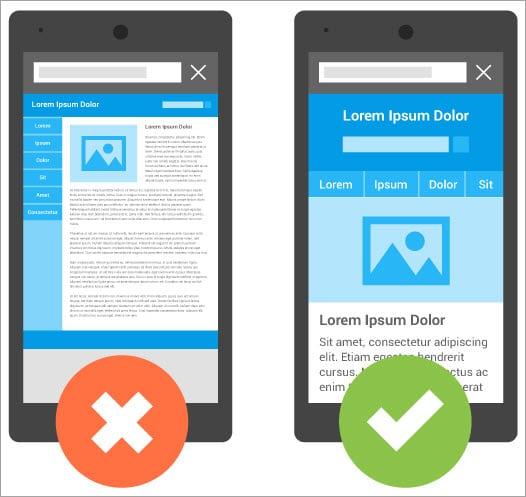
With more patients searching for medical services on mobile devices, a responsive design is essential. Your website should automatically adjust to fit any screen size, providing a seamless user experience whether someone is browsing on a smartphone, tablet, or desktop.
High-Quality Visuals
Images can speak volumes in the medical field. Use high-resolution images that reflect your practice’s values and professionalism. Avoid stock images of generic doctors; instead, showcase real staff members and patients (with consent) to create a connection with potential patients.
Compelling Calls to Action
Every page on your website should have a clear call to action (CTA). Whether it’s to book an appointment, download a patient guide, or sign up for a newsletter, your CTAs should be visually distinct and strategically placed to encourage engagement.
Patient Testimonials and Reviews
Nothing builds trust quite like the experiences of previous patients. Incorporate a section for patient testimonials that highlight positive experiences. This not only builds credibility but also helps alleviate concerns potential patients may have about their visit.
Optimized Loading Speed
A slow-loading website can frustrate users and lead to high bounce rates. Employ optimization techniques to ensure that your website loads quickly. Use tools to compress images, minimize code, and leverage browser caching. Aim for a loading time of under 3 seconds to keep visitors engaged.
Comprehensive Contact Information
Make sure your contact information is easily accessible. Consider including a contact form, phone number, and email address on every page. Additionally, integrating a live chat feature can provide instant assistance, enhancing the user experience.
Educational Resources
Having a blog or a resource center with educational content about common health concerns or treatment options can position your practice as a leader in the field. Providing valuable information not only helps with SEO but also attracts and retains visitors by meeting their informational needs.
Engaging Homepages That Capture Attention
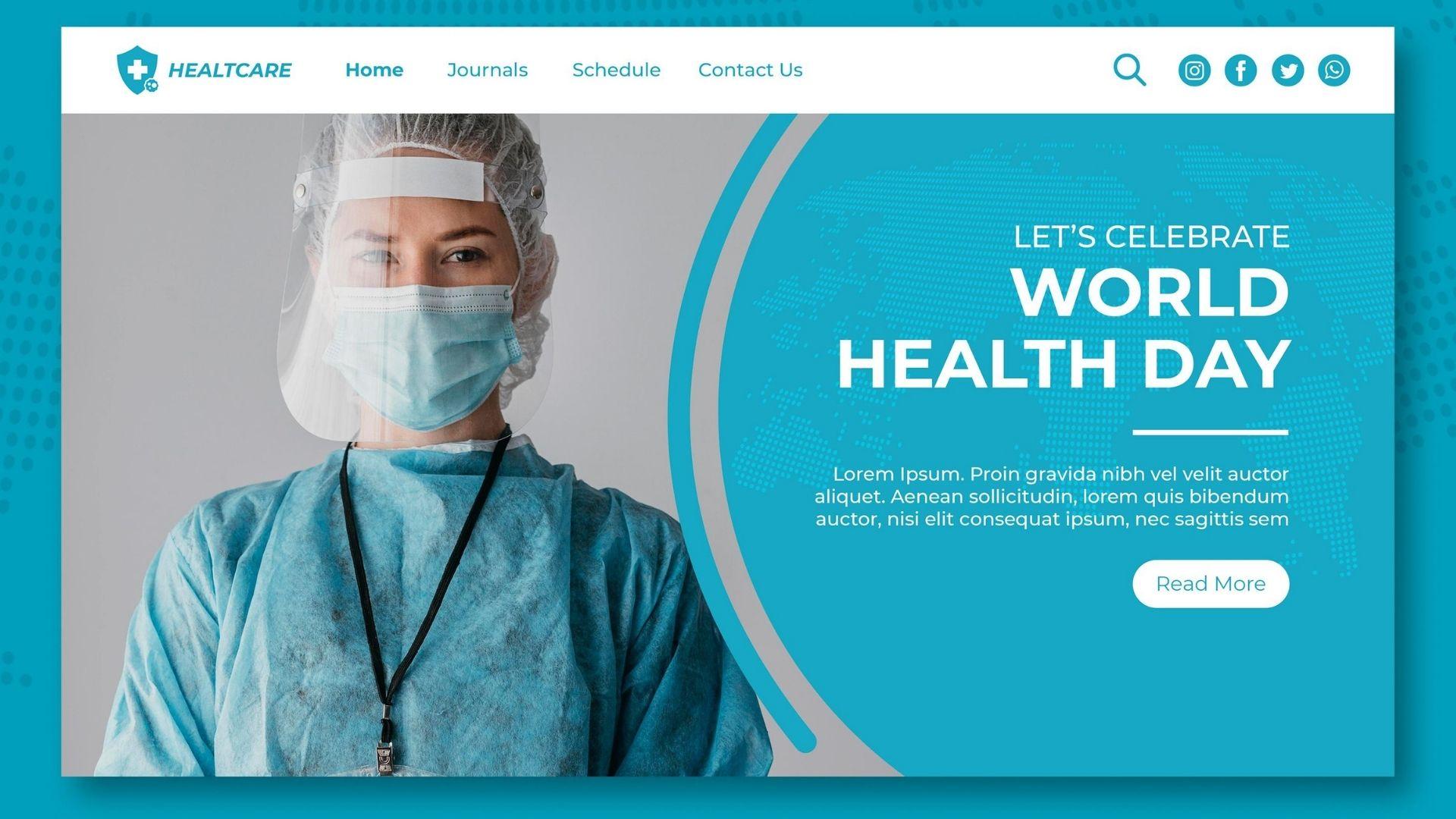
When visitors land on a medical website, first impressions matter tremendously. An engaging homepage acts as a gateway, drawing potential patients in and encouraging them to explore further. A well-designed homepage should not only look appealing but also serve a purpose: to inform, reassure, and convert.
Visual Hierarchy: Establishing a visual hierarchy helps guide visitors’ eyes to the most critical areas of your homepage. Use larger fonts for headings and eye-catching images that resonate with your brand’s message. This technique ensures that important information, such as services offered or a call to action, stands out prominently.
Compelling Calls to Action (CTAs): Clear and persuasive CTAs can make a world of difference. They should be strategically placed throughout the homepage, urging users to take specific actions. For example:
Book an Appointment: A contrasting button that stands out.
Learn More: Links to detailed service pages.
Sign Up for Newsletters: Encourages ongoing engagement.
Trust Signals: In the medical field, trust is paramount. Including elements such as patient testimonials, professional certifications, and industry affiliations can establish credibility. Visual representations of these elements, like badges or star ratings, create a quick, reassuring impact on visitors.
Responsive Design: With an increasing number of users accessing websites via mobile devices, it’s crucial to ensure your homepage is fully responsive. This means it should display beautifully on any screen size, maintaining ease of navigation and readability. A mobile-friendly design can significantly enhance user experience and lead to higher conversion rates.
Engaging Multimedia: Utilizing engaging multimedia elements can capture attention effectively. Incorporate videos or interactive sliders that provide a glimpse into your services or a virtual tour of your facility. These elements not only make the homepage visually appealing but also help convey messages more dynamically.
Simple Navigation: A cluttered homepage can overwhelm users. Ensure that navigation is intuitive, allowing visitors to find information quickly. Consider using a top navigation bar with dropdown menus to categorize services, enhancing accessibility and user experience.
Design Element
Purpose
High-quality Images
Attract attention and create emotional connections.
Frequently Asked Questions (FAQ)
Address common concerns and reduce barriers to conversion.
Live Chat Feature
Offer immediate assistance and enhance user engagement.
By incorporating these essential elements, a medical website’s homepage can transform from a mere digital presence into a powerful tool for engaging visitors and converting them into loyal patients. Remember, the goal is not just to attract traffic but to turn that traffic into meaningful connections.
User-Friendly Navigation for Seamless Experiences
When it comes to medical websites, user navigation should feel like a gentle breeze, guiding visitors effortlessly to the information they need. A well-structured layout paired with intuitive design elements can make all the difference in a patient’s online experience. Think about how frustrating it is to be lost in a maze of links and pages—users should never feel that way on your site.
Here are some key principles to ensure your website is navigating-friendly:
Clear Menu Structure: Utilize a simple, hierarchical menu that categorizes information logically.
Consistent Design: Maintain uniformity in design elements throughout the site to foster familiarity.
Responsive Layout: Ensure your design adapts seamlessly across devices—from desktops to smartphones.
Search Functionality: Incorporate a robust search feature that allows users to find specific services or information with ease.
Call-to-Action Buttons: Position CTAs strategically, making them visible and enticing without being intrusive.
Consider the use of breadcrumb navigation as well. This feature helps users keep track of their location within your site and allows them to return to previous pages effortlessly. Not only does it enhance user experience, but it can also positively impact your site’s SEO by providing a clearer site structure.
Another impactful element is an interactive sitemap. This tool not only guides users but also showcases the breadth of services offered. Organizing information in a straightforward manner will lead to longer visit durations and lower bounce rates.
To illustrate, here’s a simple comparison of navigation features that convert visitors into patients:
Feature
Impact on Users
Dropdown Menus
Simplifies access to information
Live Chat Support
Enhances real-time assistance
FAQs Section
Addresses common concerns proactively
Patient Testimonials
Builds trust and credibility
Lastly, don’t underestimate the power of feedback. Encourage users to share their experiences navigating your website. This will offer invaluable insights into what works and what may need tweaking. By prioritizing user-friendly navigation, you are not just making your medical website more appealing; you are also fostering a trustworthy environment where potential patients feel confident and supported. Your ultimate goal? A seamless experience that converts visitors into loyal patients.
Showcasing Services with Impactful Layouts
Creating a compelling online presence is essential for medical practices looking to attract and retain patients. The way services are showcased on a website can significantly impact user experience and conversion rates. Here are some design elements and layout strategies that can enhance your medical website’s effectiveness:
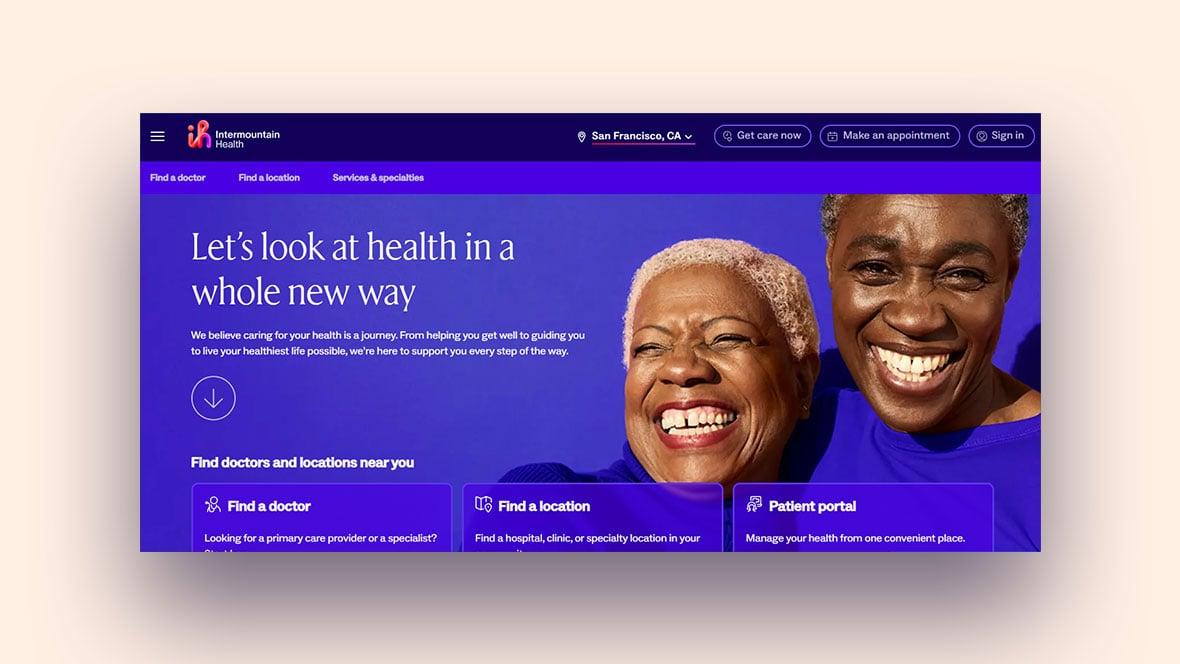
Hero Sections: A striking hero image or video that captures the essence of your practice can grab attention immediately. Include a strong call-to-action that encourages visitors to schedule an appointment or learn more about your services.
Service Highlights: Use visually appealing blocks or cards to outline your key services. Each card should include a short description, an enticing image, and a clickable link for further details.
Patient Testimonials: Incorporating authentic patient reviews not only builds trust but also showcases the quality of care provided. Display these testimonials in a rotating carousel or grid layout for easy viewing.
When it comes to layout, consider using a grid system to organize your content effectively. This method allows for a balanced and aesthetically pleasing presentation of your services. For instance, a grid layout can help visitors quickly scan through different treatment options, making it easier for them to decide on the services they need.
Service
Description
Benefits
Routine Check-ups
Comprehensive health assessments to monitor your well-being.
Early detection of issues, preventive care.
Specialized Treatments
Targeted therapies tailored to specific conditions.
Improved health outcomes, personalized care.
Emergency Care
Immediate medical attention for urgent health concerns.
To further enhance the user experience, consider incorporating interactive elements such as appointment scheduling tools or live chat features. These can make it easier for patients to connect with your practice and streamline the process of getting care.
ensure that your website is mobile-friendly. Many users will access your site via their smartphones, so a responsive design that adapts to different screen sizes is crucial. A mobile-optimized site not only improves user experience but can also boost your search engine rankings.
The Power of Trust: Incorporating Testimonials and Reviews
Building a medical website that converts visitors into patients isn’t just about having a sleek design or compelling content. One of the most potent tools at your disposal is the inclusion of testimonials and reviews. These elements are not just fluff; they are essential for establishing credibility and trust with your audience.
When potential patients land on your site, they are often looking for reassurance. They want to know that others have had positive experiences with your practice. Here’s why incorporating testimonials and reviews is crucial:
Social Proof: People tend to trust the opinions of others over brand messaging. Showcasing genuine patient testimonials can effectively serve as social proof, validating your services.
Emotional Connection: Testimonials can create an emotional connection between your practice and potential patients. Hearing relatable stories helps them envision their own experience with your care.
Transparency: Displaying reviews, both good and bad, demonstrates transparency. It shows that you value feedback and are committed to improving your services.
To make the most of testimonials, consider using a dedicated section on your homepage. A visually appealing carousel or grid layout can make these reviews stand out. Additionally, utilize real names and photographs (with consent) to add authenticity. Here’s a simple layout you might consider:
Patient Name
Testimonial
Jane D.
“The staff were incredibly friendly, and Dr. Smith took the time to answer all my questions.”
“A caring environment with professional service. I wouldn’t go anywhere else.”
Moreover, consider integrating a review platform like Google Reviews or Healthgrades into your website. This not only keeps your testimonials fresh but also allows potential patients to read an extensive range of opinions about your practice. Make sure to include a call-to-action, encouraging satisfied patients to leave their feedback after their appointments.
Lastly, don’t forget to respond to reviews, both positive and negative. This engagement shows prospective patients that you value their opinions and care about their experiences. Responding to criticism can also display your commitment to providing a high-quality service and your willingness to rectify any issues. This can further enhance trust and credibility in the eyes of potential patients.
Visual Appeal: Choosing the Right Color Schemes and Images
When it comes to medical websites, the visual elements play a crucial role in attracting and retaining visitors. A well-chosen color scheme not only enhances the aesthetic appeal but also impacts how users perceive trustworthiness and professionalism. For medical websites, colors that evoke calmness and safety are typically favored. Consider using hues like soft blues, gentle greens, and warm neutrals to convey a sense of reliability and care.
Integrating images that resonate with your audience is equally important. High-quality photographs of healthcare professionals, patients, and services can create an emotional connection. Here are some tips to keep in mind:
Authenticity: Use real photos of your staff and facilities to establish trust.
Diversity: Ensure that your images reflect the diversity of your patient base.
Purposeful Imagery: Select images that support your content and message, whether it’s about a specific service or patient care.
Additionally, consider the psychology of colors. For instance, blue is often associated with trust and dependability, making it a popular choice for medical websites. Green is linked to health and tranquility, while orange can evoke feelings of warmth and encouragement. Strategically using these colors can significantly influence user behavior.
Here’s a quick reference table to help you visualize the effects of different colors:
Color
Psychological Effect
Best Uses
Blue
Trust and dependability
Healthcare, Information
Green
Health and tranquility
Wellness, Environmental
Orange
Warmth and encouragement
Promotional, Call-to-action
Gray
Neutrality and balance
Backgrounds, Text Elements
When selecting images, ensure they are optimized for web performance to maintain fast loading times. Blurry or pixelated images can harm your site’s credibility. Instead, opt for images that are crisp and professional. Stock images can work, but the best approach is to invest in custom photography that truly represents your practice.
Lastly, consistency is key. Your color scheme and imagery should align with your brand identity, maintaining a cohesive look across all pages. This not only strengthens brand recognition but also enhances user experience, making it easier for visitors to navigate through your site effortlessly.
With the right colors and images, you can create a medical website that not only looks great but also converts visitors into loyal patients. Always remember that the ultimate goal is to inspire trust and convey the quality of care your practice provides.
Mobile Responsiveness: Why It Matters More Than Ever
In an era where smartphones have become an extension of ourselves, ensuring that your medical website is mobile-friendly is no longer optional; it’s essential. Over half of all web traffic now comes from mobile devices, and if your site isn’t optimized for mobile viewing, you’re likely losing a significant chunk of potential patients and clients.
Here are a few key reasons why mobile responsiveness is vital:
Enhanced User Experience: A website that adapts seamlessly to different screen sizes provides a better user experience. Patients can easily navigate your services, book appointments, and access information on the go.
Improved SEO Rankings: Search engines, particularly Google, prioritize mobile-friendly websites in their search results. This means that a responsive design can significantly boost your visibility online.
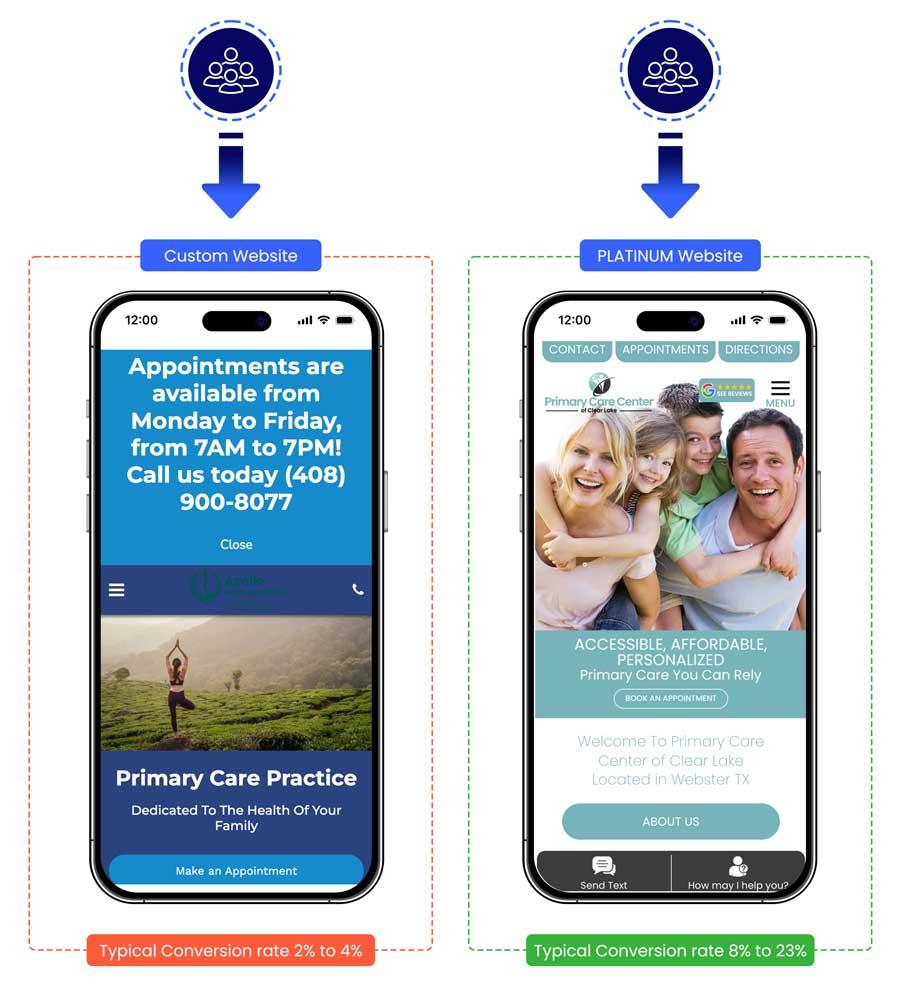
Increased Conversion Rates: A well-designed mobile website encourages users to take action, whether that’s filling out a contact form or scheduling a consultation. The easier you make it for them, the more likely they are to convert.
Professional Image: In the medical field, credibility is crucial. A polished, modern website that functions well on mobile devices reflects professionalism and care, which can instill trust in potential patients.
Consider the statistics: According to recent studies, 70% of mobile searches lead to an action within an hour. This implies that if your website is not mobile-optimized, you could be missing out on countless opportunities. Moreover, users are likely to abandon a website that isn’t mobile-friendly, leading to high bounce rates and lost potential.
Furthermore, with the rise of telemedicine and online consultations, your mobile site should be able to accommodate more than just information. It needs to facilitate quick access to services like appointment scheduling, video consultations, and patient portals—all from the palm of their hand.
To illustrate the impact of mobile responsiveness, here’s a quick comparison of two hypothetical medical websites:
Feature
Responsive Website
Non-Responsive Website
Load Time
2 seconds
8 seconds
Mobile Traffic
60% of total
20% of total
Bounce Rate
25%
65%
Conversions
15%
5%
This table clearly shows the stark contrast between a responsive and a non-responsive website. The numbers speak for themselves: a responsive design not only improves user interaction but also significantly enhances your conversion potential.
Ultimately, as you explore the designs that convert, remember that having a mobile-responsive site is a fundamental aspect of digital strategy. It’s not just about looking good; it’s about meeting the needs of your audience in a digital age where convenience reigns supreme.
Calls to Action That Drive Patient Engagement
To truly connect with patients, your medical website needs to incorporate effective calls to action (CTAs) that not only inform but also engage. Here are some key strategies to consider:
Clear and Compelling Language: Use simple, direct language that clearly states what action you want the patient to take. For example, instead of “Schedule an Appointment,” try “Book Your Visit Today!” This adds a sense of urgency and makes the benefit clear.
Strategic Placement: Position your CTAs where they’re most likely to be seen. Place them above the fold, in the footer, and alongside relevant content to ensure visibility throughout their browsing experience.
Visual Contrast: Make your CTAs stand out using contrasting colors. A bright button against a muted background can draw attention and encourage clicks. Remember, the design should complement the overall aesthetic of your site while also being eye-catching.
Incorporate Testimonials: Pair your CTAs with patient testimonials. A phrase like “Join our satisfied patients” next to a book appointment button can build trust and motivate prospective patients to take action.
Offer Exclusive Benefits: Encourage engagement by highlighting exclusive offers. Phrases like “Get a Free Consultation” or “Sign Up for Health Tips” can entice visitors to take that next step.
Take advantage of technology by using interactive elements such as:
Chatbots: Integrate a chatbot that can answer patient queries in real-time and direct them to book appointments.
Online Forms: Create simplified forms that guide patients through the scheduling process smoothly. A multi-step form can make the process less daunting.
Here’s a simple table showcasing effective CTA examples along with their potential impact:
Call to Action
Purpose
Potential Impact
Book Your Visit
Schedule an appointment
Increased bookings
Join Our Newsletter
Engage with ongoing tips
Higher retention rates
Get a Free Consultation
Encourage first-time visits
Boost in initial consultations
Lastly, consider using A/B testing to evaluate the effectiveness of your CTAs. Experiment with different phrases, placements, and designs to see what resonates most with your audience. Tracking user engagement will help you refine your approach and ultimately drive more patient interactions.
Optimizing Loading Speed for Better User Retention
In today’s fast-paced digital landscape, the loading speed of your medical website plays a crucial role in retaining visitors and converting them into patients. A slow-loading website can lead to frustration, causing potential clients to abandon their search for medical solutions and seek alternatives elsewhere. To keep your audience engaged, it’s essential to prioritize optimization strategies that enhance loading times.
1. Optimize Images: Large image files can significantly slow down your website. Consider compressing images before uploading them to your site. Tools like TinyPNG or ImageCompressor can help reduce file sizes without sacrificing quality. Ensure that you use the correct formats—JPEG for photographs and PNG for graphics with fewer colors.
2. Leverage Browser Caching: By enabling caching, you allow browsers to store some data locally, which can reduce loading times for returning visitors. This means that when users come back to your site, they won’t have to download the same files again. Implement caching plugins like WP Super Cache or W3 Total Cache to enhance performance.
3. Minimize HTTP Requests: Every element on your page, from scripts to images, generates an HTTP request. Reducing the number of these requests can significantly improve your site’s speed. Consider consolidating CSS and JavaScript files and using sprites for images, so they load in fewer requests.
4. Utilize Content Delivery Networks (CDN): CDNs distribute your website’s content across various servers worldwide, ensuring that users download data from a server closest to them. This reduces latency and speeds up loading times. Services like Cloudflare or MaxCDN are excellent options for medical websites looking to optimize user experience.
5. Choose a Reliable Hosting Provider: Your website’s speed is significantly influenced by your hosting provider. Opt for a hosting service that specializes in WordPress and offers solid speed and uptime guarantees. Managed WordPress hosting solutions often come optimized for performance, which can be a game-changer for your medical site.
6. Clean Up Your Code: Cluttered code can lead to slower loading times. Regularly review your website’s HTML, CSS, and JavaScript for unnecessary characters, spaces, and comments. Use tools like HTML Compressor to streamline your code.
Optimization Strategy
Benefits
Image Optimization
Faster load times, improved user experience
Browser Caching
Reduced load times for returning visitors
HTTP Request Minimization
Decreased server load, quicker rendering
CDN Implementation
Faster delivery of content globally
Reliable Hosting
Better performance and uptime
Code Cleanup
Simplified structure, faster processing
By implementing these strategies, you can enhance your website’s loading speed significantly. Remember, a faster website not only keeps users engaged but also fosters trust and credibility—especially important in the medical field. Prioritize these optimizations to create a seamless experience that encourages potential patients to stay longer and explore the services you offer.
Integrating Online Booking Features for Convenience
In today’s fast-paced world, convenience is key, especially in the healthcare industry. Patients are increasingly looking for ways to manage their appointments with ease, and integrating online booking features can be a game changer for your medical website. By offering a seamless online scheduling experience, you not only enhance patient satisfaction but also improve your practice’s overall efficiency.
When implementing online booking, consider these essential features that can elevate the user experience:
User-Friendly Interface: Ensure that the booking process is intuitive. A clean layout with clear navigation can significantly reduce the chances of potential patients dropping off during the scheduling process.
Real-Time Availability: Allow patients to select their preferred appointment times based on real-time availability. This transparency helps in building trust and reduces the likelihood of double bookings.
Appointment Reminders: Use automated reminders via email or SMS to reduce no-show rates. This simple feature can help keep your schedule full and your patients informed.
Multiple Appointment Types: Offer various appointment options tailored to different needs, whether it’s a consultation, follow-up, or a telehealth visit. This flexibility can attract a wider range of patients.
Furthermore, integrating a secure payment feature within your booking system can streamline the financial aspect of healthcare. Patients appreciate the convenience of paying online, which can also help reduce administrative burdens on your staff. Here are some benefits of incorporating this feature:
Feature
Benefits
Secure Payment Processing
Builds trust with patients, ensuring their financial information is protected.
Improves patient confidence by providing immediate confirmation of payment.
Another critical component is mobile optimization. With more patients using their smartphones for everyday tasks, having a mobile-responsive booking system is non-negotiable. Ensure that your online booking system functions flawlessly on all devices, facilitating easy access for patients on the go.
Integrating these online booking features isn’t just about convenience; it’s about enhancing the overall patient experience. When patients can easily schedule, pay, and manage their appointments, they are more likely to remain loyal to your practice. Plus, a modern, tech-savvy approach can set you apart from competitors who may still be relying on outdated methods.
Ultimately, the goal is to create a user-friendly online experience that reflects the quality of care offered in your practice. By investing in these features, you not only make life easier for your patients but also position your medical practice for growth in a digital-first world.
Building Trust with Informative Content and Resources
In the digital age, a well-designed medical website is not just about aesthetics; it’s about establishing trust. When patients visit your site, they seek assurance that they’re in capable hands. By integrating informative content and valuable resources, you can build this essential trust and encourage conversions.
Start with a clear, user-friendly layout. Patients should easily navigate your site to find the information they need. Consider using a simple color scheme and intuitive menu options. Highlight sections like:
About Us: Share your practice’s history and values.
Services Offered: Clearly outline what services you provide.
Patient Resources: Include downloadable forms and FAQs.
Next, provide high-quality content that addresses common patient concerns. Blog posts, articles, and guides on health topics not only educate your audience but also position your practice as an authority in your field. Regularly updated content keeps your website fresh and engaging, encouraging patients to return for more information.
Don’t underestimate the power of visuals. High-quality images and videos can make your site more appealing and personable. Consider incorporating:
Team Introductions: Short bios and pictures of your staff can humanize your practice.
Patient Testimonials: Showcase real stories from satisfied patients to enhance credibility.
Educational Videos: Short clips explaining procedures can demystify the medical experience.
Moreover, implement a section dedicated to frequently asked questions (FAQs). This not only saves time for your staff but also empowers patients with the information they need to make informed decisions. Ensure your answers are clear and concise, addressing common worries about treatments, costs, and recovery times.
Resource Type
Purpose
Example
Blog
Educate on health topics
“5 Tips for a Healthier Lifestyle”
Video
Explain procedures
“What to Expect During Your First Visit”
Newsletter
Share updates and promotions
Monthly health tips and news
Lastly, make sure to integrate secure contact options. Features like online appointment booking and inquiry forms should be encrypted to protect patient information. Prominently display your contact information and encourage visitors to reach out with any questions. This accessibility signals that you value their concerns and are eager to assist.
By creating a website that combines informative content with user-friendly design, you not only enhance your online presence but also lay the groundwork for lasting patient relationships. Trust is built on transparency, and your website can be a powerful tool in fostering that trust.
Accessibility Considerations for Inclusive Design
In the realm of medical website design, inclusivity is not just a buzzword; it’s a necessity. Designing with accessibility in mind ensures that all users, regardless of their abilities, can navigate and engage with your site effectively. Here are some fundamental considerations to integrate into your design process:
Color Contrast: Ensure sufficient contrast between text and background colors. This helps users with visual impairments to read content easily. Tools like the WebAIM contrast checker can assist in evaluating your color choices.
Text Resizing: Implement responsive text that allows users to adjust font sizes without losing site functionality. This feature benefits users with low vision and enhances the overall user experience.
Keyboard Navigation: Ensure that your site can be fully navigated using a keyboard. This is critical for users who cannot use a mouse, allowing them to access all features seamlessly.
Alt Text for Images: Provide descriptive alt text for all images. This not only aids screen reader users but also improves SEO, making your site more discoverable.
Let’s delve into some additional elements that can enhance accessibility:
Enhances readability for users with dyslexia or cognitive challenges.
Accessible Forms
Ensures that all users can complete forms without barriers, improving engagement and conversion rates.
Skip Links
Allows users to bypass repetitive content, saving time and effort.
Moreover, engaging with users through feedback mechanisms can provide insights into their experiences. Conducting usability testing with diverse groups can uncover any accessibility hurdles that may not be immediately apparent. Additionally, consider implementing features like:
Video Captions: Include captions for all video content to cater to users who are deaf or hard of hearing.
Accessible PDFs: Ensure that downloadable resources comply with accessibility standards, making them usable for all.
Consistent Layouts: Keep a consistent and predictable layout throughout your site. This familiarity can significantly aid navigation for users with cognitive disabilities.
remember that accessibility is an ongoing process. Regularly revisiting your website to assess and update its accessibility features will not only keep your site compliant but also show your commitment to inclusivity. By prioritizing accessibility, you’re not just enhancing user experience; you’re fostering a welcoming environment that can truly make a difference in the lives of your visitors.
Analytics: Measuring Your Website’s Success and Areas for Improvement
Understanding how your website performs is crucial for ongoing success. By diving into analytics, you can uncover valuable insights that can help refine your design and maximize conversion rates. It’s not just about having a visually appealing website; it’s about ensuring that your visitors are engaging with your content and taking the desired actions.
Key Metrics to Track:
Traffic Sources: Where are your visitors coming from? Knowing whether they arrive via search engines, social media, or direct traffic helps you strategize your marketing efforts effectively.
Bounce Rate: A high bounce rate may indicate that your landing pages aren’t engaging enough. Assess the content and design of these pages to encourage visitors to explore further.
Conversion Rate: This is the percentage of visitors completing a desired action, such as booking an appointment or signing up for a newsletter. Monitor this closely to gauge the effectiveness of your CTAs and overall layout.
User Behavior: Tools like heatmaps can help visualize where users are clicking on your site. Analyzing this data can lead to design adjustments that enhance user experience.
To further break down your analytics, consider segmenting your audience. This allows you to tailor content and design elements to different demographic groups. For instance, a younger audience might respond better to vibrant, dynamic designs, while older visitors may prefer simpler, more straightforward layouts. Understanding these nuances can significantly improve your site’s effectiveness.
Example Metrics Table:
Metric
Ideal Range
Actionable Insights
Traffic Sources
Search (50%) | Social (30%) | Direct (20%)
Focus on SEO strategies for better search visibility.
Bounce Rate
40% – 60%
Revise high-bounce pages to enhance engagement.
Conversion Rate
2% – 5%
Test different CTAs to find the most effective wording.
User Retention
50%+
Implement follow-up email campaigns to keep users engaged.
Regularly reviewing these metrics will keep you informed about your website’s performance. Set up monthly reviews to analyze trends over time rather than reacting to short-term fluctuations. This way, you’ll develop a deeper understanding of how different elements on your site contribute to conversion success.
Lastly, don’t hesitate to A/B test different designs. Experimenting with layout variations, color schemes, and content placements can reveal what resonates best with your audience. By continuously refining your approach based on analytics, you’ll ensure that your medical website not only attracts traffic but also converts visitors into loyal patients.
Frequently Asked Questions (FAQ)
Q&A for “9 Medical Website Designs That Convert (Steal Ideas!)”
Q: Why is website design so important for medical practices? A: Great question! In today’s digital age, your website is often the first point of contact potential patients have with your practice. An attractive, user-friendly design not only helps convey professionalism and trust but also encourages visitors to take action—whether that’s booking an appointment or reaching out for more information.
Q: What makes a medical website design effective? A: Effective medical website design combines clean aesthetics with functionality. It should be easy to navigate, mobile-responsive, and feature clear calls to action. Incorporating elements like patient testimonials, easy access to contact information, and an informative blog can also boost engagement and conversion rates.
Q: Can you give me an example of a design that converts well? A: Absolutely! One standout example is a website that features a prominent hero image showcasing happy patients interacting with staff. This not only humanizes the practice but also creates an emotional connection. Coupled with a straightforward booking button, it effectively drives conversions.
Q: How can I make my site more user-friendly? A: Simplicity is key! Use clear headings, straightforward navigation, and limit the number of clicks a user needs to make to find information. Consider integrating chatbots for instant assistance, and ensure your site loads quickly. Remember, a cluttered site can overwhelm visitors and drive them away.
Q: What’s the role of color and typography in medical website design? A: Color and typography play a pivotal role in conveying your brand’s message. Calming colors like blues and greens are often associated with trust and health. Choose clean, legible fonts to enhance readability. Together, these elements can create a comforting atmosphere that resonates with patients.
Q: Are there specific features that enhance conversion rates? A: Yes! Features such as online appointment scheduling, patient portals, and easy-to-find contact information can significantly boost conversions. Additionally, incorporating trust signals like certifications, awards, or partnerships can instill confidence in your visitors.
Q: How can I incorporate patient testimonials effectively? A: Patient testimonials add credibility! Consider placing them on your homepage or a dedicated page, using eye-catching quotes paired with photos of the patients (with their permission, of course!). Video testimonials can be particularly impactful, bringing authentic stories to life and making potential patients feel more connected.
Q: Should I consider SEO when designing my medical website? A: Absolutely! SEO (Search Engine Optimization) is crucial for increasing your visibility on search engines. Incorporate relevant keywords into your content, use descriptive alt tags for images, and ensure your site structure is optimized for search engines. A well-executed SEO strategy can drive more traffic to your site and lead to higher conversion rates.
Q: What if I don’t have the budget to hire a designer? A: No worries! There are plenty of user-friendly platforms like Wix, Squarespace, and WordPress that offer customizable templates specifically for medical practices. You can still create a professional-looking site without breaking the bank. Just remember to focus on the essentials we discussed!
Q: What’s the takeaway from this article? A: The main takeaway is that a well-designed medical website is a powerful tool for converting visitors into patients. By implementing the ideas and strategies outlined in the article, you can create an engaging online presence that reflects your practice’s values and meets the needs of your patients. So, what are you waiting for? Start stealing those ideas today and watch your conversions soar!
Key Takeaways
As we wrap up our exploration of the “9 Medical Website Designs That Convert,” it’s clear that great design is more than just aesthetics; it’s a powerful tool that can drive patient engagement and boost conversions. Whether you’re a healthcare provider, a clinic administrator, or a medical professional looking to enhance your online presence, these design ideas can serve as a valuable source of inspiration.
Remember, stealing design concepts isn’t just about imitation; it’s about understanding what works and tailoring it to fit your unique brand and audience. So, take a close look at these examples, think about how they resonate with your vision, and don’t hesitate to experiment!
Before you go, ask yourself: What elements from these designs can you incorporate into your own website? Every small change can lead to better patient interactions and ultimately improve your practice’s success.
Now, roll up your sleeves and get to work on transforming your online space into a welcoming and effective platform for your patients. Happy designing!